
Free AI Quiz Generators From PDF With Answer Keys, Tested: 6 Tools Compared
A free AI quiz generator from PDF with answer key turns a chapter or handout into questions plus answers. After page-level testing six tools, our verdict: Quizbot’s free plan is the most generous (about 50 questions a month, PDF upload, balanced keys, Word and PDF export). Quiz-Maker needs no sign-up. MagicForm wins if your school lives in Google Forms.
You know that Sunday-night feeling. The chapter’s been taught, the kids understood something, and now you need a Friday quiz that matches what you actually covered — answer key included, because your 3rd-period class will absolutely contest question 4. That’s the job a PDF-to-quiz generator does: chapter in, questions plus answers out.
The catch? “Free” means different things everywhere: fifty questions a month here, five quizzes there, eight questions per quiz somewhere else. We read every tool’s official pages — limits, PDF handling, answer keys — so you pick once, not three Sundays in a row.
TL;DR — the 30-second version
- Quizbot — most generous free plan: about 50 questions/month, PDF upload, balanced keys, Word/PDF/Classroom/Moodle/Canvas exports. No sign-up to try.
- Quiz-Maker — no sign-up at all. 50 MB PDFs in, MCQ/true-false with key and explanations out. Share link, embed, results tab.
- MagicForm — the Google Forms pick: one-click export with keys included. But the free plan is only 5 short quizzes/month.
- WritingTools.ai — fast, free quizzes from pasted text with answers and explanations. No direct PDF upload — paste first.
- LogicBalls — free, no sign-up; asks clarifying questions first, so fewer hallucinations. Slower but more careful.
- The chatbot shortcut — works in a pinch, but you do all the formatting and key-checking yourself.
In this guide you’ll find…
Six PDF-to-quiz tools, compared on real free limits (official pages, not marketing), classroom PDFs, export options, a 15-minute routine, and the privacy question nobody asks until it’s too late.
How we tested
Honesty first: this round was page-level verification, not hands-on account testing. We opened each tool’s official pages (all linked below) and worked through free-plan details, pricing, FAQ, and upload flows as a teacher shopping for a tool would. Where a flow is signup-walled, we say so — and every limit, cap, and export below was verified against the vendor’s own words. Nothing here is invented from a press kit.
Checked per tool: (1) real free-tier limits, (2) PDF upload flow and file caps, (3) answer keys with explanations or not, (4) export options, (5) what happens to your uploads.
The side-by-side: what “free” actually gets you
All numbers come from the tools’ own pages, checked this week:
| Tool | Free tier | PDF / file handling | Answer key | Exports |
|---|---|---|---|---|
| Quizbot | ~50 questions/month, refreshed on the 1st; no sign-up to try | Up to 4 files, 20 MB each; paste text or photo | Every quiz; correct MCQ answers balanced across A–D | Word, PDF, Google Classroom, Moodle, QTI (Canvas/Blackboard), Aiken, share link, online quiz |
| Quiz-Maker | Free, no card; daily fair-use limit “almost nobody reaches” | PDF/Word/slides/spreadsheet/text up to 50 MB; photo to 10 MB | Every question, plus an explanation; a second AI pass double-checks keys | Share link, embed code, Results tab with every score |
| MagicForm | 5 quizzes/month, 12,000-char input, up to 8 questions/quiz | PDF, DOCX, YouTube, image, text, URL | Keys included in the Google Forms export | Google Forms (one-click, with keys), PDF, share link |
| WritingTools.ai | Free for common use; 5–50 questions/quiz | No direct PDF upload — topic or pasted source text | Key + brief explanation per question | Copy-paste into Google Docs, Word, LMS |
| LogicBalls | Free, no sign-up; 10,000 AI words/month | Summary or uploaded text — asks clarifying questions first | Keys + explanations grounded in your input | Copy out and reuse; refine by plain-English instruction |
| Chatbot (DIY) | Free tiers on ChatGPT/Claude/Gemini | Paste or upload the PDF yourself | You verify every key by hand | Copy-paste, reformat yourself |
The tools worth your time handle the whole pipeline — upload, generate, key, export. The DIY route is free, but you pay in formatting time instead.
Quizbot: the most generous free plan, and it shows
Quizbot is the only vendor with two dedicated pages — one for quick quizzes, one for full tests — and its free plan reads like it was written by someone who knows teachers. About 50 questions a month, refreshed on the 1st, no sign-up to try. Free types cover the everyday stuff: true/false, fill-in-the-blank, multiple choice, open-ended. (Matching, calculation, and Bloom’s sets are paid — fair.)
Upload up to 4 files at 20 MB each; it builds questions from that material only — nothing from a different curriculum. Every test gets its answer key, with correct MCQ answers spread evenly across A, B, C, and D (no “the answer is usually B” pattern). Exports: Word, PDF, Classroom, Moodle, QTI (Canvas/Blackboard), Aiken, share link, or an online quiz.
Two caveats. Fifty questions a month shrinks fast if you teach five sections — one 20-question quiz is nearly half your month. And the “340K+ users / 260M+ quizzes” stats are vendor-stated: marketing, not evidence. What matters: free, no card, stated limits, and your texts and questions are not stored.
Quiz-Maker: the no-sign-up option that explains every answer
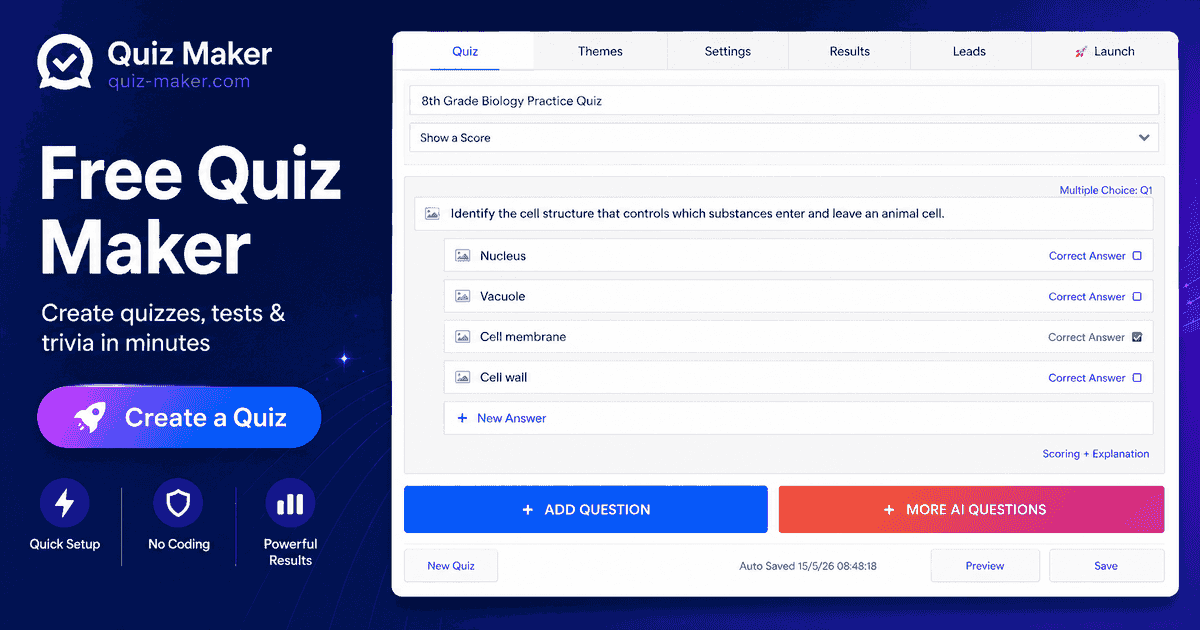
Quiz-Maker’s AI quiz generator is the closest thing to a walk-up tool here: no sign-up, no card — make a quiz, take it, share the link. Paste notes, upload a PDF (or Word, slides, spreadsheet, text up to 50 MB — the largest cap here), snap a photo of a worksheet up to 10 MB, or drop in a web page. It writes multiple-choice and true/false with an answer key and a reason for every answer — and a second AI pass re-answers each question and fixes keys it disagrees with. Their demo: 10 questions checked by hand, 10 of 10 correct, first question ready in under 10 seconds.
Students need no account to take the quiz; you get a share link, an embed code, and a Results tab with every score. You only need a free account to keep quizzes in a dashboard. Watch-outs: study mode asks for your email after three rounds, and the free plan runs on a “daily fair-use limit that almost nobody reaches” — softer than Quizbot’s hard monthly number.
MagicForm: the Google Forms teacher’s best friend
If your school runs on Google Forms, MagicForm stops being “a tool” and becomes the obvious choice. It lives as a Google Forms add-on: generate from a PDF, YouTube video, image, text, or URL, then export to Google Forms in one click — with answer keys included. For a teacher collecting responses in Forms every week, that’s the whole workflow in one button.
The honest part: 5 quizzes a month, 12,000 characters of input, up to 8 questions per quiz. Eight questions is an exit ticket, not a chapter test. Pro is $7.42/month billed yearly ($89/year): unlimited quizzes, up to 40 questions each, licensed per Google account. On privacy, they say plainly they don’t look at or share customer data — worth seeing in a tool inside your Google Forms. Pick it for short, Forms-first quizzes; skip it for a free-tier unit test.
WritingTools.ai: quick and free — but you’ll paste, not upload
WritingTools.ai’s quiz generator is the fastest to start: enter a topic (or paste source text), pick question types, difficulty, and count (5–50 questions), and you get a cleanly formatted quiz with answers and brief explanations. MCQ, true/false, short answer, or mixed; easy/medium/hard/mixed difficulty. Free for common classroom use — only advanced modes like exam-style may need premium (from $9.99/month).
The catch: no PDF upload on the tool page. It works from a topic or pasted text — their own tip is to paste a short lesson excerpt. So copy the key pages’ text, or scope the topic tightly (“Photosynthesis (light-dependent reactions and Calvin cycle)” beats “photosynthesis”). Exports are copy-paste into Google Docs, Word, or your LMS — fine for a printable quiz, not a one-click pipeline. Best for quick formative checks from a topic, not document-driven tests.
LogicBalls: the one that asks you questions first
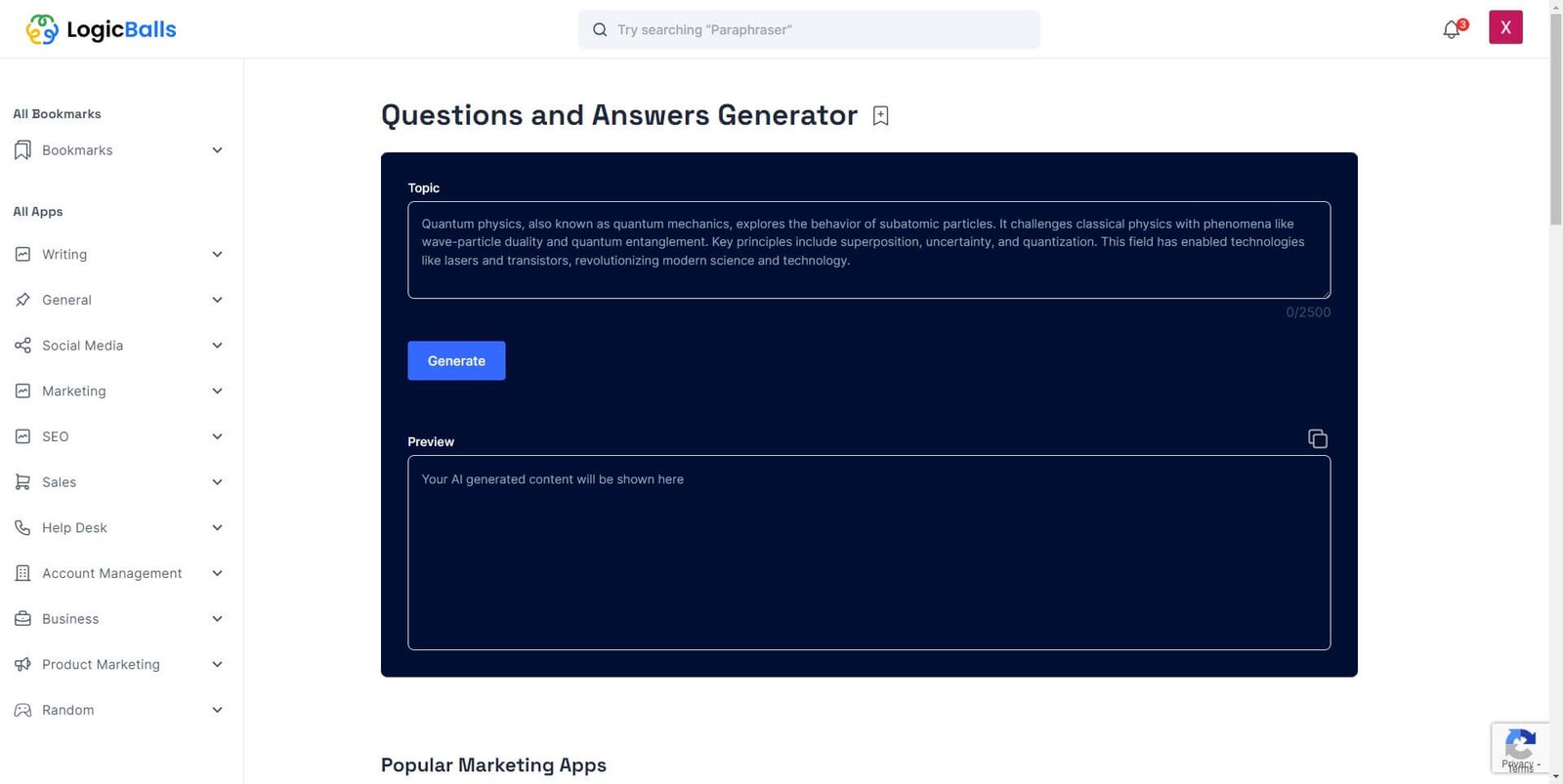
LogicBalls’ AI Quiz About Generator works differently: before generating, it asks 2–3 clarifying questions — audience, difficulty, tone — and refuses to guess at context. The pitch is “verification-first”: no hallucinated facts, questions grounded in what you provided, answer keys and explanations included. Free, no sign-up, 10,000 AI words a month on the free tier (paid plans from $5 a month).
This is the tool for material you can’t afford to proofread three times — the test where a wrong key becomes a parent email. Trade-off: the clarification step is slower than Quizbot or Quiz-Maker, and its page describes pasted text or a summary, not direct PDF upload. Five-minute quiz from a textbook PDF? Pick something else. Careful questions on a niche topic? Worth the two minutes.
What about just asking a chatbot? The honest DIY option
Paste a chapter into ChatGPT, Claude, or Gemini, say “write me a 15-question quiz with an answer key” — it will. But you do the formatting, key-checking, answer-balancing, and building. Chatbot keys go wrong in plausible ways more often than anyone admits. Fine as a one-off. As your term system? That’s a lot of Sundays.
What about the PDFs that trip every tool up?
Every tool above reads text-based PDFs well. They all struggle with the same real-classroom edge cases, and no marketing page leads with this:
- Scanned PDFs (photos of pages, no text layer): Quiz-Maker handles these best — photo uploads to 10 MB; Quizbot and MagicForm take images too. But a scanned 40-page chapter means the AI reads only what it can see, and OCR-heavy PDFs are the top source of garbage questions. Paste the key passage instead.
- Multi-column textbook layouts: generators often read two columns as one confused sentence. Fix: generate from one column’s worth of text at a time, or paste the passage manually.
- Math formulas and diagrams: all six are text-first — a geometry diagram or chemistry equation won’t come through. Use these tools for vocabulary and procedure questions; hand-write the diagram items. Our worksheet generator guide covers the same trap with worked math examples.
- File caps: Quizbot’s 4 × 20 MB and Quiz-Maker’s 50 MB handle real textbooks; MagicForm’s 12,000-character free input is the tight one — feed it the section you’re actually testing.
Which export should you pick?
- Google Forms (MagicForm, Quizbot): auto-marking, grade sheet, zero paper. MagicForm’s one-click export with keys is the standout; Quizbot sends to Classroom too.
- PDF (Quizbot, MagicForm, Quiz-Maker): print-and-hand-out, or a locked-down test students can’t edit. Quizbot’s print-ready paper with key is built for this.
- Word (Quizbot): when you need to tweak formatting or match department house style before printing.
- LMS formats (Quizbot’s QTI/Aiken, Quiz-Maker’s embed): for Canvas, Blackboard, or Moodle schools. Quizbot is the only free option here with QTI export — Canvas district? Settled.
- Copy-paste (WritingTools.ai, LogicBalls): when the quiz goes inside something bigger — a study guide, slides, a leveled packet. Pair with our differentiated instruction guide if the same quiz needs leveled versions.
Can you actually trust the answer key? (Ask the hard question first)
Here’s the question the vendors hope you don’t dwell on: if the AI wrote the questions and the key, who’s checking the key? Both going wrong in the same direction is the silent failure mode of every generator on this page — and a wrong answer key doesn’t just waste your Friday, it becomes a parent email on Monday.
So what do the vendors actually do about it? Two of the six say something concrete, and they’re different approaches worth quoting in their own words. Quizbot balances the correct answers across A–D so you don’t get the classic “the answer is always B” pattern — a small thing that catches lazy keys. Quiz-Maker goes further: after writing the quiz, a second AI pass answers every question on its own and fixes any key it disagrees with. Their demo page says they hand-checked 10 generated questions and got 10 of 10 correct, with the first question ready in under 10 seconds. That’s a vendor claim, not independent evidence — but it’s the strongest accuracy story any tool here tells, and the idea is sound: two independent passes beat one.
LogicBalls takes the careful route instead — it asks you clarifying questions before generating, so the input is tighter and there’s less room for hallucination. MagicForm and WritingTools.ai lean on you: check the key yourself.
My honest take: no vendor’s accuracy process replaces your eyes. My non-negotiables before any generated quiz goes live:
- Answer every question yourself before printing. Not skim — answer.
- Check that correct answers aren’t clustering on one letter.
- Make sure every distractor is wrong for a reason a student might actually believe — that’s what makes it a quiz, not a guessing game.
- For anything graded that counts, verify the three hardest questions against your source.
Ten minutes. Your name is on the quiz — act like it.
(Source verification: Quiz-Maker’s second-AI-pass, “10 of 10 correct… under 10 seconds”, 50 MB PDF cap, “your text and your questions are not stored” — quiz-maker.com/AI-Quiz-Generator. Quizbot’s ~50 questions/month, balanced A–D keys — from this site’s own verified table. LogicBalls clarifying questions — the post’s own verified section.)
Your 15-minute PDF-to-quiz workflow
- Minutes 0–2: Pick your tool. Forms school → MagicForm. Print school → Quizbot. Hate accounts → Quiz-Maker.
- Minutes 2–4: Upload one section, not the whole chapter. One objective at a time beats a 30-page dump.
- Minutes 4–8: Generate. Mix types: MCQ for understanding, true/false or fill-in for recall — all free on these plans.
- Minutes 8–12: Proofread the answer key. Non-negotiable. Check keys against options, distractors plausible-but-wrong, correct answers not clustered. Your name’s on the quiz.
- Minutes 12–15: Export, set pass mark and timer, decide when answers show. Done.

A quick privacy note before you upload anything
Upload your materials — the chapter, your slides, the worksheet. Not a scan of students’ graded work, not a roster, not anything with names. The upload-hygiene principles from our tested lesson-plan generator guide apply word-for-word here.
Quizbot states your text and questions are not stored. MagicForm says it doesn’t look at or share customer data — though its FAQ also explains opting your organization’s data out of OpenAI training, worth a read if your district cares. The rest are quieter, which is its own answer: keep student data out of all of them. The 30-second rule — if you wouldn’t email it to a stranger, don’t upload it to a free tool.
Frequently asked questions
Is there really a free AI quiz generator from PDF with answer key?
Yes. Quizbot (about 50 questions/month, refreshed on the 1st) and Quiz-Maker (free, no sign-up, 50 MB PDFs) are the most complete. MagicForm gives 5 quizzes/month, WritingTools.ai is free for common use, LogicBalls free to 10,000 words/month. All verified from vendors’ pages this week.
Can I upload a whole textbook chapter PDF?
Feed the tool the section you’re testing — sharper questions. Quizbot takes 4 files at 20 MB each; Quiz-Maker one file to 50 MB; MagicForm’s free input caps at 12,000 characters.
Do the answer keys come with explanations?
Quiz-Maker explains every answer (plus a second AI pass double-checking keys). WritingTools.ai gives a brief explanation per question. Quizbot hands you the key but leans on you to spot-check. Whatever you pick: verify before class. Non-negotiable.
Can students take the quiz online, or is it print-only?
Both. MagicForm → Google Forms with keys; Quizbot → online marking and exports to Classroom, Moodle, Canvas, Blackboard; Quiz-Maker → a share link anyone can take with no account; WritingTools.ai and LogicBalls → copy-paste.
What if my PDF is a scan with no selectable text?
Use one that takes photos: Quiz-Maker (worksheet photos to 10 MB), Quizbot (photos of notes), MagicForm (image uploads). But long scanned chapters read badly — pasting the key passage as text beats a blurry scan.
Will the questions match what I actually taught?
Only if you hand it your material. Every generator here writes from your document or pasted text — that’s the point versus a generic question bank. Quizbot is explicit: questions come from your chapter in your vocabulary, nothing from a different curriculum. One chapter beats a whole textbook.

The verdict: which one should you actually use?
Try Quizbot first: term-long free plan, thoughtful keys, exports from print to Canvas. Hate signing up? Quiz-Maker — no friction, best explanations. Forms-first school? MagicForm — mind the 5-quizzes ceiling. WritingTools.ai and LogicBalls are your specialists: fast topic quizzes, accuracy-first generation.
Whatever you pick — check the answer key. Every time. We’re the TeachersTool team — teachers and teacher-adjacent folks who test this stuff so you don’t guess. More about us on our About page.
Found this guide helpful?
Add TeachersTool as a Preferred Source on Google, and our tested guides surface at the top of your searches and AI Overviews whenever you need them.
Last updated: October 21, 2026
Get One Useful AI Tool Tip Every Week
One practical AI tool tip in your inbox every week. No spam, unsubscribe anytime.

We’re the team behind TeachersTool. We hands-on test AI tools for teachers — signing up for free plans, taking real screenshots, and fact-checking every claim before publishing. Our guides cover lesson planning, quiz creation, grading, and classroom AI workflows.
Enjoying TeachersTool guides?
Add us as a Preferred Source on Google — you'll see our latest tools and guides first in Search, Top Stories, and AI Overviews.