
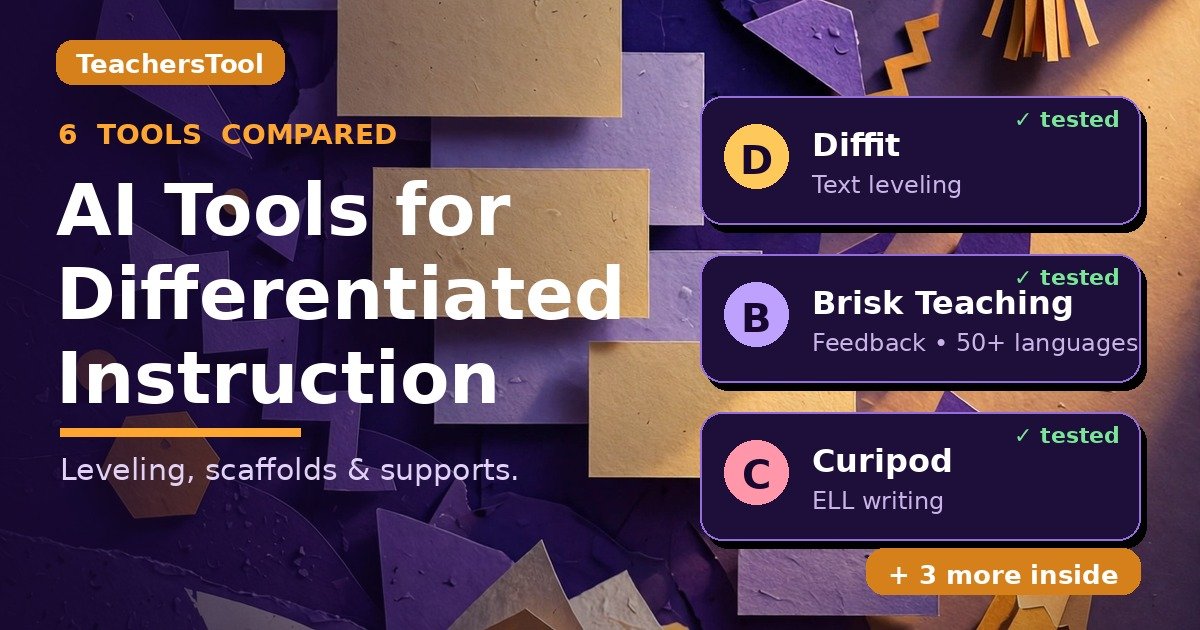
AI Tools for Differentiated Instruction, Tested: 6 Tools That Level, Scaffold, and Support Every Learner (2026)
Last Friday afternoon I was marking a stack of reading responses — the kind where half are beautifully thoughtful and half are one word long. Then I saw a Gallup–Walton survey number from October 2026: 59% of US K-12 educators used AI in the last school year, and nearly two-thirds of them say it freed up time for what matters most. That’s the dream — spending that saved time on differentiation instead of admin. The short answer: AI tools for differentiated instruction are platforms that take one lesson and reshape it — they level reading passages up or down, they scaffold and translate for ELL and multilingual learners, they suggest IEP and 504 accommodations, and they adapt worksheets and assessments to different readiness levels. I opened the official pages of six tools and read every differentiation feature, free limit, and price line by line. Here’s what I found.
In this guide you’ll find: quick verdicts on MagicSchool, Eduaide, Brisk Teaching, Diffit, Curipod, and Khanmigo; what differentiation asks of AI; feature and pricing comparison tables; a privacy and FERPA check; quality guardrails; a 20-minute Friday workflow; and a straight-talking FAQ.
TL;DR — the quick verdicts
- MagicSchool — the biggest free toolbox (80+ tools); best first stop for IEP and accommodation ideas.
- Eduaide — the cheapest upgrade at $49.99/year; Pro adds reading supports and translations.
- Brisk Teaching — free forever inside Google Docs; my pick for instant feedback in 50+ languages.
- Diffit — the text-leveling specialist; levels any article, PDF, or YouTube video.
- Curipod — built for ESL/ELL writing practice with authentic-writing controls and rubric scoring.
- Khanmigo — free for teachers, with differentiated planning tied to Khan Academy’s content library.
Short on time? Diffit for reading levels, Brisk for feedback, Curipod for multilingual learners.

How we tested
Here’s the honest version: I didn’t run live classroom generations for this guide, so I won’t pretend I did. On October 17, 2026, I opened all six official websites and read their feature, pricing, and privacy pages line by line — noting each tool’s promises, free-tier limits, and prices. Anything from an official page, I say so; anything only on third-party reviews, I mark “as advertised”. Prices change fast — double-check at checkout. (New here? Here’s about TeachersTool and how we work.)
What does differentiation actually need from AI?
Before the tools, the jobs. Differentiation boils down to four things you do over and over: level texts; scaffold for ELL and multilingual learners (word banks, sentence frames, translations); build in IEP and 504 accommodations (chunking, read-alouds, extended-time versions); and adapt worksheets and assessments so the same objective has different entry points.
My bar when I compared AI tools for differentiated instruction: does it actually save you the Friday-afternoon rewriting session, or just generate a generic worksheet with “differentiated” in the title? Let’s walk through the six.
1. MagicSchool — the biggest free toolbox
MagicSchool is the one your colleagues have probably already mentioned in the staff room. It bundles 80+ teacher tools on a free tier, Raina chatbot and quiz generators included — generation limits apply, but genuinely free, not a trial in disguise. Plus is $8.33/user/month billed annually ($99.96 a year) or $12.99 month-to-month, straight from their official pricing page.
For differentiation, third-party reviewers describe a Text Leveler, Vocabulary Scaffolder, Accommodation Recommender, IEP Generator, and translation in 30+ languages. I couldn’t verify these on MagicSchool’s official pages, so take them as advertised and check inside the app. Verified: the free tier costs $0, and the official privacy FAQ says MagicSchool doesn’t sell data and doesn’t use PII to train models. Honestly, for a free starting point, the sheer size of the toolbox is hard to beat.
2. Eduaide — the cheapest upgrade in the bunch
Eduaide’s pricing page is refreshingly plain about what the paid tier adds: “Add Questions, Rubrics, Reading Supports, Study Tools, and Translations.” That’s the differentiation pitch in one line — reading supports and translations built into the paid plan.
Free is $0 forever, with generation limits and limited input context — fine for trying out, tight for daily use. Pro is $49.99 a year ($4.17 a month billed yearly) with unlimited generations, 5 standards, 3 uploaded docs, and YouTube transcripts. Third-party reviews mention Lexile adjusters, 20+ languages, IEP generators, and a founding story (two practicing teachers, 2023) — none of it on the official pages, so it’s as advertised. I also couldn’t verify FERPA/COPPA claims officially — ask before any student work goes in.
3. Brisk Teaching — free forever, lives where you already work
Brisk is a Chrome/Edge extension that shows up inside your Google Docs, Slides, and even web articles — no new platform to learn, which is honestly half the battle on a busy Tuesday. The official plans page says it’s free forever for teachers: 20+ core tools on the free tier, with new accounts getting a 14-day premium trial first. Premium and Intelligence tiers are custom district pricing.
One caution: some third-party sites mention a $99.99/year Educator Pro plan — I didn’t see it on the official page, so check at checkout. For differentiation: materials in 50+ languages, Glow & Grow / Next Steps / Rubric Criteria feedback, and Brisk Boost student activities. Privacy is a standout: 95% Common Sense Privacy Rating, FERPA and COPPA compliant, and the page says it plainly — “Brisk does not sell student data. Ever.” If written feedback is burying you, start here.
4. Diffit — the text-leveling specialist
If leveling reading passages is the job eating your Sundays, Diffit is built exactly for it. Paste a topic, URL, PDF, YouTube link, or plain text and it generates a leveled passage with vocabulary, questions, and summaries (feature details third-party-reported; the official Schools page emphasizes standards alignment, MTSS tiers, and DOK levels, plus export to Google, Canva, and Microsoft).
Free Basic gives you classroom-ready content to edit, adapt, print, and share, with 90-day history; exports and standards alignment are premium. Schools pricing is a custom flat rate by enrollment; individual licenses exist with no price shown, and third-party figures ($14.99/month) are unverified. Students need no logins at all, and the privacy FAQ is blunt: “We never sell your (or anyone else’s) data, we don’t collect any student data,” FERPA and COPPA compliant. Their pricing page cites a teacher survey (n=2,517, November 2024): 96% say it saves them time. Vendor stat, grain of salt — but the no-login model is real, and this is the fastest leveler I found for dense science chapters.

5. Curipod — made for your multilingual learners
Curipod’s pricing page reads like it was written for ESL/ELL teachers: bilingual writing practice mapped to TELPAS, ELPAC, and WIDA ACCESS, translations (limited on free, unlimited on paid), text-to-speech read-aloud, instant Glow & Grow feedback, and — the clever bit — controls that disable pasting, so the writing you see is actually theirs.
Free is $0: two sessions a week (auto-renewing Sundays), unlimited student writers, 1,000-character response cap. School and District tiers are custom-priced. Privacy is fully spelled out: FERPA, COPPA, SOPPA, GDPR; no student or teacher data used to train AI models; students join without accounts. If your 3rd-period class has six home languages in it, try this one first — it’s the only tool here built around multilingual writers from the ground up.

6. Khanmigo — free for teachers, tied to real curriculum
Khanmigo comes from Khan Academy, and it shows: teacher tools generate “standards-aligned, differentiated lesson planning tied to our content library,” plus on-demand summaries of student work. Teachers get it free (eligibility applies); the pricing page lists families at $4/month or $44/year in the US, district tools custom-priced.
One catch, because it’s a common misunderstanding: student tutoring features need a parent subscription or a district partnership — your free teacher account does not grant your students tutoring access. Saying it plainly so nobody plans a unit around it and gets surprised. The upside: the differentiation is anchored to curriculum content your students already use — which matters most for math teachers.
Side by side: which tool does what?
The four differentiation jobs, compared on one screen:
| Feature | MagicSchool | Eduaide | Brisk | Diffit | Curipod | Khanmigo |
|---|---|---|---|---|---|---|
| Leveled reading passages | As advertised | Reading Supports (Pro) | — | Yes — specialty | — | Planning only |
| ELL / multilingual scaffolds | As advertised | As advertised | 50+ languages | MTSS tiers, DOK levels | Yes — TELPAS/ELPAC/WIDA | Via library |
| Translation | Advertised | Pro feature | 50+ languages | — | Free limited / paid unlimited | — |
| IEP / 504 supports | As advertised | As advertised | — | — | — | — |
| Feedback & assessment | Quizzes | Add Questions, Rubrics | Glow & Grow feedback | Questions, summaries | Glow & Grow, own rubric | Work summaries |
| Students need accounts? | Not specified | Not specified | Not specified | No | No | Needs parent/district plan |

Free limits and pricing, side by side
Money talk, because “free” means five different things here:
| Tool | Free tier | Paid tier |
|---|---|---|
| MagicSchool | $0 — 80+ tools, generation limits apply | Plus: $8.33/user/mo billed yearly, or $12.99/mo |
| Eduaide | $0 — generation limits, limited input context | Pro: $49.99/year ($4.17/mo) |
| Brisk | Free forever — 20+ tools; 14-day premium trial | District pricing custom (no individual tier) |
| Diffit | Basic free — edit, adapt, print, share | Schools custom by enrollment; individual price unlisted |
| Curipod | $0 — 2 sessions/week, 1,000-char response cap | School/District tiers custom |
| Khanmigo | Teachers free (eligibility applies) | Families $4/mo or $44/yr; district tools custom |
Flipping between these pages, I noticed Khanmigo’s was the simplest — teacher tools free up front, family plans clearly marked, no maze of tiers.
What about student privacy? Read this before uploading anything
Quick reality check, because this matters more than any feature list. Florida adopted binding AI classroom rules on September 16, 2026: parents must opt in before AI instructional tools are used with their child, districts keep a public approved-tools list, student data can’t be sold or used to train models, and “emotional companion” AI is banned in K-12. Districts are implementing these rules now. Even outside Florida, check your district’s approved list first — our ban-wave guide walks through what’s happening state by state.
Three rules I follow: prefer tools where students never log in (Diffit, Curipod); strip names from anything you paste in; never put IEPs with identifying details into a generator. If a tool can’t tell you plainly what it does with data, that’s your answer.

One caution: AI is the assistant, not the autopilot
A Wharton/FutureEd study (draft, June 2026 — 193 teachers, 2,800+ students in Turkey) found something sobering: teachers using AI mainly as a “material generating machine” saw lower student engagement and exam scores. The takeaway: your judgment is the product.
Always read what the tool gives you before it reaches kids. Leveled passages can flatten nuance; translations can miss cultural context; IEP suggestions are starting points, not plans. Vet everything like you’d vet a worksheet from a colleague — kindly, but thoroughly. (Related: our look at whether AI lesson planning actually works, including the EEF trial.)
A 20-minute Friday differentiation workflow that actually works
My 20-minute Friday routine, all on free tiers:
- Minutes 1–7: run next week’s hardest reading through Diffit — two levels down, one up. Below-level and advanced readers: covered.
- Minutes 8–12: drop key vocabulary into Brisk and generate sentence frames in your students’ home languages.
- Minutes 13–16: use MagicSchool’s accommodation suggestions as a starting list — then verify each one against the actual IEP.
- Minutes 17–20: let Curipod score exit tickets against your own rubric instead of eyeballing 30 papers at midnight.
Twenty minutes, four tools, zero dollars — and Monday-you will be grateful. For bigger-picture planning, our unit plan comparison and no-sign-up generators pair well. And if Monday-you calls in sick instead, there’s our substitute lesson plan generator.

Your questions, answered
Which AI tool is best for differentiating reading levels?
Diffit — it’s the specialist. Paste any text, URL, PDF, or YouTube video and it produces leveled passages with vocabulary, questions, and summaries, aligned to MTSS tiers and DOK levels.
Can AI help with IEP accommodations?
It can draft starting points. MagicSchool advertises an Accommodation Recommender and an IEP Generator (unverified on its official pages — treat as advertised). The rule: always check suggestions against the actual IEP, and never paste IEPs with identifying information into any generator.

Is it safe to put student work into these tools?
Safer than you’d assume, if you’re careful. Prefer tools where students never log in (Diffit, Curipod) and ones that state plainly they don’t train models on your data (Brisk, Curipod, Diffit, and MagicSchool all say this officially). Strip student names before pasting anything in, and check your district’s approved-tools list first.
Do these tools work for math and science, not just English?
Yes — this isn’t an ELA-only problem. Level a dense science chapter with Diffit so struggling readers can access the same concepts, use Brisk’s feedback tools on math work right inside Google Docs, and lean on Khanmigo’s planning where it’s strongest: math. Same trick in every subject — same objective, different entry points.
What can I actually do for free?
Plenty. MagicSchool’s 80+ tools are free with generation limits, Brisk is free forever, Diffit Basic is free, Curipod gives two sessions a week, and Khanmigo is free for teachers. If you pay for one thing, Eduaide Pro at $49.99/year is the cheapest upgrade here.
Will my district allow these tools?
Only your district can answer that. Check its public approved-tools list (Florida now requires one) and ask your instructional tech coach before rolling anything out. Tools where students never log in, like Diffit and Curipod, are usually the easiest sell.
Is Khanmigo really free for teachers?
Yes, with eligibility requirements. The catch: the free teacher account doesn’t give your students tutoring access — that needs a parent subscription ($4/month or $44/year) or a district partnership.
The bottom line: which one should you try first?
Of all the AI tools for differentiated instruction I compared, there’s no single winner — just the right first pick for your situation. Leveling texts eats your weekends? Diffit. Written feedback burying you? Brisk. Six home languages in your classroom? Curipod. One big free toolbox to explore? MagicSchool. Smallest possible spend? Eduaide Pro at $49.99/year. Already live in Khan Academy? Khanmigo.
Pick one, try it with next week’s hardest lesson, and give yourself credit — differentiation is the hardest part of teaching, and anything that hands back your Friday evening is worth an hour.
Never miss a tested guide
Add TeachersTool as a Preferred Source in Google Search — open any of our articles in Google, tap the star/source icon, and choose TeachersTool. You’ll see our newest teacher-tested AI guides first.
Last updated: October 17, 2026. Features and prices were verified hands-on from official pages on October 17, 2026 and change fast — if you spot something outdated, let us know and we’ll re-test and correct it.
Get One Useful AI Tool Tip Every Week
One practical AI tool tip in your inbox every week. No spam, unsubscribe anytime.
See also: free AI lesson plan generators, tested and ranked — the full nine-tool comparison, with every free tier, sign-up requirement, and cost side by side.

We’re the team behind TeachersTool. We hands-on test AI tools for teachers — signing up for free plans, taking real screenshots, and fact-checking every claim before publishing. Our guides cover lesson planning, quiz creation, grading, and classroom AI workflows.
Enjoying TeachersTool guides?
Add us as a Preferred Source on Google — you'll see our latest tools and guides first in Search, Top Stories, and AI Overviews.