
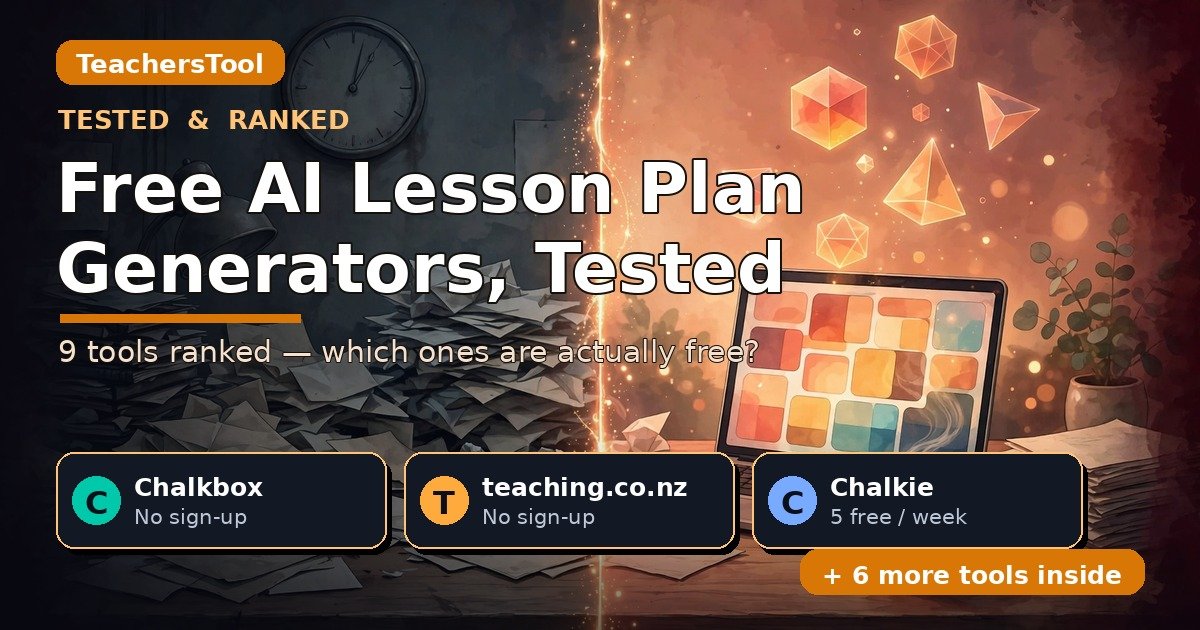
Free AI Lesson Plan Generators, Tested (2026): 9 Tools Ranked — Which Ones Are Actually Free
Last week, a survey of English schools landed with numbers I can’t stop thinking about: in 2023, 39% of primary teachers said they’d use AI for lesson planning — by 2026, 55% actually are. AI marking? Collapsed to 7% (Teacher Tapp, via EdTech Innovation Hub, October 15, 2026). Teachers have voted with their evenings.
A free AI lesson plan generator turns your topic, grade, and standards into a full lesson plan at no cost. I checked nine against their official pricing pages in October 2026: two are completely free with no sign-up, five give you genuinely useful free tiers with an account, and one — PlanSpark — has no free plan at all.
In this guide you’ll find: the honest free-tier terms of all nine tools in their own words, a side-by-side table of what “free” actually gets you, which ones need an account and which don’t, quick-pick recommendations, notes for ESL, sub plans, unit plans and PDF chapters, and the privacy picture — so you can pick one tonight with no surprises tomorrow.

- Two tools are completely free with zero sign-up: Chalkbox and teaching.co.nz. Both worked anonymously in my tests — no account, no card, no catch.
- Most generous free-with-account tiers: Chalkie (5 resources a week), MagicSchool (Forever Free, 80+ tools), Eduaide (24 credits — about 8 plans — a month).
- EasyClass’s free tier just got better: 3 chats/mo → 10 chat messages/mo. Still needs an account.
- PlanSpark is not free. Seven-day trial, then $6 a month — the only tool here with no free plan whatsoever.
- Google’s current results for this search are all vendor pages — Canva, CoGrader, Genspark, Flint — each pitching only itself. None compares free tiers side by side. This one does.
On October 19, 2026, I opened all nine tools’ official pricing or FAQ pages and copied their free-tier terms in their own words — no secondhand listicles. The no-sign-up findings come from hands-on anonymous tests I ran for this site’s lesson-planning series in October (same browser, no accounts), recording exactly where each tool stopped me. This guide judges what teachers ask first: access, honest free limits, and paid-tier cost. Prices change fast; every figure is dated.
Why everyone’s searching for this right now
That Teacher Tapp survey tells a bigger story than one stat. Teachers beat their own 2023 prediction for AI lesson planning by 16 points, while judgment tasks fell off a cliff — marking dropped from 31% predicted to 7% actual, attainment analysis from 34% to 7%. Teachers trust AI to make things and distrust it to judge things.
A healthy instinct. But “free” here means nine different things — from genuinely unlimited to a seven-day countdown. Your 3rd-period class doesn’t care about marketing copy; it cares whether the plan you generate at 10 PM costs anything. Let’s sort them properly.
So which free AI lesson plan generator is actually free?
Here’s the whole answer in one table, every term verified from the tool’s official page on October 19, 2026. (Google’s current top results — Canva, CoGrader, Genspark, Flint — are single-vendor landing pages; not one shows you the others’ limits.)
| Tool | Free tier (their own words) | Sign-up? | Cheapest paid tier |
|---|---|---|---|
| Chalkbox | Completely free — enter subject, topic, grade; edit and print | No | None (no paid tier) |
| teaching.co.nz | Completely free — “generate as many lessons as you like” | No | None (no paid tier) |
| MagicSchool | “Forever Free” — 80+ teacher tools | Yes | Plus $8.33/user/mo billed annually |
| Eduaide | “Always free: up to 8 resources a month (24 credits). No credit card.” | Yes | Pro $49.99/yr |
| Chalkie | “5 resources per week… No credit card is required to sign up.” | Yes | Pro $6.65/mo billed annually |
| EasyClass | “10 chat messages a month… no credit card” (one message = one plan) | Yes | Pro $12.99/mo or $49.99/yr |
| Education Copilot | “Free forever plan… No credit card needed” | Yes | Pro $9/mo |
| Twee | Trial: 5 runs on basic tools, 500 audio credits | Yes | Pro (paid — check current price on their page) |
| PlanSpark | None — 7-day trial only | Yes (for trial) | $6/mo after trial |

The two that are genuinely free — no account, no catch
Start here if you hate making accounts as much as I do — both survived my October 13 anonymous-use test with zero friction.
1. Chalkbox — the simplest genuinely-free generator
Chalkbox’s official page puts it plainly: “free to use” — type in your subject, topic, and grade, and it returns a full lesson plan you can edit and print. “There is no account required to try it.” My anonymous test confirmed it: no signup wall, no email, plan in hand within a minute. There’s no paid tier, so no upsell lurks behind it. The trade-off: it’s a straightforward generator, not a whole platform.
2. teaching.co.nz — unlimited and anonymous
The New Zealand–based teaching.co.nz states it even more bluntly: “Yes, completely free. There’s no login required and you can generate as many lessons as you like.” My October 13 anonymous test confirmed it — the only generator where unlimited generation survived the whole session with no wall. The full walk-through of this category’s no-signup claims is in my tested guide to lesson plan generators with no sign-up.

Free with an account — and worth the two minutes
These five need a free account, but the free tiers are real and usable week after week — all verified October 19, 2026.
3. MagicSchool — the broadest free tier in the category
“$0 Forever Free — For individual teachers exploring AI,” with 80+ teacher tools. The free tier isn’t a lesson-plan teaser — it’s the whole platform at basic capacity: lesson planner, quizzes, writing feedback, the Raina chatbot. Plus ($8.33/user/month billed annually; $12.99 month-to-month) buys unlimited generations and output history. Generation always needs the account — no anonymous shortcut. If you want one home base instead of six tabs, start here.
4. Eduaide — the most transparent free tier
Eduaide’s pricing page is refreshingly specific: “Always free: up to 8 resources a month (24 credits). No credit card.” Eight plans a month covers a weekly plan plus a spare, and it never expires. Pro is $49.99 a year ($4.17/month billed yearly) — the old $5.99 monthly option is gone from their official page. Eduaide also has a document-upload tab for turning your own chapters into plans, which I tested in my PDF to lesson plan guide.
5. Chalkie — five free resources every single week
Chalkie’s official FAQ: a free plan that “gives teachers 5 resources per week — which can be lessons, worksheets, or classroom activities. No credit card is required to sign up.” Five a week is roughly twenty a month — the highest free allowance here. Pro is $6.65 a month billed annually, Max $12.99. From my unit-plan testing: single lessons and resources are free, but lesson series are paid-only — and it needs an account, like everything from here down.
6. Education Copilot — the quiet “free forever” option
Education Copilot headlines a “Free forever plan”: “$0 — Try the core tools and generate your first classroom resources at no cost. No credit card needed.” The least specific about caps — “core tools” is doing a lot of work there. Pro is “$9/mo” for unlimited generations (their page doesn’t state a billing period). Solid, no-drama, genuinely permanent free tier. Privacy line: “Built with student privacy in mind. We never sell your data,” plus a recommendation never to enter students’ personally identifiable information.
7. EasyClass — the improved free tier (read the change)
EasyClass’s free plan went from 3 chats a month to 10 chat messages a month — “one message can make a whole lesson plan,” and “You need a free account, with no credit card.” A real upgrade, verified on their lesson-plan page on October 19. Pro is “$12.99 a month or $49.99 a year” and removes the chat limit. Two caveats: the old ranked “no sign-up” page Google showed for this tool is gone (redirects to the homepage), so don’t trust results promising anonymous EasyClass use — and one older EasyClass page still says “3 a month,” so go by the current lesson-plan page. EasyClass also appeared in my substitute lesson plan test.

The asterisks: read the fine print
These two sit at the bottom for a reason: one is a trial wearing a “free” costume, the other has no free plan at all.
8. Twee — a trial, not a free tier
Twee’s pricing page leads with a “Twee Trial” column: 5 runs on basic tools, 500 audio-from-text credits, shared-library access. A tasting menu, not a weekly workflow. Twee’s real strength is media — Pro includes 100 media runs a month with a 10-minute input limit (Basic excludes media tools entirely), which earned it a spot in my YouTube-to-lesson-plan guide. On price: the Pro figure renders behind a billing toggle I couldn’t read in text; third-party mirrors currently suggest around $11.95 a month or $7.49 billed annually — confirm on twee.com/price before paying. Worth a look for language teachers; not a free lesson-planning home.
9. PlanSpark — no free plan, full stop
PlanSpark is here so you don’t waste your evening: their own page says “No credit card ✓ All 13 tools ✓ $6/mo after trial.” A 13-tool workflow with a 7-day trial, then $6 a month. No free plan. It ranks for this keyword and looks free at first glance — now you know before you click. Its standalone free tool page also failed a bot check in my earlier unit plan test, so even the trial route had friction.
Which one should you pick tonight? The quick table
| Your situation | Pick | Why |
|---|---|---|
| No accounts, ever | Chalkbox or teaching.co.nz | Both verified anonymous; teaching.co.nz is unlimited |
| Most free plans per month | Chalkie | 5/week ≈ 20/month, no card |
| One free tool for everything | MagicSchool | Forever Free covers 80+ tools |
| Teach from your own chapters/PDFs | Eduaide | 8 free plans/mo + document tab |
| Teach ESL / language classes | EasyClass or Twee trial | Language-level strengths; Twee’s media tools for listening |
| Planning a whole unit, not one lesson | MagicSchool or Chalkie | Multi-lesson support on free tiers |
| Your district demands signed privacy docs | Check the privacy section below | “Free” isn’t the same as “approved” |
What about your specific teaching situation?
The nine above handle the core job; for more specific needs, I’ve tested the whole category:
- Sub plans at 6 AM: seating charts, “if this then that” notes — my substitute lesson plan test compares six tools for that exact morning.
- Planning from a YouTube video: Twee’s media strengths and four other tools compared in my YouTube-to-lesson-plan guide.
- Full units, not single lessons: scope and sequencing need different tooling — my unit plan generator test (headline: none of the five let me in anonymously).
- Differentiation, ELL, IEP/504: leveled versions, scaffolds, and supports compared in my differentiated instruction guide.
- Starting from a textbook chapter or PDF: upload workflows and the FERPA angle in my PDF to lesson plan guide.
- Refusing all sign-ups: the deep-dive anonymous test — six “no sign-up” claims, verified.

Before you sign up: the privacy part
“Free” and “approved by your district” are different questions. What each tool actually says about your data, in their own words:
- EasyClass: “You never need to enter student names to plan a lesson, and EasyClass memory keeps only a short class profile, never individual student details.”
- Education Copilot: “We never sell your data” — and they recommend never entering students’ personally identifiable information.
- Chalkbox: “none of the Chalkbox planning tools ask for [student information]” — keep names out of prompts.
- MagicSchool: “Best in class privacy and security” is a listed free-plan feature on their pricing page (full compliance docs live elsewhere on their site).
- Eduaide, Chalkie, PlanSpark, Twee, teaching.co.nz: no specific privacy or FERPA statement on the official pages I checked this week. If your district has an approved-tools list, check it before building a workflow around one of these.
My practical rule: plan with your content, never your students’ identifiers. Objectives, topics, standards — fine. Names, grades, IEP details — never into a free consumer tool. Independent, teacher-first testing is the whole point of TeachersTool.

The 10-minute edit pass that makes it yours (draft one always looks AI-written)
Let me be blunt: every plan these tools produce looks AI-written on the first draft. Not because it’s wrong — most of mine were perfectly usable — but because it reads like a template wearing your topic as a costume. Generic verbs. Activities that could fit any subject. A closing that never actually closes your lesson.
Genspark’s own FAQ admits this, which I respect: after the first draft, “most teachers spend 5–10 minutes adjusting voice, swapping examples to match their class, and adding personal anecdotes. That edit pass is what makes it feel like yours.” The most honest sentence on any vendor page I read this month — and it applies to all nine tools here, not just Genspark.
My edit pass, in order:
- Swap the examples. A generated fractions lesson will use “cutting a pizza.” My kids see pizza twice a year. I changed mine to dividing up cricket practice drills. One change, and the whole plan stopped being generic.
- Fix the verbs in the objectives. If an objective says “students will understand,” it wasn’t written by a teacher. Make it observable — the thing your principal would actually accept.
- Check the timings against your real periods. Every generator defaults to neat 45-minute blocks. Your school runs 40? 55? The difference between a plan that works and one that dies at question three is five minutes.
- Add one thing only you could know. “Marcus needs the worked example on the board before independent work.” “This group argues about everything, so the debate warm-up goes last.” That’s the part no AI writes, and it’s the part that makes the plan teachable.
Nobody — not your principal, not your observer — objects to an AI-drafted plan that reads like it was written by the person standing in the room. That person is you, after ten minutes.
(Source verification: Genspark’s “5–10 minutes… That edit pass is what makes it feel like yours” FAQ line — genspark.ai/tools/ai-lesson-plan-generator. CoGrader’s “no login required” FAQ claim — from its tool-page search snippet.)
Frequently asked questions
Is there really a free AI lesson plan generator with no sign-up?
Yes — two, both verified anonymously. Chalkbox needs no account at all; teaching.co.nz says “completely free… no login required” with unlimited generation. Everything else needs a free account at minimum.
Which free AI lesson plan generator gives you the most for free?
Chalkie — 5 a week, about 20 a month, no credit card. For one platform: MagicSchool’s Forever Free covers 80+ tools. For a fixed monthly number: Eduaide’s 24 credits (about 8 plans).
Did EasyClass’s free plan really change?
Yes — for the better. It was 3 chats a month; my October 19 check found 10 chat messages a month, one per whole plan. Still needs a free account. One stale EasyClass page still says 3 — go by the current lesson-plan page.
Is PlanSpark actually free?
No. Seven-day trial, then $6 a month; no free plan exists. It ranks for this keyword and looks free — now you know.
Can I trust these tools with student data?
Plan with your content, not your students’ identifiers. EasyClass, Education Copilot, and Chalkbox all say they don’t want or need student names. Several others state nothing about privacy on their pricing pages — check your district’s approved list first.
The bottom line
Zero patience for accounts: Chalkbox for a quick lesson, teaching.co.nz for several. Two minutes to sign up: Chalkie for the biggest free allowance, MagicSchool for the everything-tool, Eduaide when starting from your own chapter. Re-try EasyClass if you bounced off its old 3-chat limit. Skip PlanSpark unless you’re ready to pay.

The unglamorous truth behind every “free AI lesson plan generator” ranking: most of the ones Google shows you are vendors pitching themselves. The free tiers are real — 20 a month at Chalkie, 8 at Eduaide, unlimited at teaching.co.nz — but they’re real in specific ways, with specific caps. Now you know the specifics. Pick one, generate tomorrow’s actual plan, and judge it on that. That’s the only test that counts.
Add TeachersTool as a Preferred Source in Google Search — open any of our articles in Google, tap the star/source icon, and choose TeachersTool. You’ll see our newest teacher-tested AI guides first.
Last updated: October 19, 2026. Free-tier terms and prices were verified from official tool pages on October 19, 2026 and change fast — if you spot something outdated, let us know and we’ll re-check and correct it.
Get One Useful AI Tool Tip Every Week
One practical AI tool tip in your inbox every week. No spam, unsubscribe anytime.

We’re the team behind TeachersTool. We hands-on test AI tools for teachers — signing up for free plans, taking real screenshots, and fact-checking every claim before publishing. Our guides cover lesson planning, quiz creation, grading, and classroom AI workflows.
Enjoying TeachersTool guides?
Add us as a Preferred Source on Google — you'll see our latest tools and guides first in Search, Top Stories, and AI Overviews.