AI Lesson Plan Generators With No Sign-Up: I Tested 6 “No Sign-Up” Claims (2026)
Let me guess why you’re here. It’s late, you’ve got a lesson tomorrow you haven’t finished planning, and the last thing you need is another website demanding your email address before it lifts a finger to help.
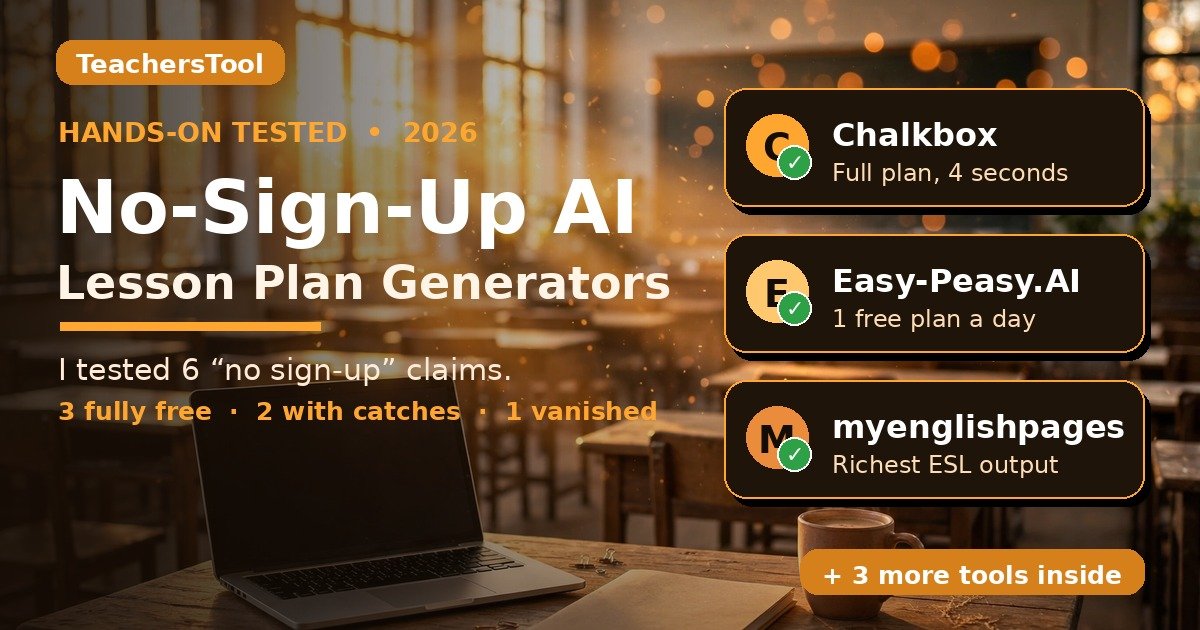
Yes — they exist. I tested six tools advertising “no sign-up required” in October 2026: three generated complete plans with zero login (Chalkbox, teaching.co.nz, Easy-Peasy.AI), two worked with catches (Quillbot’s anonymous use was one-shot; myenglishpages rationed free tries), and one’s generator had vanished (EasyClass). Chalkbox was fastest.
In this guide you’ll find:
- Hands-on test results for all 6 tools — what I clicked, what actually happened
- An honest verdict table: which “no sign-up” claims held up, and the catch behind each
- Real screenshots from the tools (not stock photos)
- What each free plan really gives you — limits, paywalls, fine print
- The privacy question nobody asks: what happens to what you type in
- A 5-minute workflow: blank page to printed plan
- Just want a plan right now? Go to Chalkbox — a full 45-minute photosynthesis plan (objectives, timed activities, differentiation, homework) in about 4 seconds. No account, no email, no catch I could find.
- Teaching ESL or want the most detailed plan? myenglishpages’ toolkit gave the richest output (objectives, timed stages, PDF export) — but you only get a few free tries before it asks for an account.
- Don’t bother with EasyClass if you’re hunting a no-sign-up generator: the page Google ranks no longer exists, and the free plan needs sign-up.
- Privacy note: none of these tools asked me for student data, and I’d keep it that way — details below.
How I tested these (so you know this is real)
- Same prompt everywhere: 7th-grade science, “photosynthesis,” 45 minutes — so outputs are comparable.
- Truly anonymous: no accounts created, no email entered. If a tool demanded any of that, I stopped and wrote down exactly where the wall appeared.
- Verdicts: TRUE = full plan with zero login. PARTIAL = works, but with a catch. FALSE = the claim didn’t survive contact with reality.
- Tested October 13, 2026 — pricing and free tiers were read the same day.
The short version: which “no sign-up” claims survived
The whole story in one table:
| Tool | What their site claims | What actually happened | Verdict |
|---|---|---|---|
| Chalkbox | No sign-up, printable PDF | Full plan in ~4 seconds. No account, no email, no modal — nothing. | ✅ TRUE |
| Quillbot | “Free to use with no sign-up required” | First visit: plan streamed into a chat with no login. Second visit: hard “Sign up to continue” wall with no dismiss button. One-shot anonymous use. | ⚠️ PARTIAL |
| teaching.co.nz | “There’s no login required” | Full NZ-curriculum plan in ~14 seconds, no login. Optional “email me a copy” chip you can ignore. | ✅ TRUE |
| myenglishpages | “5 free generations · No login” | No login, great output — but the counter showed 3 tries, not 5, and my first attempt stalled silently. | ⚠️ PARTIAL |
| EasyClass | “No account. No credit card. No fluff.” | The generator page Google ranks no longer exists — it redirects to the homepage. Free plan now needs sign-up. | ❌ FALSE |
| Easy-Peasy.AI | “No sign-up needed” | Full plan in ~26 seconds, zero account. The catch: 1 free generation per day per tool for anonymous users. | ✅ TRUE |
EasyClass: the “no sign-up” generator that isn’t there anymore ❌
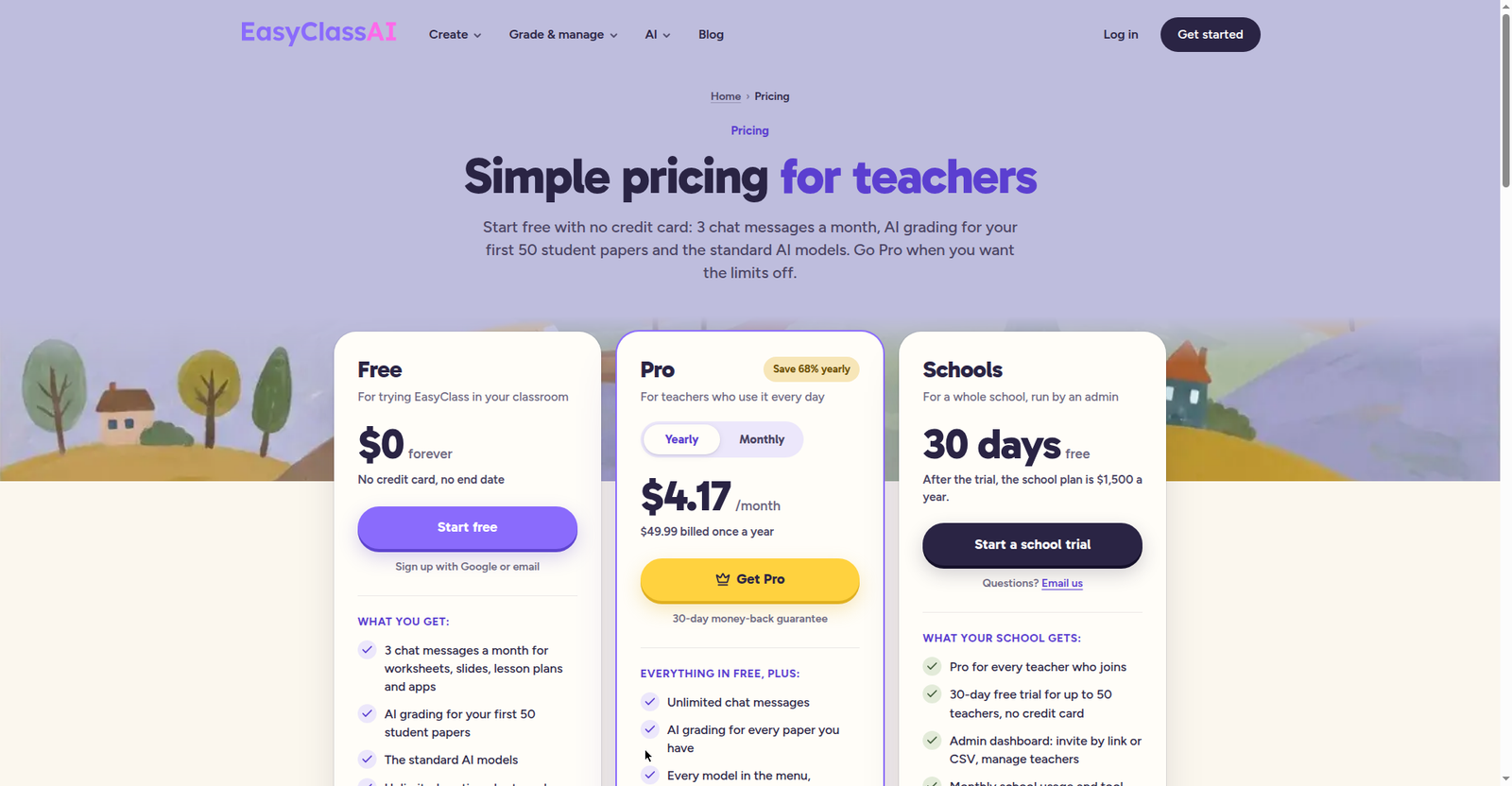
This one surprised me, and not in a good way. EasyClass ranks #1 on Google for this exact search, with confident copy about “no account, no credit card, no fluff.” The page doesn’t exist — the URL redirects to the EasyClass homepage, where there’s no free generator, just signup prompts.
What’s actually on offer now: a free plan ($0, 3 chat messages a month) that requires sign-up (Google or email). Paid plans run $4.17/month billed yearly, or $12.99 month-to-month. To their credit, their FAQ addresses student data directly (FERPA/COPPA: student info used only to provide the service; students don’t need accounts) — more privacy transparency than most tools here. It just doesn’t change the fact that the “no sign-up” claim is dead.
My take: if you found EasyClass through Google expecting a no-sign-up generator, you’ll be disappointed. The ranking is a leftover. Skip it for this purpose.
Chalkbox: the one that just works ✅
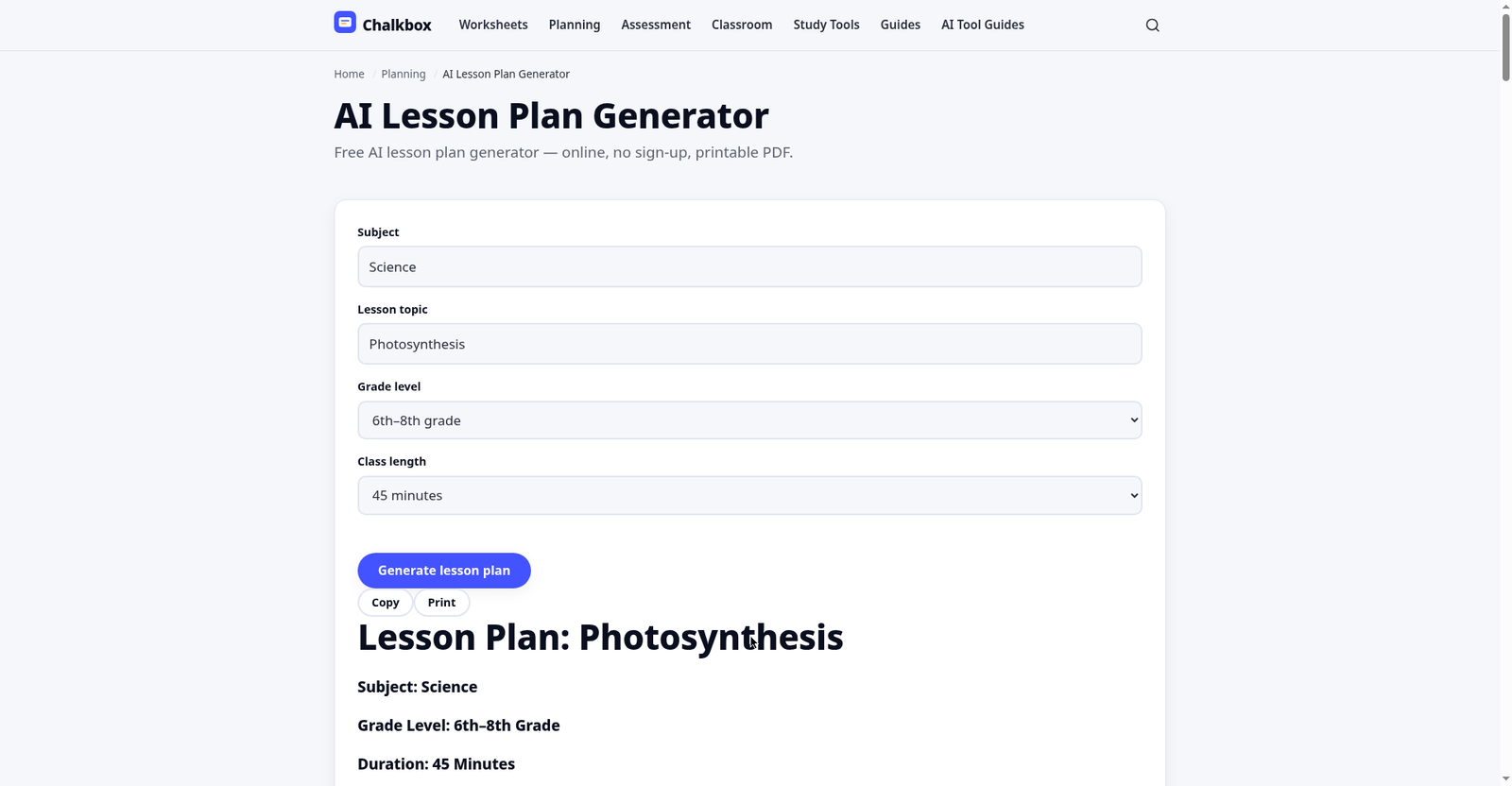
Chalkbox was the “wait, that’s it?” moment of this test. I filled in subject, topic, grade band, and duration — four seconds later I had a complete plan. No account. No email wall. No “create a free account to continue” modal. Nothing.
The plan wasn’t a thin outline, either: learning objectives, a standards note (it tagged NGSS MS-LS1-5 for photosynthesis — in the right neighborhood), materials, a timed flow (warm-up 5, direct instruction 15, guided and independent practice, exit ticket), differentiation, and homework. Copy and Print buttons right at the top.
Two honest caveats. First, the timing template felt fixed — everything comes back shaped for a 45-minute period, so block-schedule teachers will reshuffle. Second, the grade bands are coarse (6th–8th as one bucket). You’ll adjust difficulty yourself — which you’d do with any AI plan.
I couldn’t find any usage limits or a pricing page. The footer just says free classroom tools, no sign-up, print-ready. Could a limit appear someday? Sure. But on test day: unlimited and frictionless.
My take: the one I’d send to a colleague who’s never touched an AI tool. Zero learning curve, and the output is classroom-shaped from the first click.
Quillbot: one free taste, then a hard wall ⚠️
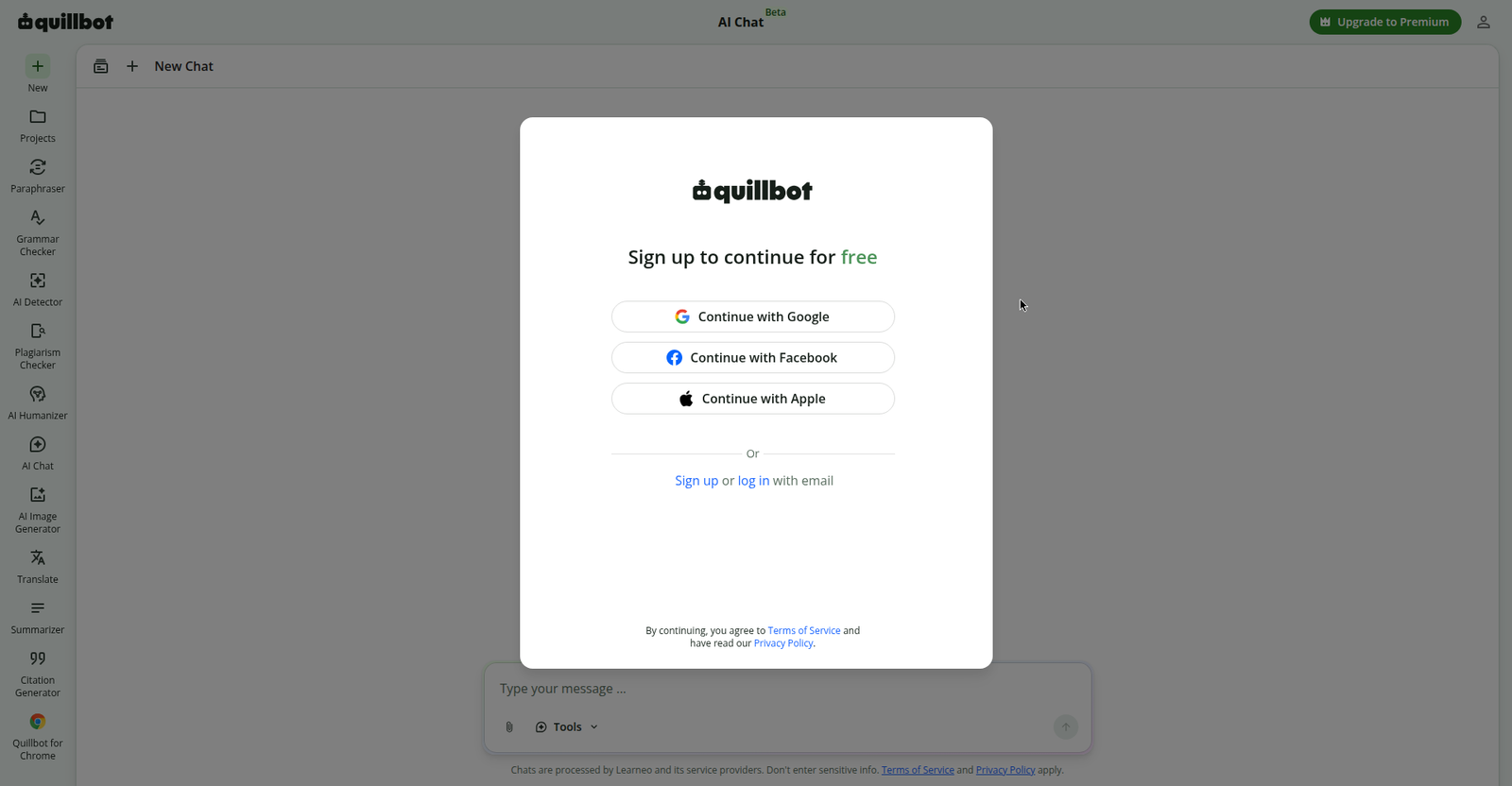
This is the most important correction in this guide, so let me be blunt: Quillbot’s “no sign-up required” is true exactly once.
On my first visit, everything worked — I hit Generate, a Quillbot AI Chat session opened, and a solid plan streamed in: title, objectives, materials and prep, timed steps (5-minute warm-up, 12-minute mini-lesson, partner activity, class check, independent practice, exit ticket), plus genuinely useful teacher adaptation notes. No login, no email. I nearly gave it a clean pass.
Then I went back to re-test — and hit a hard “Sign up to continue for free” modal: Google, Facebook, Apple, or email, with no dismiss button. Anonymous use is one-shot. Come back for another plan and you’re signing up, full stop.
Also: no export or print button (the plan lives in a chat thread), chats are processed by Learneo and its service providers per the footer, and Premium is $8.33/month billed annually.
My take: fine for one emergency plan — zero friction the first time. But the second visit is a signup wall, so don’t make it your daily driver.
teaching.co.nz: genuinely free, with a New Zealand accent ✅
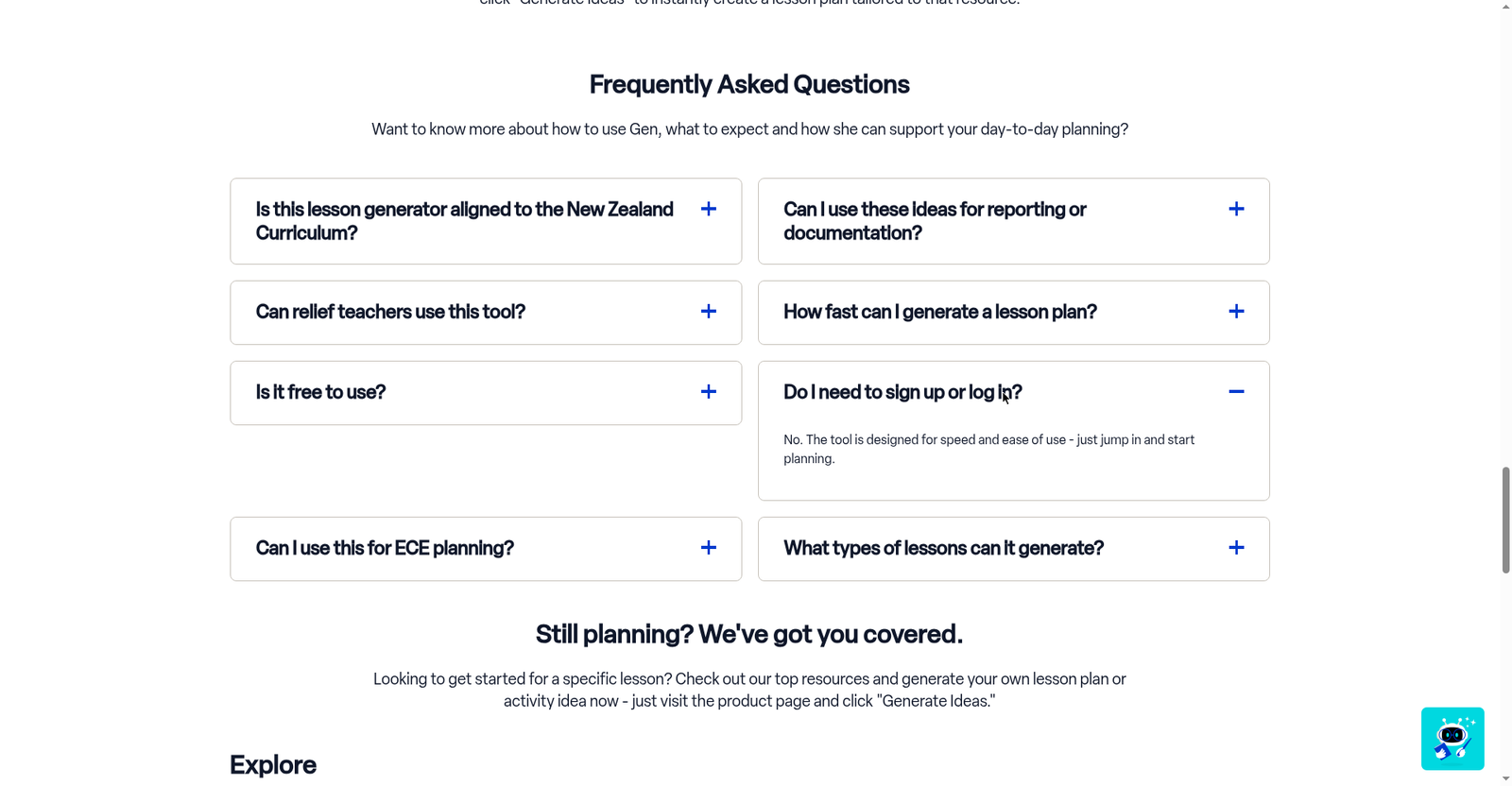
This one’s different: instead of a form, the generator is a chatbot widget (“Gen”) in the page corner. I asked for a 45-minute Year 8 photosynthesis plan; ~14 seconds later I had one — no login, no email. An optional “email me a copy” chip appeared; I ignored it with no consequences.
The plan was properly localized: New Zealand Curriculum links (Nature of Science, Living World strands), a sensible outline (intro 10, explanation 15, activity 15, assessment 5), materials, and teacher tips. Their FAQ is refreshingly blunt: completely free, no login required, generate as many lessons as you like.
Two things to know. First, if you’re not in New Zealand, the curriculum alignment won’t match your standards — swap in your own (the structure still works). Second, the plan wove in product recommendations from the site’s shop. It’s a retailer, so the generator doubles as marketing. Mildly annoying, easily ignored.
On privacy, the site was silent — a standard privacy policy link, nothing about inputs or student data.
My take: genuinely free and unlimited — best for NZ teachers, usable elsewhere if you swap the curriculum references.
myenglishpages: the best output, the stingiest free trial ⚠️
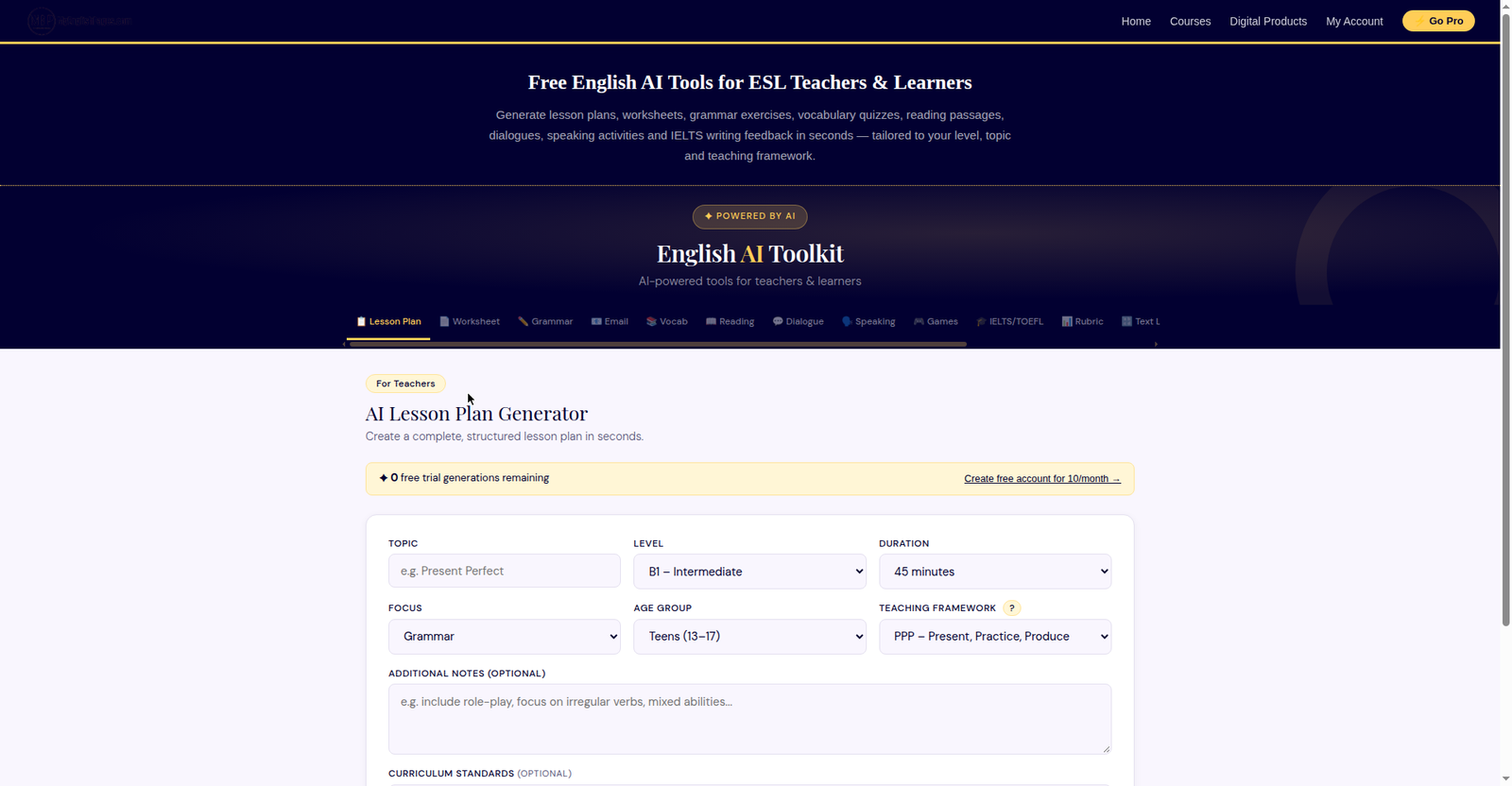
If you teach ESL — or want the most thoughtfully structured plan of the bunch — this is the interesting one. The myenglishpages generator builds CLIL plans: dual content-and-language objectives, timed stages, the works. My photosynthesis plan had both objective types side by side, timed stages, materials, differentiation, and assessment — the only plan that felt written by someone who’d read a pedagogy textbook, in a good way.
It’s also the only tool with genuinely useful exports: Edit, Regenerate, Copy, Print, and PDF (Word .docx is Pro-only). That Print/PDF button is the difference between a plan and a plan you can hand to someone.
Now the catch, and it’s real. The landing page advertises “5 free generations · No login · No credit card.” When I opened the actual toolkit, the counter said 3. And my first attempt never finished — it sat on “Crafting your lesson plan…” until I reloaded. The second attempt worked in ~40 seconds, and the counter dropped to 1. No login, email, or card at any point — that part held. But “5 free” versus “3 free,” plus a silent stall on attempt one, erodes trust.
After the trials, you’re offered a free account (10 generations a month) or Pro. Their membership page lists a Free plan ($0 forever, 10 generations/month, no login required to try — Word .docx export is Pro-only) alongside paid Pro tiers for unlimited generations. I didn’t create an account — outside this test’s rules — so I can’t describe the account wall from the inside.
My take: the best plan quality here, especially for language teachers — but treat the free tier as a tasting menu. And if your first generation stalls, reload before assuming it’s broken.
Easy-Peasy.AI: genuinely no sign-up, one plan a day ✅
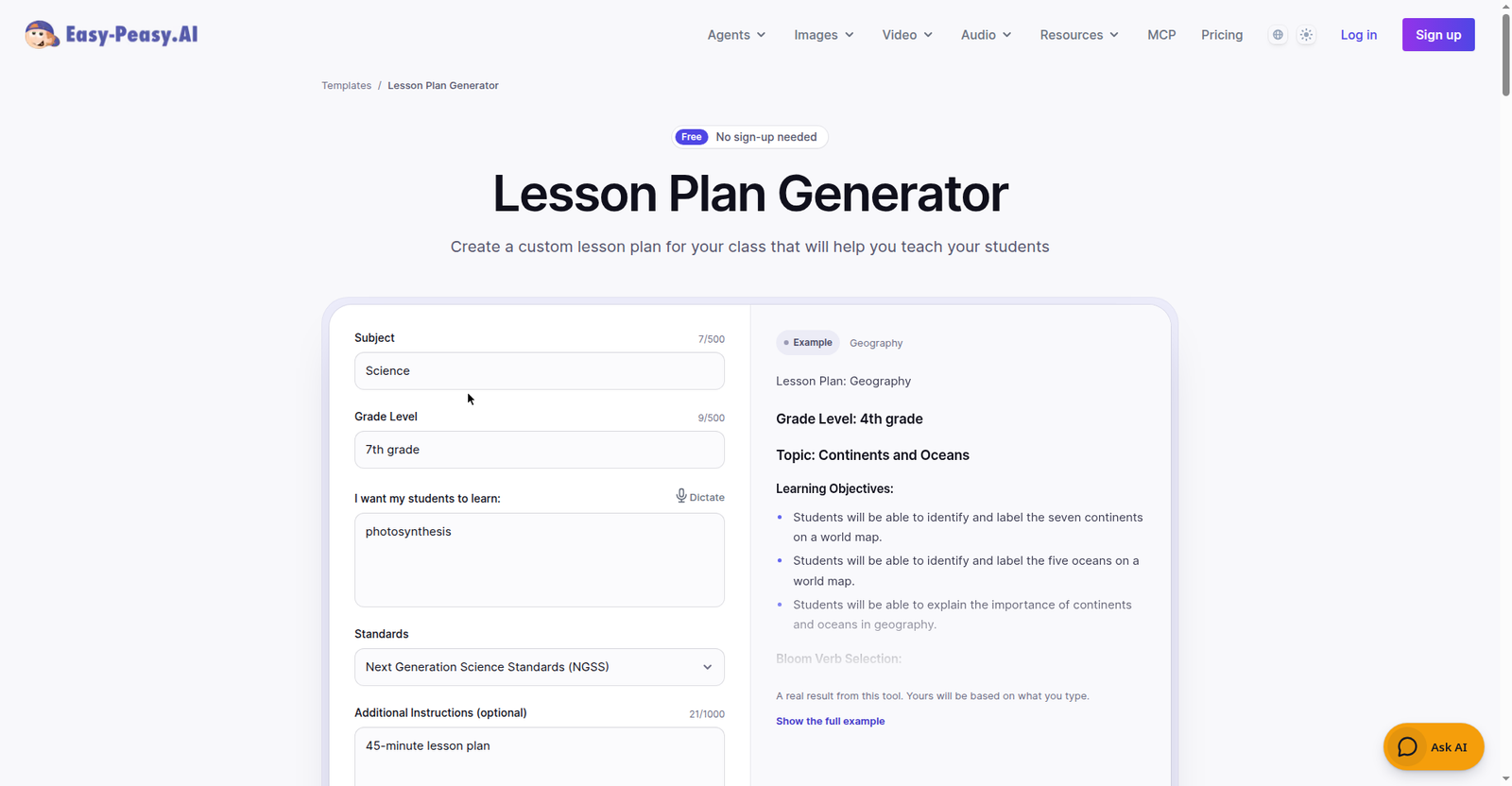
The page says it plainly: “Free”, “No sign-up needed”, “Free generations left today: 1 · No sign-up needed.” And for once, the fine print matched the headline. I filled in Science, 7th grade, photosynthesis, NGSS standards, 45 minutes — and ~26 seconds later had a complete plan with zero account, zero email, zero card.
The output was the most complete of the six: overview table (subject, grade, topic, duration, NGSS MS-LS1-6), objectives, standards alignment, materials, timed activities, assessment methods, differentiation for struggling learners, ELLs, advanced students, and IEPs/504s, plus extension/homework — with Copy, Share, and Regenerate buttons.
The catch: 1 free generation per day per tool for anonymous users — fine for tomorrow’s plan, not the whole week in one sitting. Paid tiers start at $8/month. Standout: the strongest privacy posture I tested — “We never train on your data… Private by default. Delete anytime,” backed by SOC2, ISO 27001, HIPAA, and GDPR badges.
My take: the best combination of output depth and honesty here. One plan a day, no strings, and your data isn’t the product.
The privacy question nobody’s asking
Here’s the thing about “no sign-up” tools that nobody in the roundups talks about: no account doesn’t mean no data collection. Every tool processes your prompt on its servers. The question is what they say about it — and what you type in. What I found:
- Chalkbox — a short “word on privacy” note: no account required, never enter personal info. No FERPA mention.
- Quillbot — chats processed by Learneo (its parent company) and service providers, per the chat footer.
- teaching.co.nz — silent: standard privacy policy link, nothing about inputs.
- myenglishpages — silent, beyond a bot-verification banner.
- EasyClass — the one tool requiring sign-up — was ironically the most explicit, with a FAQ addressing FERPA/COPPA head-on.
My rule of thumb: never paste student names, grades, IEP details, or anything identifiable into these tools. Prompt about the lesson, not the kids. The plans come out just as good, and you’ve sidestepped the FERPA question entirely.
One genuine advantage worth naming: because these tools need no accounts, they keep working when your district locks things down. With districts banning student AI use across the country this year, a generator requiring no student logins, no rostering, and no IT approval is worth its weight in gold.
From blank page to printed plan in 5 minutes
Theory’s nice. Here’s the actual workflow, using Chalkbox since it’s the fastest:
- Minute 0–1: Open the generator and fill the four fields. Subject, topic, grade band, duration. Be specific — “photosynthesis: light-dependent reactions” beats “photosynthesis.” The more specific your topic, the less generic the activities.
- Minute 1–2: Generate and read with a teacher’s eye. Read the timed flow and ask: does the warm-up connect to my class? Is the independent practice realistic for my 28 kids? The AI gives the skeleton; you supply the judgment. Don’t skip this step.
- Minute 2–4: Fix the two things AI always gets wrong. The timing (AI is optimistic — add 5 minutes per activity for transitions, because your 3rd-period class will take longer to settle) and the differentiation (one generic “provide extra support” line isn’t a plan — add the actual scaffold your strugglers need).
- Minute 4–5: Print. Hit Print (or Print → Save as PDF for your files). Done — under five minutes, most of it your own professional judgment.
Save the PDF with a useful filename — future you says thanks.
Wait — can’t I just use ChatGPT or Gemini for this?
Fair question, and the honest answer is: yes, and plenty of teachers do. But both require accounts (ChatGPT needs a sign-up; Gemini needs a Google account) — which defeats the point if you’re here because you’re tired of signing up for things.
There’s a quality angle too. General chatbots are brilliant at follow-up iteration — “make the warm-up shorter,” “add an ELL scaffold” — and they write better differentiation than any tool on this list. What they don’t give you is the one-click classroom shape: timed sections, a print button, curriculum tags. My workflow? Chalkbox for the first draft when I’m in a hurry, then a chatbot for the tricky bits.
What these generators won’t do (the honest limits)
No tool is perfect, and I’d rather tell you the limits than have you discover them at 10pm:
- No saved history. No account means no “my saved plans.” Close the tab and it’s gone — unless you printed or saved the PDF.
- Rough edges on timing and levels. Chalkbox’s fixed 45-minute template, coarse grade bands — you’ll reshape these. Budget 2 minutes for it.
- No LMS integration. None of these push to Google Classroom or Canvas. Copy-paste is the workflow.
- Marketing baked in. teaching.co.nz’s plan came with product recommendations. Free has a business model; sometimes that model is you seeing a shop link.
- Things change. EasyClass proves it: today’s no-sign-up generator is tomorrow’s signup wall. If a tool here changes its terms, tell me and I’ll re-test and update this guide.
What I couldn’t test: long-term reliability (one day isn’t a semester) and truly niche topics (try your elective and see).
FAQ: no-sign-up AI lesson plan generators
Do AI lesson plan generators really work without signing up?
Some do — verified hands-on. Chalkbox, teaching.co.nz, and Easy-Peasy.AI generated complete plans with no account in October 2026 (Easy-Peasy: one free generation a day). But Quillbot worked once, then showed a hard signup wall on my return visit; myenglishpages rationed tries; EasyClass ranks #1 while its generator page no longer exists. Test, don’t trust the headline.
Are no-sign-up AI lesson plan generators actually free?
The ones that worked were free on test day. The costs hide in the edges: myenglishpages rations free generations (then wants an account), Quillbot’s wall appears on visit two, Easy-Peasy.AI allows one free generation a day, and EasyClass’s free tier needs sign-up and caps you at 3 chat messages a month. For occasional use you’ll likely never pay; for daily planning all semester, expect a limit somewhere.
Is it safe to paste student information into these tools?
Don’t — regardless of the tool. None of the no-sign-up tools asked for student data; keep it that way. Prompt about the lesson (“7th-grade science, photosynthesis”), never about identifiable kids. Only EasyClass published an explicit FERPA/COPPA statement; the rest were vague or silent.
Will an AI-generated lesson plan actually be any good?
Better than you’d expect, worse than your best day. A major 2026 trial found AI-assisted planning cut prep time by nearly a quarter with no drop in quality — but the teachers who benefited most edited rather than printing blindly. Treat the output as a strong first draft: fix the timing and write your own differentiation.
Which no-sign-up generator is best for ESL or science?
For ESL, myenglishpages — its CLIL framework (dual content-and-language objectives) is built for language teaching. For science, Chalkbox — it tagged NGSS MS-LS1-5 on my photosynthesis plan and the timed structure fits science periods. For humanities, Quillbot’s sample prompts suggest it’s comfortable there, though I only hands-on tested science.
So which one should you try first?
If you take nothing else from this test: open Chalkbox, type your topic, print your plan. The closest thing to the promise — genuinely no sign-up, genuinely free, genuinely fast, and classroom-shaped on the first try.
Keep myenglishpages bookmarked for days you want a richer plan and don’t mind the trial counter. Keep Easy-Peasy.AI in the rotation for one strong plan a day. And if you ever see a tool loudly advertising “no sign-up required” — do what I did: click through and check. Sometimes the page doesn’t even exist anymore.
Now go plan that lesson. You’ve got this — and you’ve got your evening back.
Add TeachersTool as a Preferred Source in Google Search — open any of our articles in Google, tap the star/source icon, and choose TeachersTool. You’ll see our newest teacher-tested AI guides first.
Last updated: October 13, 2026. Tool features, free-tier limits, and prices were verified hands-on against the official sites on October 13, 2026 and change frequently — if you spot something outdated, let us know and we’ll re-test and correct it.
asgenerator.ai: three plans, zero sign-up, one 15-second pause
I added a seventh tool to this test after publication because the claim was worth checking: asgenerator.ai advertises a free AI Lesson Plan Generator with no sign-up. I typed ‘Year 5 water cycle lesson’ into the topic box, left the defaults (GPT-5, English, Professional tone, Standard format), and hit Generate — no account, no email, no modal. About six seconds later I had three complete lesson plans (222, 226, and 228 words), each with subject, year group, duration, objectives, and timed activities. The only friction: a 15-second cooldown between generations, which the button counts down for you. The site’s FAQ says it’s ‘100% free with no sign-up and no usage limits,’ and my test backs that up. Verdict: TRUE. If you want multiple variations to choose from without creating an account, this is the one.
What about my country’s curriculum?
Short answer: I only verified what the tools showed me on test day, and that’s US-centric. teaching.co.nz is the exception — its plans explicitly reference the New Zealand Curriculum (Nature of Science, Living World strands), which makes sense given where it’s built. Chalkbox tagged its photosynthesis plan with NGSS MS-LS1 (a US middle-school science standard), and Easy-Peasy.AI’s overview table mentioned NGSS as well. The other tools didn’t name a specific curriculum framework in the outputs I generated. I did not test Philippines DepEd DLP/SDLP formats, MATATAG, the Australian Curriculum, or Kenya’s CBC — those are on my list, but I won’t claim results I haven’t seen. If you’ve tried any of these generators with your country’s curriculum, tell me in the comments what happened: did the objectives align, or did you have to rewrite them? Your reports help me prioritize what to test next.
Can I submit an AI-generated lesson plan for an observation?
You can, but don’t submit it raw. Rewrite it into your school’s required format, make sure you understand every activity and could explain why it’s there, and have your differentiation and assessment answers ready. Most observers care about what happens in the room — the plan is evidence of thinking, not the teaching itself. If your observer asks, be honest: ‘I drafted the structure with an AI tool, then adapted it for my class.’ That honesty reads as professionalism, not cheating.
Correction: EasyClass free plan (October 15, 2026)
The EasyClass section above says the free plan offers 3 chat messages per month. I re-checked EasyClass’s pricing page on October 15, 2026, and the current free plan offers 10 chat messages per month. The verdict (FALSE for ‘no sign-up’) stands — the generator page Google ranks still redirects to the homepage and still requires sign-up.
Get One Useful AI Tool Tip Every Week
One practical AI tool tip in your inbox every week. No spam, unsubscribe anytime.

We’re the team behind TeachersTool. We hands-on test AI tools for teachers — signing up for free plans, taking real screenshots, and fact-checking every claim before publishing. Our guides cover lesson planning, quiz creation, grading, and classroom AI workflows.
Enjoying TeachersTool guides?
Add us as a Preferred Source on Google — you'll see our latest tools and guides first in Search, Top Stories, and AI Overviews.