
AI Unit Plan Generators, Tested: I Tried to Use 5 Without Signing Up — Here’s What I Found (2026)
On October 15, 2026, Teachers Pay Teachers announced it will ban AI-generated resources from its marketplace, after Chalkbeat found AI-made worksheets with missing letters and invented “facts” for sale. If you can’t buy a unit plan anymore, generating your own just became the smarter move. The short answer: yes, AI unit plan generators can draft a full multi-week unit with sequenced lessons, assessments, and standards alignment in minutes — but I tried five of the best-known tools without signing up, and not one let me generate a single unit anonymously. Every unit planner sits behind an account wall.
In this guide you’ll find: what a unit plan generator actually does (and how it differs from a lesson plan generator), the signup-wall results for all 5 tools, free-limit and feature tables, honest per-tool verdicts with real screenshots, a 20-minute unit workflow, what the TPT ban means, and a straight FAQ.
- Chalkie — the only tool built around full lesson series (up to 25 lessons). Free plan exists but unit series are paid-only.
- Education Copilot — cleanest backward-design workflow. Free tier is genuinely free, but the unit planner needs an account.
- MagicSchool — no standalone unit-plan tool; its lesson plan generator claims unit capability in-app. Free forever, but demands a school email and full profile.
- Eduaide — a real “Unit Plan” instructional model, 24 free credits a month. Cheapest Pro at $49.99/year.
- PlanSpark — no standalone unit tool — a 13-tool workflow from standard to full unit. No free plan: 7-day trial, then $6/month.
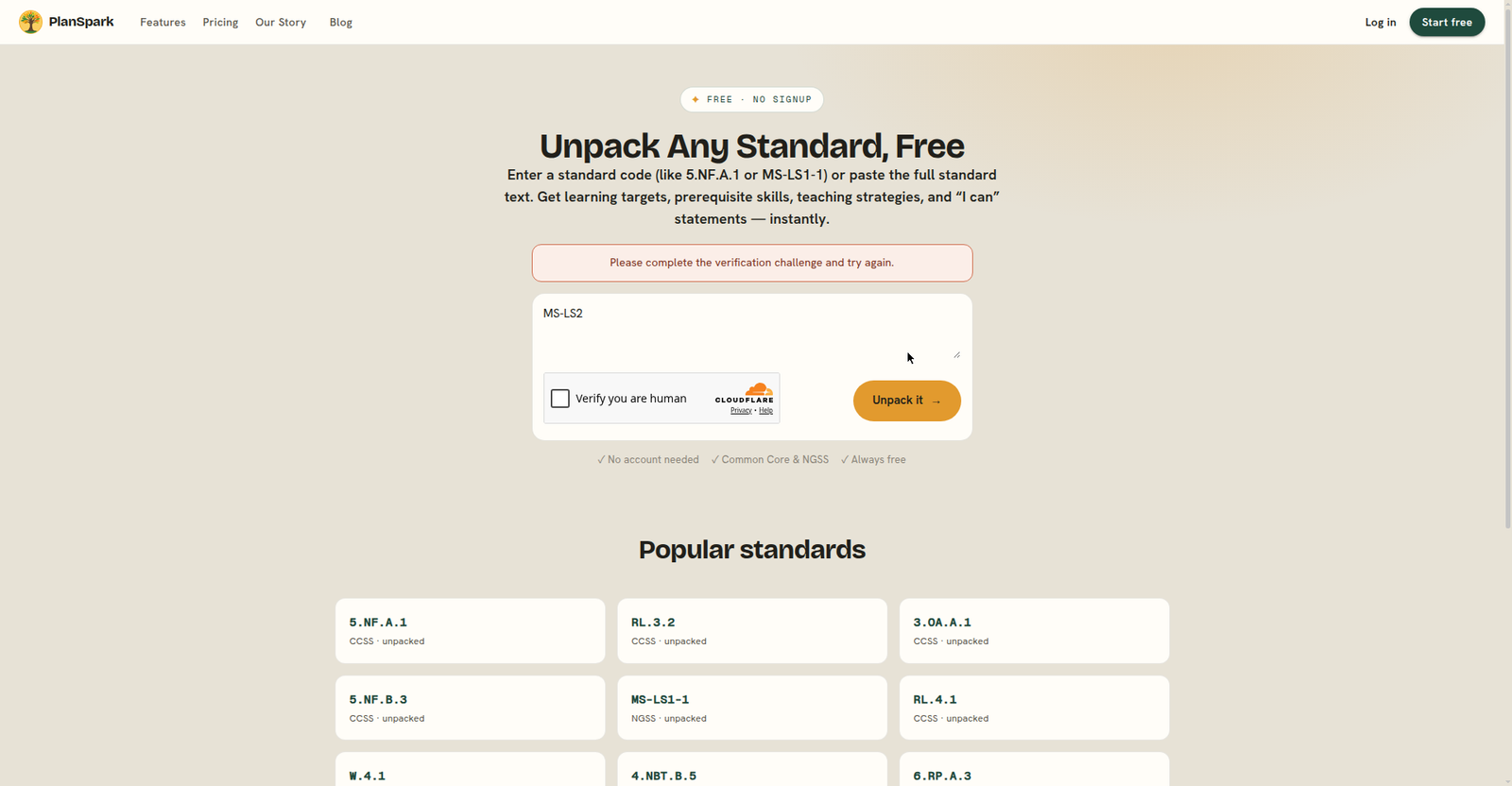
In October 2026 I opened all five tools’ official sites and attempted to generate a unit anonymously using the same 2-week NGSS unit prompt everywhere. I got exactly zero anonymous generations: four tools put hard signup walls in front of the unit planner, and the fifth’s free tool was blocked by a failing bot check. Every price, limit, and feature below was read from the tool’s official pages the same day — features marked “as advertised” are vendor claims I could not verify hands-on because the form sits behind the account wall. I’d rather tell you that than fake a test. (about TeachersTool)
First, what an AI unit plan generator actually does
A lesson plan generator gives you Tuesday. A unit plan generator gives you the whole month — and that’s a different job. Where a single lesson plan covers objectives, a hook, activities, and an exit ticket for one period, a unit planner thinks in sequences: an essential question that holds the unit together, lessons ordered so each one builds on the last, formative checkpoints along the way, and a summative assessment at the end. The good ones work backward from your standards (backward design) instead of just stacking five disconnected lessons and calling it a unit.
That sequencing is why units are the most expensive thing to plan by hand — and the most expensive thing to buy. The tools below generate that same kind of bundle directly. The honest trade: you skip the search and the price tag, but you become the quality check. More on that in the TPT section below.
The headline result: every unit planner has a signup wall
Here’s exactly what each tool demanded before I could touch its unit planner:
| Tool | Anonymous unit generation? | What the wall asks for |
|---|---|---|
| Chalkie | No | Full name, email, password, “I am a…” (Teacher / School / District), country |
| Education Copilot | No | Email + password, or Google/Apple sign-in |
| MagicSchool | No | School email, password, first and last name, school, zip code, role, grades |
| Eduaide | No | Email + password, or Google sign-in (its FAQ says it plainly: “an account is required”) |
| PlanSpark | Partially | Its free Standards Unpacker advertises “no signup needed” — but the human-verification check failed repeatedly on my attempts, so I never got a generation through |
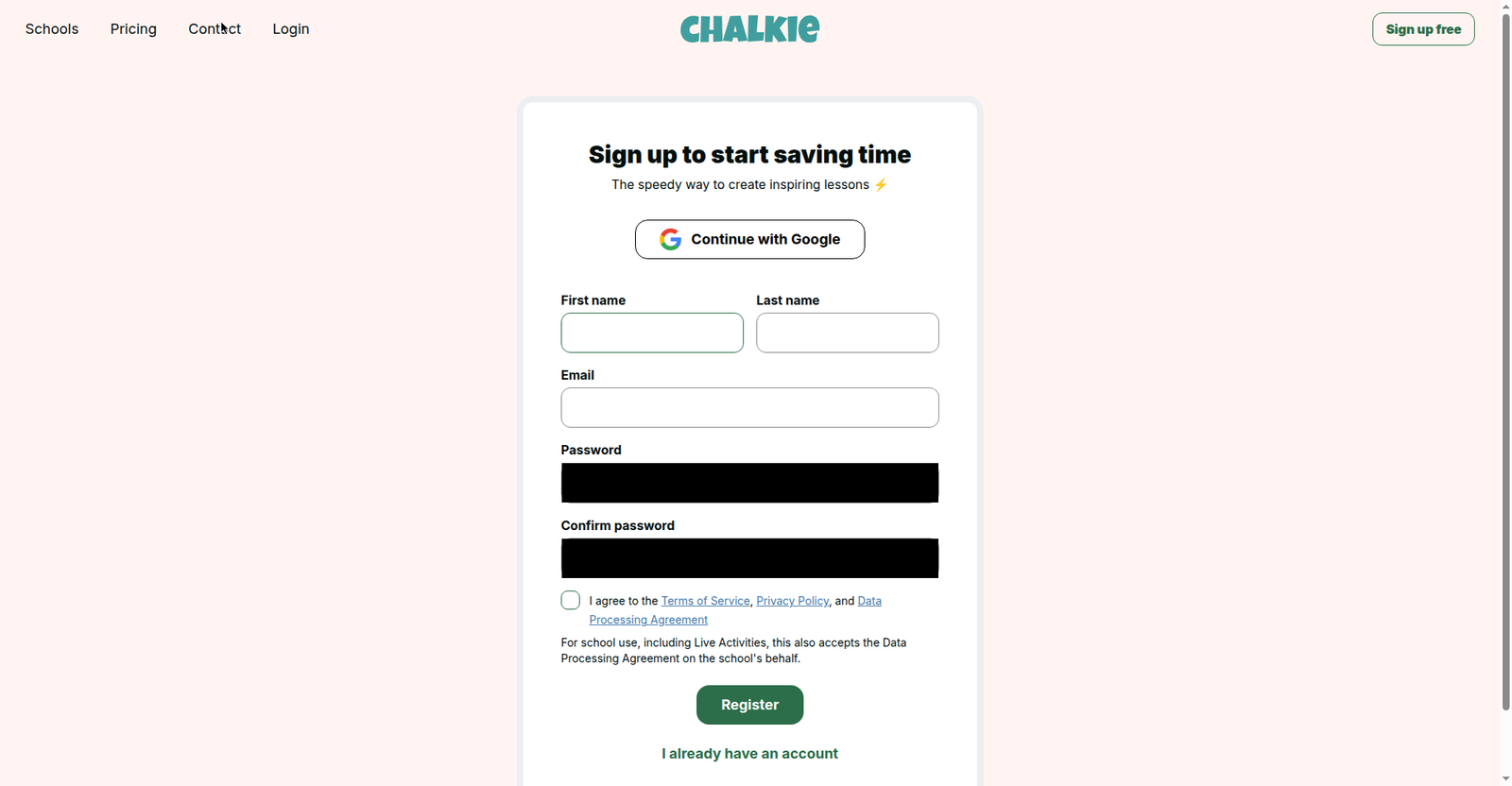
MagicSchool’s wall is the most thorough — a school email plus your school, zip code, role, and grades before you’ve seen a single screen of the product. The practical takeaway: budget 10 minutes of account setup into your first unit-planning session with any of these. None of them is a “paste a prompt and go” experience, whatever the marketing pages imply. Same wall I hit testing lesson plan generators — unit planners are gated even tighter.
The 5 tools, side by side
| Tool | Unit feature (as advertised) | Max unit length | Standards support | Free terms | Cheapest paid |
|---|---|---|---|---|---|
| Chalkie | Dedicated “lesson series” planner, auto-sequenced | 25 lessons (Max plan) | UK, AUS, US; Common Core, NGSS named | $0 — 5 resources/week; lesson series paid-only | Pro $6.65/mo billed yearly |
| Education Copilot | 3-step unit planner (goals → lessons → assessments) | Not published | Common Core, NGSS, TEKS, state, or your own | $0 forever — 3 core templates | $9/mo billed yearly |
| MagicSchool | Lesson plan tool claims unit capability, in-app | Not published | “Alignment with 50 states’ standards” | Forever Free (generation cap not published) | Plus $8.33/user/mo billed yearly |
| Eduaide | Dedicated “Unit Plan” instructional model | Full semester | 50+ jurisdictions | $0 — 24 credits/mo, up to 8 lesson plans/mo | Pro $49.99/year |
| PlanSpark | 13-tool connected workflow, standard → full unit | “Full unit” (none numbered) | “National standards” (none named) | No free plan — 7-day trial | $6/mo after trial |
Chalkie: the only one built around unit series
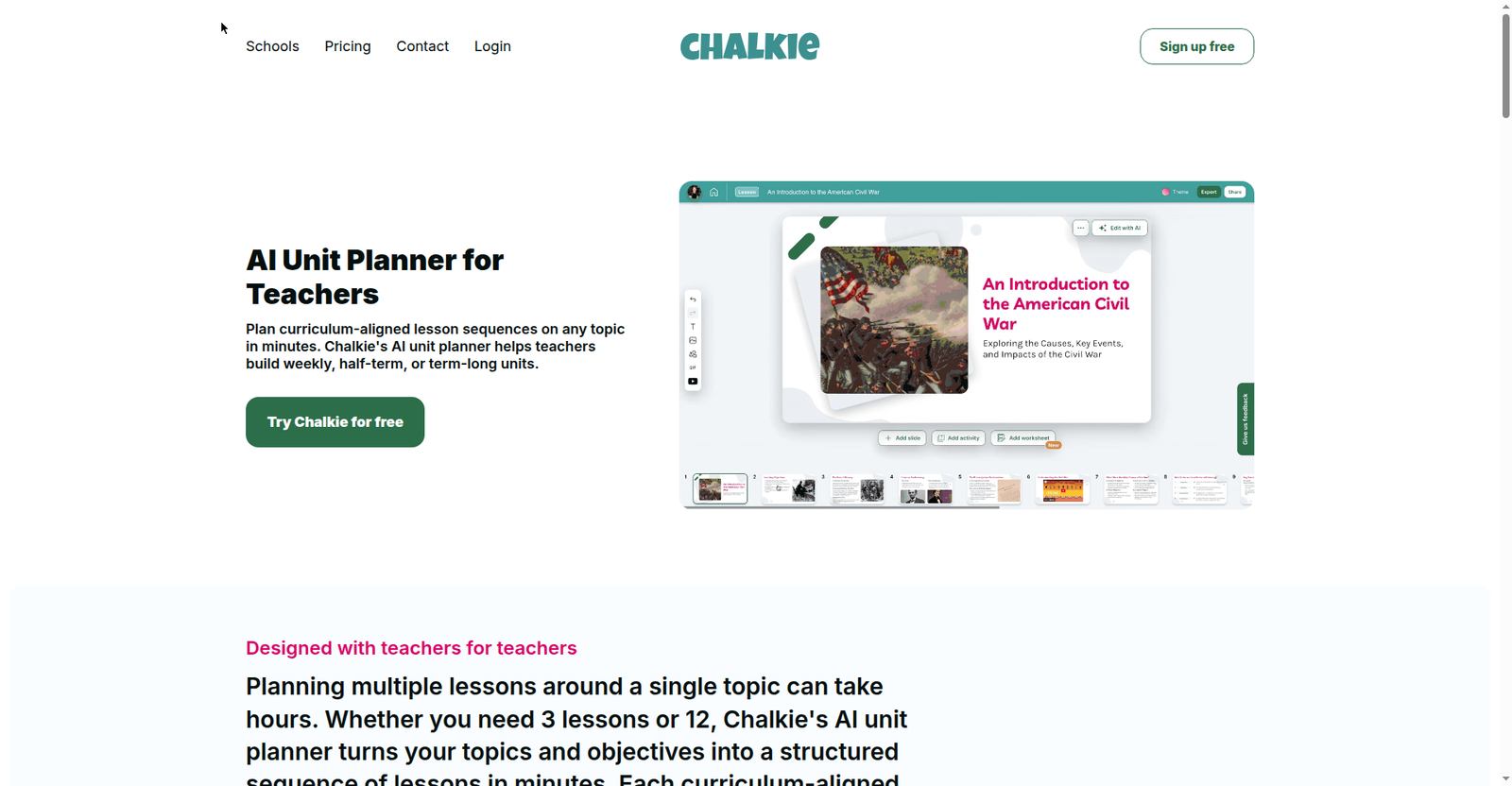
Chalkie’s unit planner page is the most convincing of the five — it doesn’t treat units as an afterthought. The “lesson series” generates a full sequence of up to 25 lessons that build week by week, with recap and assessment quizzes included, with a curriculum picker (UK, Australian, or US) that UK teachers will appreciate.
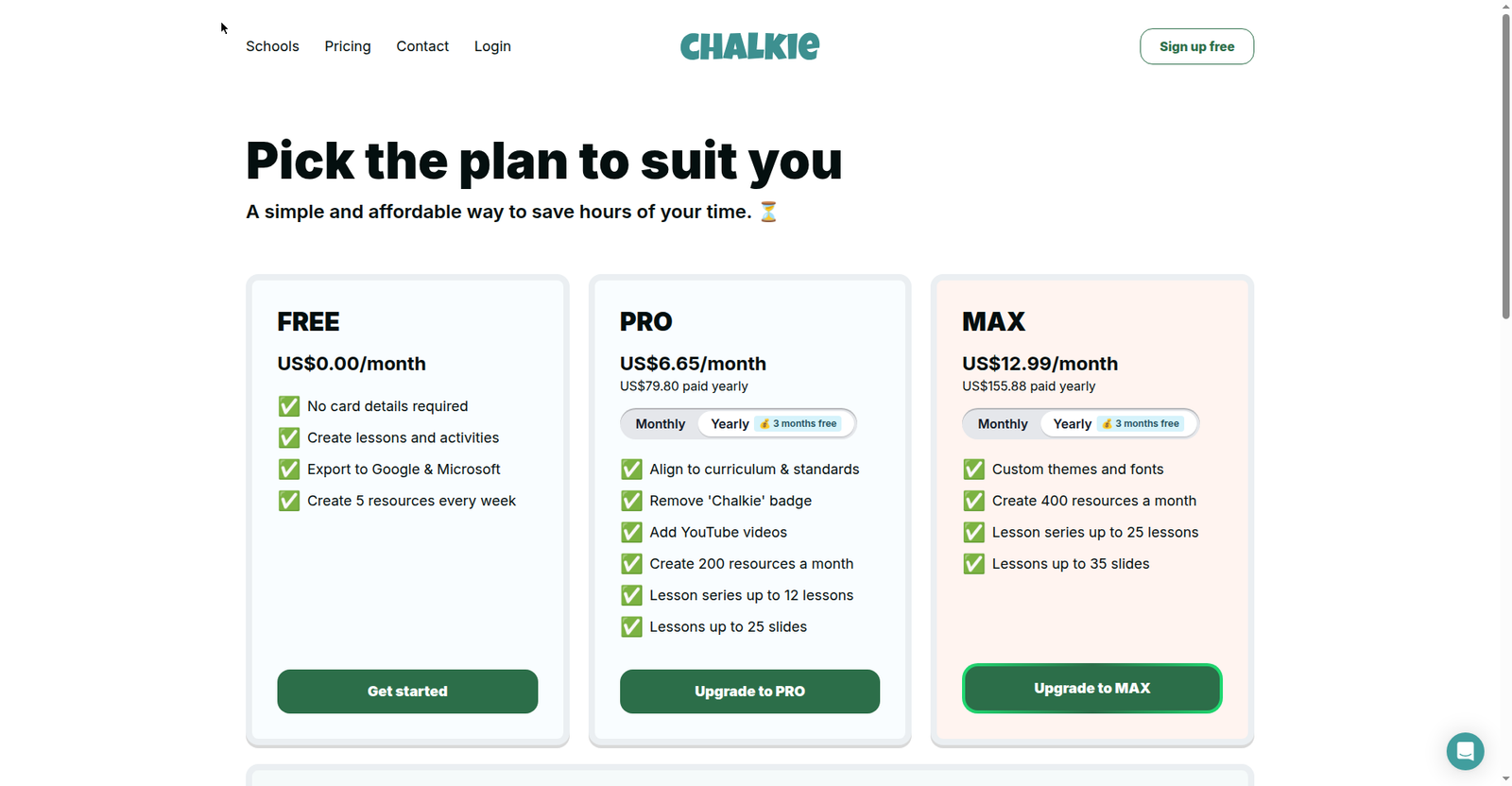
Here’s the catch, and it’s a big one: the free plan — 5 resources a week, no card required — does not include lesson series. Unit planning is paid-only. Pro ($6.65/month billed yearly) unlocks series of up to 12 lessons; you need Max ($12.99/month) for the full 25. If your department will fund one subscription, Chalkie is the strongest dedicated option — but try the free lessons first and make sure you like the output style before anyone pays.
Education Copilot: the cleanest planning workflow
Education Copilot’s unit planner reads like it was designed by someone who has actually written schemes of work. Three steps: set the destination (topic, grade, standards, timeframe), generate the arc (backward-designed sequence), then pace and adjust to your calendar. Starting from the standards and the end assessment is how strong units are actually built, and it’s the one workflow here that forces that discipline.
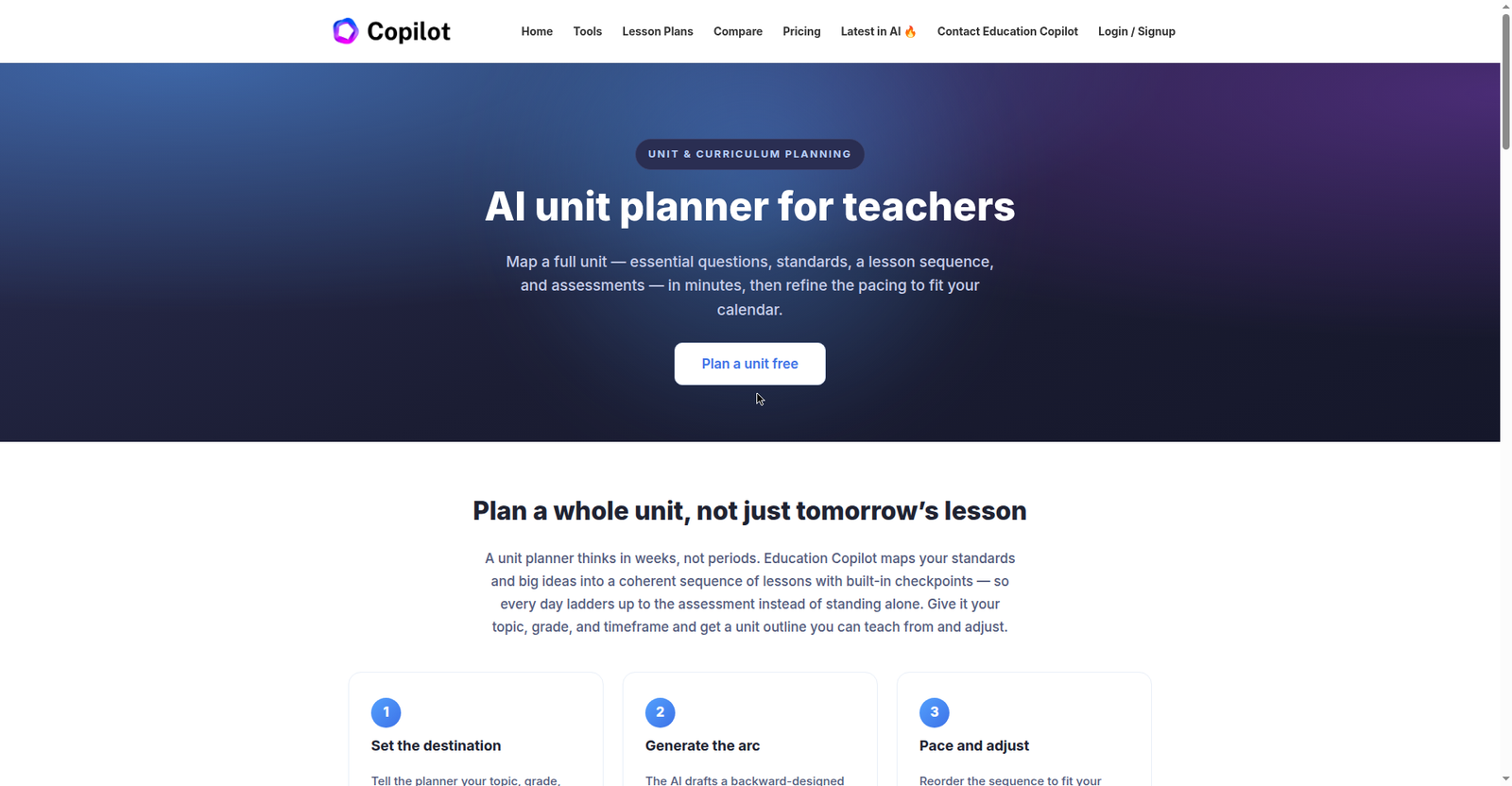
The free tier ($0 forever, no card) covers 3 core templates with lesson plans and handouts, editing, and export — enough to feel the product out. Pro is $9/month billed annually; the login wall quotes $12/month on monthly billing, so annual is the honest comparison. Standards support is the most flexible: Common Core, NGSS, TEKS, your state’s, or your own. My reservation is the same as everywhere: I couldn’t see the actual unit form or output quality without an account, so treat the “backward design” claim as a well-designed promise, not a verified fact.
MagicSchool: capable, but the gate is the tallest
MagicSchool is the name your colleagues already know, and its free tier is genuinely generous — Forever Free for individual teachers, with Plus at $8.33/user/month billed annually for unlimited generations. The surprise in my testing: there is no public unit-plan tool page. The Lesson Plan Generator page says it can create “a personalized lesson plan (or unit plan)” — the unit capability lives inside the app, behind the signup.
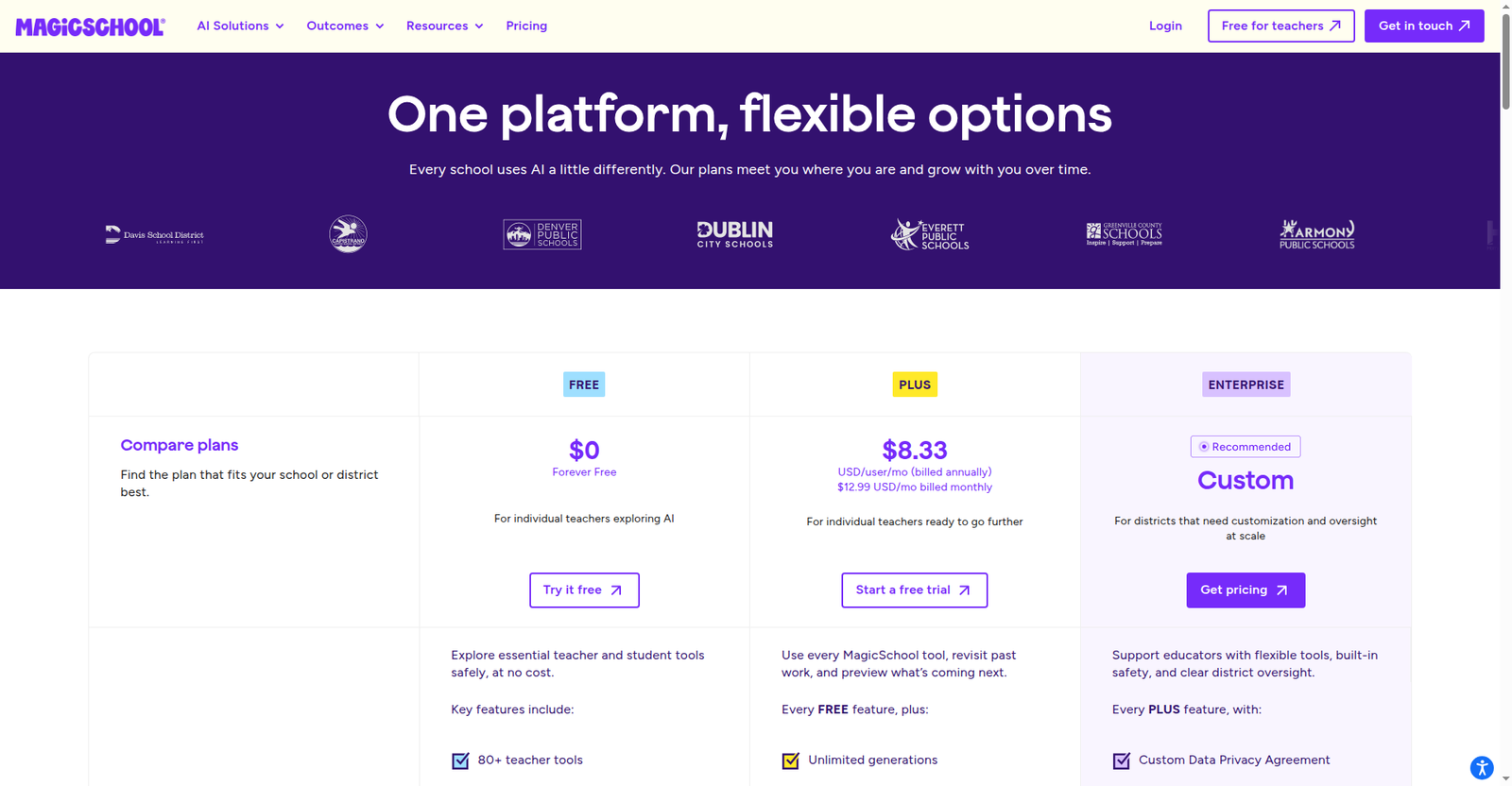
And what a signup. School email, password, first and last name, school, zip code, role, and grades — the most thorough gate of the five, though Google/Microsoft SSO softens it. The lesson-plan page claims alignment with all 50 states’ standards, and MagicSchool’s classroom footprint means your IT department has probably already vetted it. If your school already uses MagicSchool, check the lesson plan tool for unit options before paying for anything else.
Eduaide: the pedagogy nerd’s pick
Eduaide won me over on paper. Its generator offers a dedicated “Unit Plan” instructional model — “structured, research-based unit plan with explicit instruction, assessments, and spaced practice for mastery” — sitting alongside Direct Instruction, the 5E Model, workshop, PBL, and Socratic seminar. Being able to pick your instructional model for a unit, not just your topic, is something none of the other four offer. Durations run from 15 minutes to a full semester, with standards from 50+ jurisdictions.
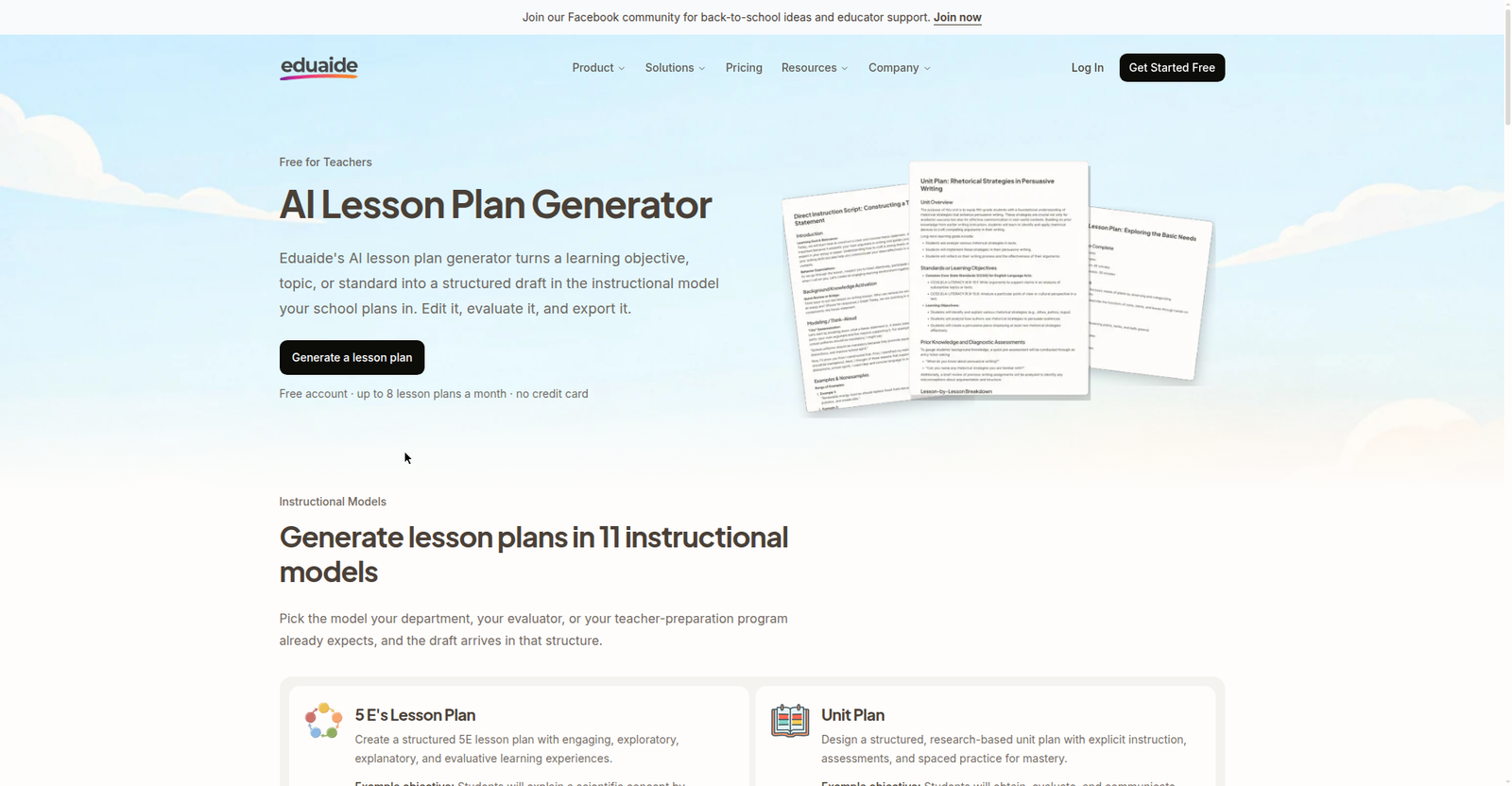
The free plan is the most transparently limited in a good way: always free, 24 generation credits a month, up to 8 lesson plans a month, no card. Pro is the cheapest paid tier in this roundup — $5.99/month or $49.99/year. The FAQ is refreshingly blunt: “Do I need an account? Yes. Generation runs against your account, so an account is required.” If you want a unit built on an actual instructional model and your budget is your own wallet, start here.
PlanSpark: the workflow play (with one big caveat)
PlanSpark doesn’t have a unit plan generator. It has something arguably better: thirteen connected tools that chain “from standard to a full unit in ~10 minutes” — unpack the standard, then lesson plans, worksheets, assessments, presentations, rubrics, even a lesson simulator. For a teacher who hates juggling six tabs, the connected-workflow idea is genuinely appealing.
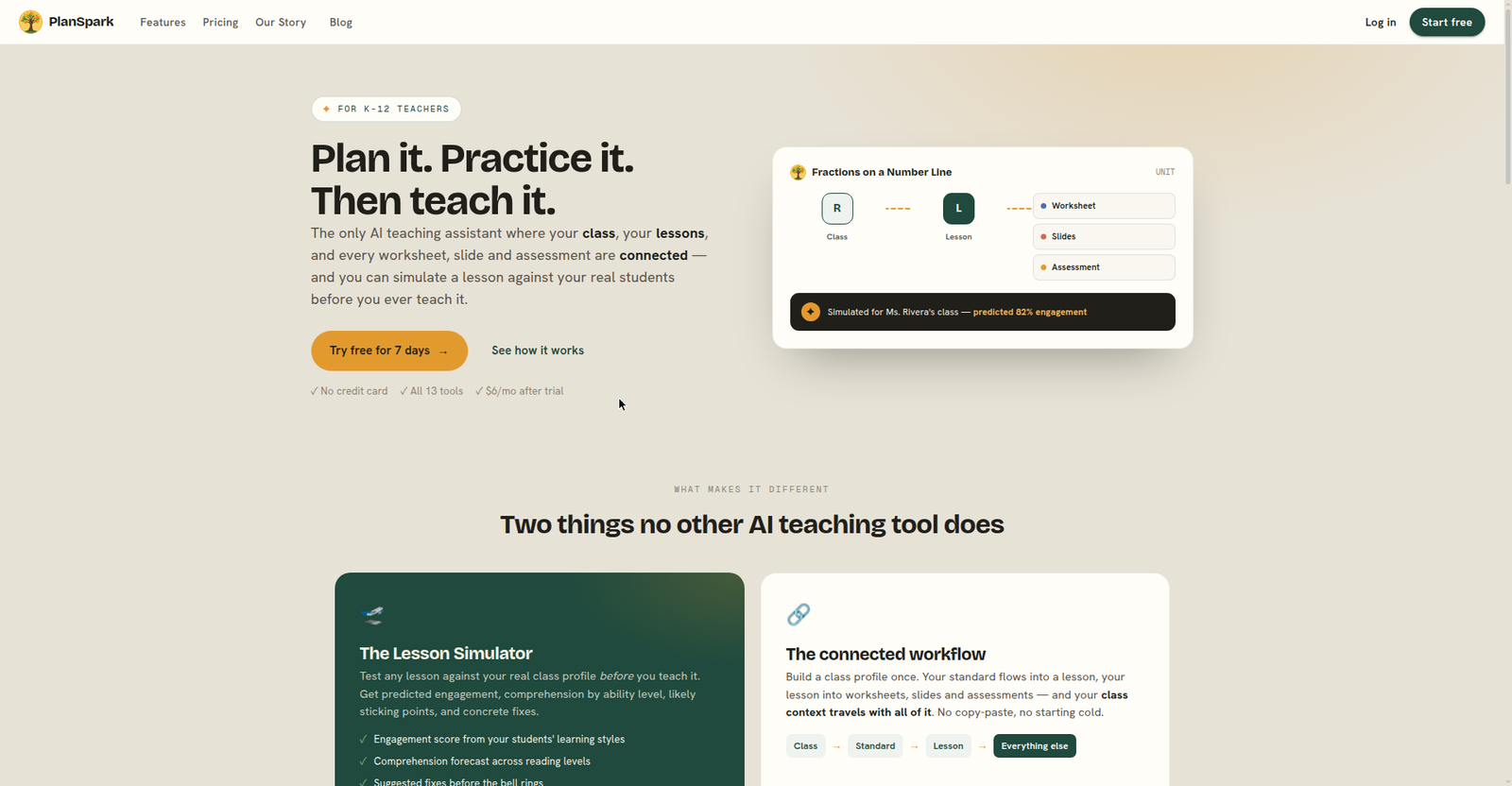
The caveats are real, though. The only no-signup piece — the free Standards Unpacker — was unusable in my testing: its human-verification check failed repeatedly across reloads and retries. And there is no free plan: a 7-day trial, then $6/month, cancel anytime. No card to start the trial, which is fair, but $72/year with no free tier is the steepest commitment here for an individual teacher. Worth the trial if the connected workflow clicks for you; don’t subscribe on the marketing alone.
A 20-minute unit workflow that actually works
Whichever tool you pick, the process that gets a usable unit out of it is the same.
The EEF trial found these tools save ~49 minutes a week — worth the 10-minute signup.
Minutes 0–3: start from the standard, not the topic. Paste your actual standard code (NGSS MS-LS2-1, a Common Core code, whatever your state uses), not just “ecosystems.” Every tool here that supports standards does its best work with the code — vague topics get vague units.
Minutes 3–8: generate, then read like a skeptic. Read the sequence for the three things AI gets wrong: lessons that don’t build on each other, assessments that don’t match the objectives, and activities your classroom can’t do (no lab? no Chromebooks? say so in your next prompt).
Minutes 8–15: apply the TPT test. If you bought this unit on TPT, would you trust it? Check every fact, not just the structure — AI is confident about wrong science. Fix the pacing against your real calendar, including the assembly, the fire drill, and the field-trip day.
Minutes 15–20: export and file it. Export to the format you’ll teach from — Docs, Word, or PDF. Save the prompt that worked; you’ll reuse it all year.
What TPT’s AI ban means for your unit planning
Chalkbeat reported on October 15 that TPT will ban AI-generated resources outright — seller materials “should be unique, expertly crafted, and AI-free” — after its reporting found AI-made worksheets with missing letters and invented facts for sale. Sellers are protesting, and there’s already a petition. Whatever side you’re on, the practical effect is the same: the marketplace shortcut for a ready-made unit is getting narrower. (See also: the 2026 school AI ban-wave guide.)
That shifts the value of the tools above. A unit you generate yourself, from your standards, vetted against your classroom, is exactly what the ban is trying to protect: teacher expertise at the center. The ban isn’t really about AI — it’s about unvetted AI. A generated unit you fact-check and adapt is a draft, not a product; a generated unit you sell as-is is the thing TPT just outlawed.
FAQ
Can AI generate a whole unit plan, not just one lesson?
Yes — that’s their specific job. Chalkie advertises series up to 25 lessons; Eduaide has a dedicated Unit Plan model; Education Copilot builds backward-designed sequences. All five require an account first.
Which AI unit plan generator is actually free?
Eduaide’s free tier is the most usable: 24 credits and up to 8 lesson plans a month, no card. Chalkie’s free plan (5 resources/week) excludes lesson series — unit planning there is paid-only. MagicSchool is free forever but needs educator signup. PlanSpark has no free plan.
Can I use any of these without signing up?
No — that was the headline finding. Four of five put hard signup walls in front of their unit planners; PlanSpark’s free tool claims no signup but its verification failed on every attempt. Budget account-setup time.
Do these tools align units to my standards?
Better than the lesson-plan generators do: Chalkie names Common Core and NGSS plus UK and Australian curricula; Education Copilot accepts Common Core, NGSS, TEKS, state, or custom standards; Eduaide claims 50+ jurisdictions; MagicSchool claims all 50 US states. Paste the exact standard code and verify the alignment yourself — marketing claims aren’t verification.
Can I sell AI-generated units on Teachers Pay Teachers?
No — TPT announced in October 2026 that AI-generated resources will be banned; materials must be “unique, expertly crafted, and AI-free.” Generating for your own classroom is fine; selling unvetted AI output is what the ban targets.
What about just using ChatGPT or Claude for unit planning?
The honest free workaround: a detailed prompt (“2-week unit, NGSS MS-LS2, backward design, include formative checkpoints”) gets you a solid outline with no signup. What you don’t get: the standards picker, auto-sequencing, or export formatting. I didn’t hands-on test chatbot unit outlines for this article — but as a free starting draft, a chatbot beats a blank page.
The bottom line: which one should you try first?
If your school will pay, Chalkie is the only tool built specifically around unit series — but confirm the free lessons’ quality first. Spending your own money? Eduaide gives you the most interesting unit model at the lowest Pro price. If your school already runs MagicSchool, look inside before buying anything new. Whatever you choose: generate it, vet it like a TPT purchase — your 3rd-period class can tell the difference.
Add TeachersTool as a Preferred Source in Google Search — open any of our articles in Google, tap the star/source icon, and choose TeachersTool. You’ll see our newest teacher-tested AI guides first.
Last updated: October 16, 2026. Features and prices were verified hands-on from official pages on October 16, 2026 and change fast — if you spot something outdated, let us know and we’ll re-test and correct it.
Get One Useful AI Tool Tip Every Week
One practical AI tool tip in your inbox every week. No spam, unsubscribe anytime.
See also: free AI lesson plan generators, tested and ranked — the full nine-tool comparison, with every free tier, sign-up requirement, and cost side by side.

We’re the team behind TeachersTool. We hands-on test AI tools for teachers — signing up for free plans, taking real screenshots, and fact-checking every claim before publishing. Our guides cover lesson planning, quiz creation, grading, and classroom AI workflows.
Enjoying TeachersTool guides?
Add us as a Preferred Source on Google — you'll see our latest tools and guides first in Search, Top Stories, and AI Overviews.