
Free AI Test Makers for Teachers, Tested: 7 Tools Compared (2026)
It’s 9:40 on a Sunday night, and you’re staring at Chapter 7 wondering how it becomes a 25-question test, an answer key, and a seating chart by 8 AM. Every teacher knows this exact feeling.
A free AI test maker for teachers turns your lesson material into a ready-to-use test — questions, answer key, and grading — in minutes. I checked seven this week: three are genuinely useful free (TestSetGo, ProProfs, QuizFlex), two are brilliant but narrow, two have catches worth knowing.
In this guide you’ll find all seven — each free plan’s real limits, which ones print clean answer keys, which ones mark for you, and the privacy fine print. One caveat first: New York City published a list of AI assessment products violating its new district policy this week, so check your district’s rules before adopting anything. More on that below.
TL;DR — the quick picks
- Best all-rounder: TestSetGo — 25 marked responses a month, a “frozen” marking guide for fair written answers, no student accounts.
- Most powerful free tier: ProProfs Quiz Maker — 20+ question types and real anti-cheat, but only 8 quiz questions per test free.
- Best printable tests + answer keys: QuizFlex — clean PDF/Word worksheets with separate answer keys, 50K free credits a month.
- Best for US state-test prep: Teach2Tales — authentic STAAR-style item types, 3 free generations with no signup.
- Best Google Forms workflow: MagicForm — one-click Forms export with the answer key included; tight free plan (5 quizzes a month).
- Most secure free exams: rayQuiz — tab-switch detection and screen locking free, but it publishes no prices anywhere.
- Best no-signup vocab quizzes: EssayGrader’s free vocabulary tool — 20 words in, printable PDF out, no account needed.
How we tested
On October 23, 2026, I opened each tool’s official website and read its pricing and feature pages line by line — free-plan limits, question types, answer keys, exports, anti-cheat claims, and signup requirements. I scored all seven on the same checklist. I didn’t run signup-walled flows, so anything I couldn’t verify on the public pages is flagged. Every number below comes from the official page on the day I checked.
Free AI test makers compared: the full table
| Tool | Free plan | Answer key | Printable / PDF | Anti-cheat | The catch |
|---|---|---|---|---|---|
| TestSetGo | 25 responses/mo, 100 AI credits | Yes — frozen marking guide | Certificates as PDF | Timers, codes, live monitoring | 25 responses ≈ one class; paid prices unpublished |
| ProProfs | All features, 8 questions/test | Yes — instant explanations | Not detailed on teachers page | Proctoring, tab-lock | 8 questions is short; paid is per 100 takers |
| QuizFlex | 50K credits/mo | Yes — separate key export | PDF + Word worksheets | None advertised | Full question types need $29/mo Pro |
| Teach2Tales | 3 generations, no signup | Scoring with explanations | “Print-ready format” | Not stated | Pro price unpublished; US-test-prep DNA |
| MagicForm | 5 quizzes/mo, 8 questions each | Yes — inside Google Forms | PDF export | Via Google Forms only | Tiny free tier; needs a Google account |
| rayQuiz | Free for teachers (limits unstated) | Yes — with explanations | Excel grade export | Tab detection, screen lock | No prices published anywhere |
| EssayGrader vocab tool | Free, no signup | Built into the PDF | Clean PDF download | n/a (printable only) | Vocabulary only; 20 words max |
1. TestSetGo — the best all-rounder for real classroom tests
TestSetGo is the one I’d hand to a colleague first. Draft from your lesson notes or slides, and the AI writes questions that each cite the passage they came from. You approve every one; students take it through a link or QR code — no student accounts, ever. If your 3rd-period class has groaned at creating logins, you know what a gift that is.
Free gives you 25 completed responses a month, 100 monthly AI credits, and unlimited manually written tests, no card required, with all nine question types and the full results dashboard. The frozen marking guide is the standout: written answers queue against one fixed standard, so student 28 is judged like student 1, and every override leaves an audit trail. There’s KaTeX math rendering, per-student extra time, a calm one-question-at-a-time mode, and pass/fail certificates as PDFs.
The limits: 25 responses is roughly one class period — 30+ students and you’ve outgrown free the first time a real test goes out. Written answers still need your eyes (no AI essay grading claimed), and I found no test-as-PDF export or standard LMS export on the public pages. Note: the free tier changed recently — an older crawl quoted 75 responses, the live page says 25 — and paid prices aren’t publicly visible at all.
Verdict: the most teacher-shaped free test maker here. Start here for online delivery with fair marking.
TestSetGo’s official artwork — students join by link, no accounts. (Official brand image.)
2. ProProfs Quiz Maker — the powerhouse with a short free leash
ProProfs has made quiz software for years: 20+ question types, automated plus manual grading with partial credit, and multi-section tests. Free is generous in breadth — all features, no card — but tight in size: 8 quiz questions per test and 90 days of history. Plenty for a Friday exit ticket; not for a unit exam. Its real edge is exam integrity: shuffling, proctoring, tab-switch prevention, per-question timers, passwords, copy/print prevention. Paid (Essentials, $19.99 per 100 active takers a month) scales with class size.
Verdict: pick ProProfs when test security matters more than length.
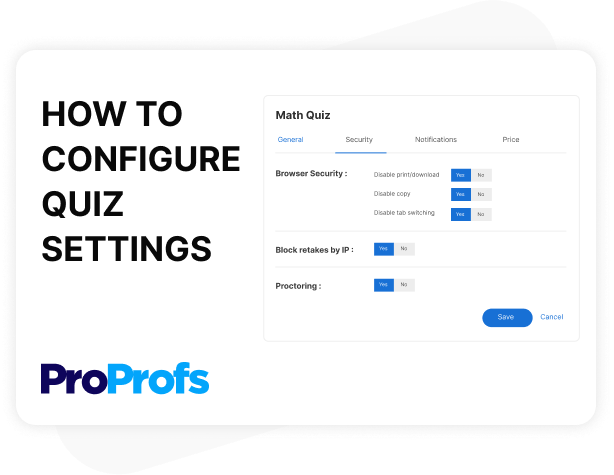
ProProfs’ anti-cheat settings (official product screenshot; no larger version is published).
3. QuizFlex — the best printable tests with real answer keys
Judged purely as a test maker (I tested its video features in my YouTube-quiz roundup), QuizFlex‘s print game is the story: printable worksheets as PDF or Word with a separate exportable answer key. For those of us still handing out paper on test day, that’s everything.
Free is straightforward: 50,000 credits a month, no card, 30 languages, analytics dashboard, and Google Classroom/Forms export included. It builds from PDFs, docs, text, URLs, YouTube, even voice notes, with auto-grading on every quiz type and a Kahoot-style live mode for review games.
The catches: full question types and export formats sit behind the $29-a-month Pro plan (Plus $9, Elite $18), and there’s no anti-cheat story — a generation-and-print tool, not a secure exam platform.
Verdict: the pick for printable tests. If your tests still live on paper, start here.
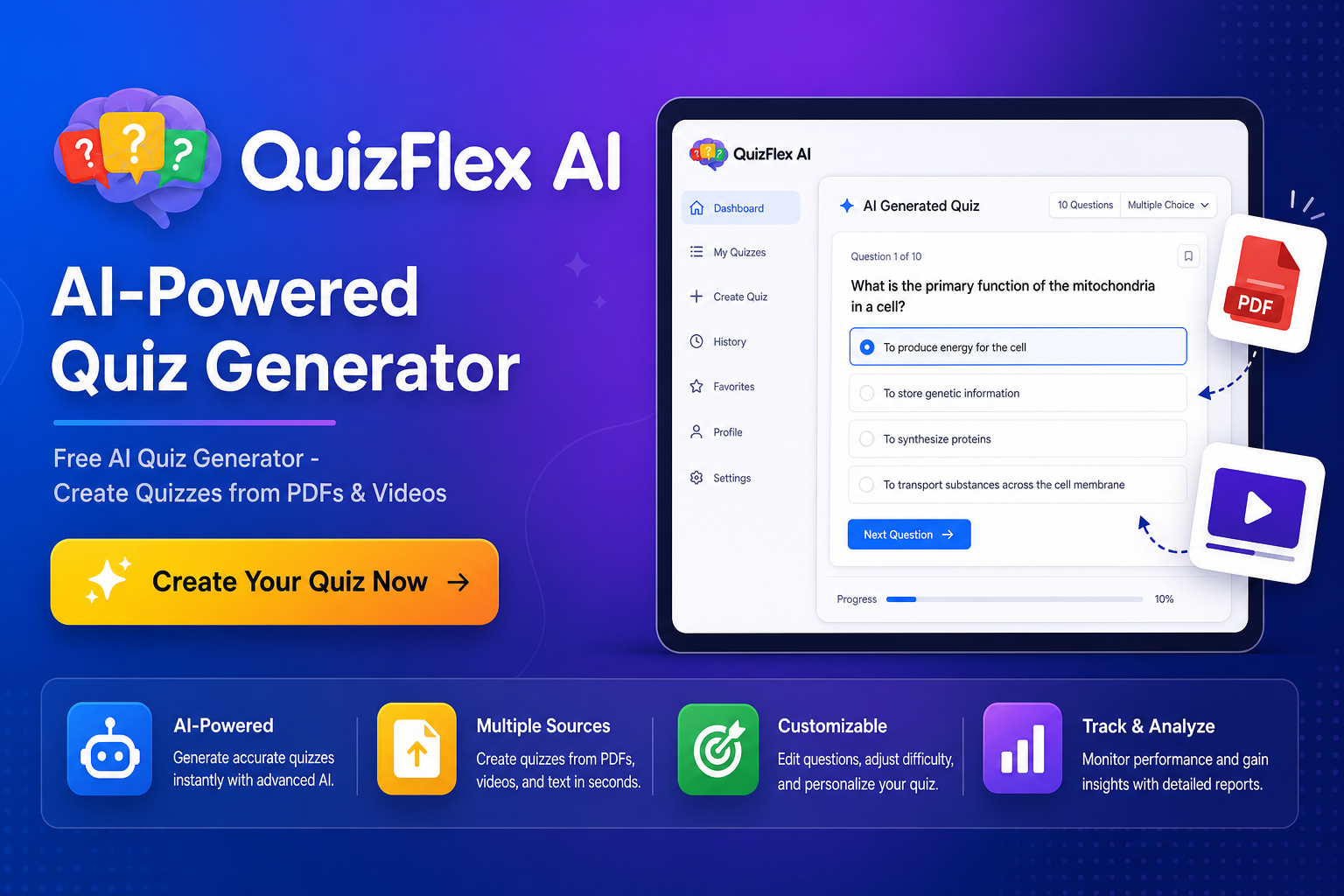
QuizFlex’s quiz dashboard (official product image).
4. Teach2Tales — the US state-test specialist
Teach2Tales is the most specialized tool here. It generates practice tests aligned to all 50 US state standards using authentic state-assessment item types — not just multiple choice, but drag-and-drop ordering, hot spot, hot text, inline choice, and match grids with stimulus passages. If your students face STAAR-style questions, this speaks their exam’s language.
You get 3 free generations with no signup at all — the most frictionless trial on this list. Generation takes about 30 seconds, scoring is instant with explanations, output is print-ready, K-12 across all core subjects.
The trade-offs: three generations is a taste, not a routine, and the Pro price isn’t published anywhere I could find. Its DNA is American test prep — outside the US, much of its magic evaporates. I also couldn’t verify answer-key exports, randomization, or anti-cheat on its public pages.
Verdict: US teachers prepping kids for state exams should burn the 3 free generations. Everyone else can skip it.

Teach2Tales’ official artwork. (Official brand image.)
5. MagicForm — the Google Forms shortcut
MagicForm builds your test inside Google Forms — answer key included — in one click. If your school lives in Google Workspace, the test lands where students already are, and Forms handles delivery and collection. It reads text, PDFs, docs, YouTube transcripts, and webpages, and exports to PDF too.
Free: 5 quizzes a month, up to 8 questions each, 12,000 characters of input, no card — but you need a Google account. Paid is $7.42 a month billed yearly ($89): unlimited quizzes, 40 questions each. One quirk: the 12,000-character cap applies to every plan, including paid — a 40-page chapter needs trimming first. Exam controls are whatever Google Forms itself offers; MagicForm adds none. (Also covered in my PDF-quiz roundup — same tool, judged here on test-maker merits.)
Verdict: perfect if your workflow is already Google Forms. Thin as a standalone solution.
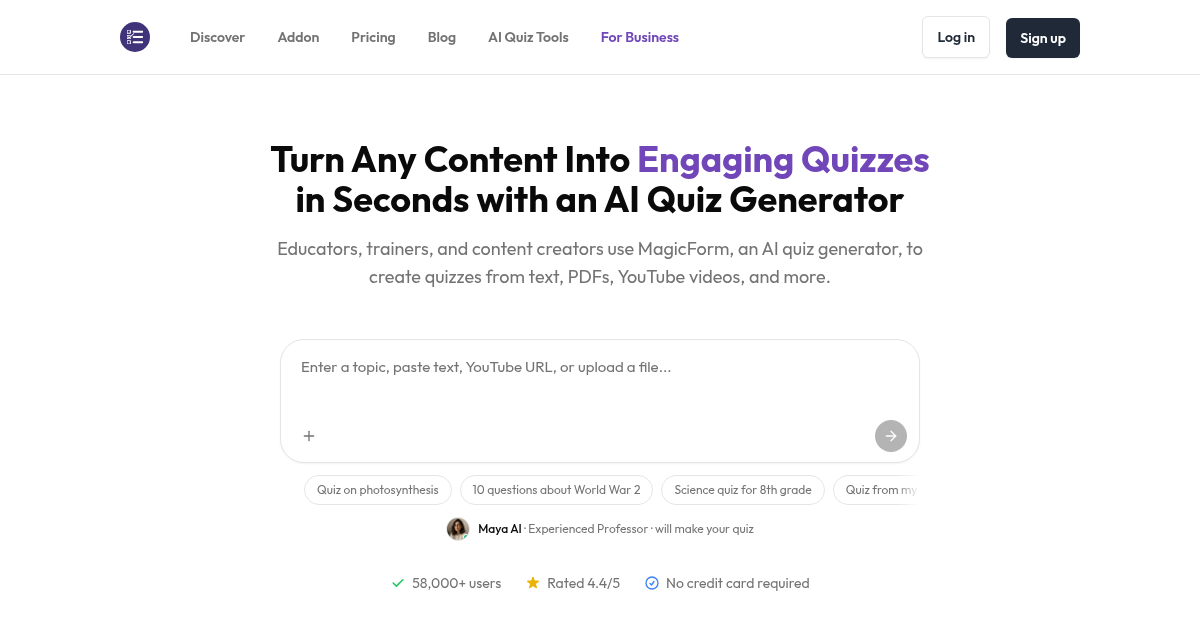
MagicForm’s homepage (official site screenshot).
6. rayQuiz — serious exam security, mysterious pricing
rayQuiz is the surprise of this list: a full exam platform where AI generates the test from your Word or PDF upload, then guards it — tab-switch recording, screen locking, copy-attempt flags, behavior reports, exam windows with join codes. Shuffling is automatic, submissions grade on submit, grades export to Excel.
Teachers write and assign quizzes free; students practice free with no card. Now the eyebrow-raiser: there is no pricing page anywhere on the site — the FAQ just mentions “upgrading for more AI generation credits.” No prices, no limits, no plan names. I’d never build a term’s assessment plan on a tool that won’t say what it costs. Also: the content library leans toward Vietnamese and Asian exams — US curriculum alignment isn’t demonstrated.
Verdict: the most secure free exam experience here — if you can live with the pricing mystery. Try it on one low-stakes test first.
rayQuiz’s official artwork. (Official brand image.)
7. EssayGrader’s vocabulary quiz maker — the free printable specialist
Sometimes you don’t need a platform — you need Friday’s spelling list as a quiz before the bell. EssayGrader’s free vocabulary tool does one job: paste up to 20 words, and it generates age-appropriate definitions (four levels, elementary to university), builds multiple-choice, fill-in-the-blank, or matching questions — randomized so no two printouts match — and hands you a clean formatted PDF. You can edit every definition first.
Completely free: no signup, no account, no card. Under a minute, start to finish. The boundary is the point: no online delivery, no auto-grading, no analytics — because there’s nothing online to cheat on. Twenty words and three formats is the whole universe, and within it, it’s flawless.
Verdict: bookmark it for vocabulary day. It asks nothing and delivers exactly what it promises.
Illustration: the vocab-quiz workflow. (AI-generated concept art.)
So which free AI test maker should you actually use?
- Tests on paper, key in your drawer? QuizFlex.
- Tests online? TestSetGo — the frozen marking guide is the fairest system I found.
- Worried about wandering eyes? ProProfs for short quizzes, rayQuiz for full exams.
- US state-test prep? Teach2Tales, no contest.
- Living inside Google Classroom? MagicForm drops the test straight into Forms.
- Just need Friday’s vocab list as a quiz? EssayGrader’s free tool. Sixty seconds, done.
One tip: don’t marry one tool in September. Free plans change — TestSetGo’s shifted from 75 responses to 25 within months. Pick two that fit, and keep the second warm.
My 15-minute chapter-to-test workflow
- Minutes 0–2: pick your input. Copy the chapter text or upload the PDF you taught from. Tools that cite their sources — TestSetGo shows the passage behind every question — earn trust here.
- Minutes 2–7: generate, then interrogate. Generate 5–10 more questions than you need and read every one. AI loves plausible-but-wrong distractors and occasionally invents “facts,” especially in science and history.
- Minutes 7–11: set the rules. Shuffle options, set a time limit, add an access code for real exams, decide the pass mark. For paper: export the worksheet and the answer key separately.
- Minutes 11–15: the answer-key ritual. Take the test against the key yourself. I found wrong “correct” answers in sample outputs during research — five minutes now beats a parent email later.
For the edge cases (scanned pages, math formulas, multi-column layouts), my PDF-to-quiz guide goes deeper.

Illustration: the 15-minute routine. (AI-generated concept art.)
The privacy bit (please don’t skip this)
Two rules. First: never paste student names, grades, or identifiable work into a free AI tool your district hasn’t vetted. Strip names to initials before anything touches a generator — most of these tools don’t need student data at all.
Second: check your district’s AI policy before adopting any of this. This week, Chalkbeat reported that New York City published a list of 38 ed-tech products whose AI features violate its new policy — one assessment company, All In Learning, had to scramble to disable its AI grading to stay compliant. Your district may have its own list or red lines; five minutes with your instructional tech coordinator beats an awkward conversation in March. (Bigger picture: my guide to the 2026 school AI ban wave.)

Illustration: the privacy habit. (AI-generated concept art.)
Frequently asked questions
What is the best free AI test maker for teachers?
For most teachers, TestSetGo — 25 marked responses a month, nine question types, a frozen marking guide, no student accounts. For printable tests, QuizFlex.
Can AI make a test with an answer key?
Yes — it’s one of the most reliable things these tools do. QuizFlex exports a separate answer key as PDF or Word, MagicForm bakes the key into Google Forms, and TestSetGo and ProProfs grade objective questions instantly. Always check the key yourself once — I found wrong “correct” answers in sample outputs.
Is there a free AI test maker that doesn’t require signup?
Two: Teach2Tales gives 3 free generations with no account; EssayGrader’s vocabulary tool is completely free, no signup. Everything else needs a free teacher account.
Can I print AI-generated tests?
QuizFlex is built for it (PDF/Word worksheets plus separate answer keys), Teach2Tales calls its output print-ready, MagicForm exports to PDF, and EssayGrader’s vocab tool downloads a clean PDF. TestSetGo and rayQuiz are online-first.
Do free AI test makers grade automatically?
Objective questions grade themselves everywhere here. For written answers: TestSetGo queues them against a frozen marking guide, ProProfs supports manual grading with partial credit, rayQuiz grades on submit. No free plan offers AI essay grading.
Is it safe to put student names into AI test makers?
Don’t. Strip names to initials, prefer tools that don’t ask for student data, and check your district’s approved-tools list — New York City’s October 2026 policy flagged 38 ed-tech products.
📚 Found this useful? Add TeachersTool as a Preferred Source on Google — tap the star or “preferred sources” option next to our site in Google Search results. It means practical, teacher-tested guides like this one show up more often when you search, including in Google’s AI Overviews and AI Mode. Thank you for reading teacher-first work. 💙
Last updated: October 23, 2026. We re-check tool pricing and free-tier claims before publishing and correct errors when we find them — if you spot one, tell us via the contact page.
What to check before you trust a generated test
A generated test is a draft, not a finished paper. Before you hand it to a class, run these checks, which all come from how the tools in this guide actually mark and report.
What should marking and analytics tell me before I trust the results?
Objective questions should grade themselves, but written answers are where the differences show. TestSetGo queues written answers against one frozen marking guide, so later students are judged like earlier ones, and its full results dashboard is part of the free plan. ProProfs adds manual grading with partial credit, QuizFlex gives you an analytics dashboard, and rayQuiz adds behavior reports with grades exported to Excel. If a tool gives you no marking detail and no way to export or review results, treat its scores as a starting point, not a final grade. EssayGrader is the clear exception: it is print only, with no online delivery, no auto-grading, and no analytics, so there is nothing to trust beyond the printed sheet you check yourself.
The check itself: five minutes, six checks
Generate five to ten more questions than you need, and read every one, because AI loves plausible-but-wrong distractors.
Take the test against the answer key yourself, since wrong correct answers turned up in sample outputs during our research.
For paper tests, export the test and the answer key separately, so the key does not travel with the test.
Set the rules before anyone sits down: shuffle the options, set a time limit, add an access code for real exams, and decide the pass mark.
Check what the marking actually covers: objective questions only, or written answers too, and whether you can review, adjust, or export the results.
Strip student names to initials before anything touches a generator, and check the district AI policy before you adopt a tool.

We’re the team behind TeachersTool. We hands-on test AI tools for teachers — signing up for free plans, taking real screenshots, and fact-checking every claim before publishing. Our guides cover lesson planning, quiz creation, grading, and classroom AI workflows.
Enjoying TeachersTool guides?
Add us as a Preferred Source on Google — you'll see our latest tools and guides first in Search, Top Stories, and AI Overviews.