
It’s 6:04 AM. You’re running a fever, the ceiling is doing that slow-spin thing, and your brain finally catches up: there’s no sub plan. Nothing on the shared drive. Nothing in the folder by your desk. And the substitute — a kind stranger who’s never met your kids — walks in in two hours with no idea where the whiteboard markers live.
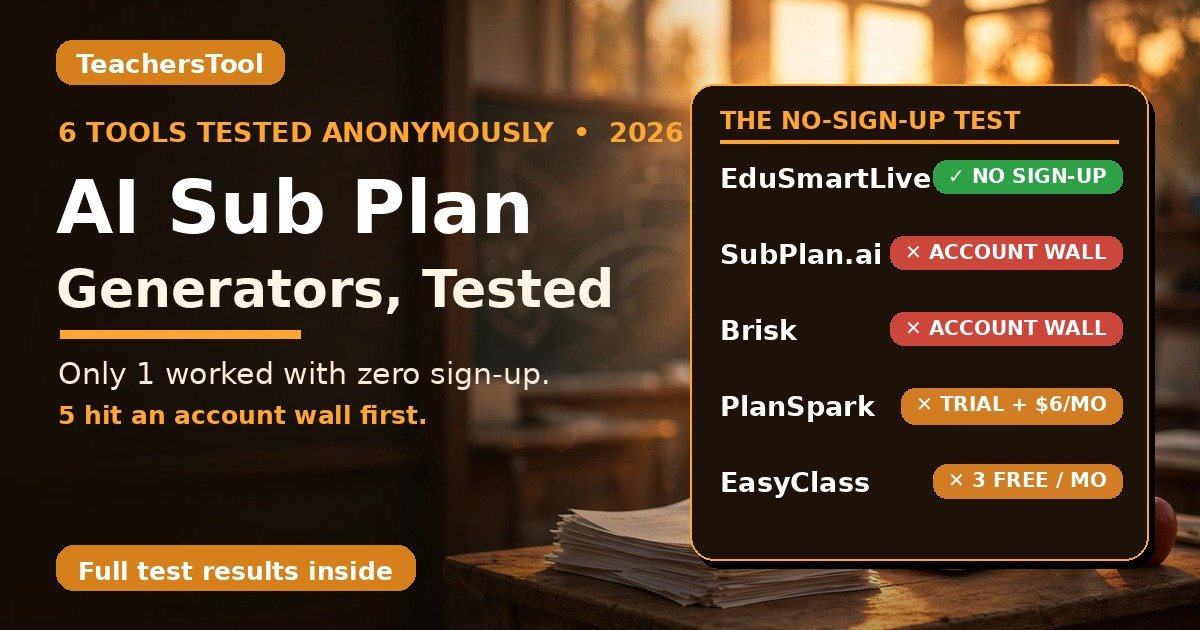
So here’s the direct answer: I tested six AI sub-plan generators anonymously in October 2026, and only one (EduSmartLive) generated a plan with zero sign-up. SubPlan.ai, PlanSpark, Brisk, MagicSchool, and EasyClass all demanded an account first. The fastest emergency move: bookmark the one that works without a login before you need it.
Why this matters: 59% of US K-12 educators used AI tools this school year (Gallup). And Swing Education’s own marketplace data says over 66% of substitute requests arrive with no plans at all.
In this guide you’ll find:
- What happened when I tried all 6 tools completely anonymously — no accounts, no emails
- An honest verdict table: which tool generated a plan at 6 AM, which hid behind signup walls
- A deep dive on EduSmartLive (the only zero-sign-up winner) — and the gaps I found in its plan
- Exact free-tier limits for every tool, verified the same day, plus a copy-paste emergency prompt and the privacy rule

- 6 AM emergency? EduSmartLive’s sub-plan generator gave me a full Grade 5 fractions plan in seconds — no account, no email. Fix the invented supply locations before printing.
- The headline: 5 of 6 tools demanded a sign-up first — including SubPlan.ai, which calls itself “completely free.” Free, yes. Anonymous, no.
- Calm-Sunday setup: Brisk’s forever-free teacher tier (unlimited) or SubPlan.ai (free, built for subs). Set accounts up before you need them.
- Privacy rule: never paste student names, IEPs, or accommodations into AI tools. Prompt about the lesson, never the kids.
How I tested these (so you know this is real)
- Same prompt everywhere: Grade 5 math, fractions, 60 minutes — “for a substitute teacher with no prior context on this class.”
- Truly anonymous: no accounts, no email, no names typed. Wherever a wall appeared, I wrote down exactly what it demanded.
- Verdicts: WOULD SAVE YOU AT 6 AM = full plan with zero login. NOT AN EMERGENCY OPTION = any account wall.
- Tested October 14, 2026 — pricing and free tiers read the same day.
What actually happens when you try these at 6 AM, logged out
| Tool | What their site says | What actually happened | Verdict |
|---|---|---|---|
| SubPlan.ai | “Free access, every time” | Form filled (Grade 5 / Math-Fractions / 60 min) → Generate → “Unlock Access!” wall: First Name, Last Name, Email, Zip Code. No plan. | Not an emergency option |
| EduSmartLive | Free sub-plan generator, 3/day | Full fractions plan in seconds — materials, timed steps, exports. No account, no email, nothing. | Would save you at 6 AM |
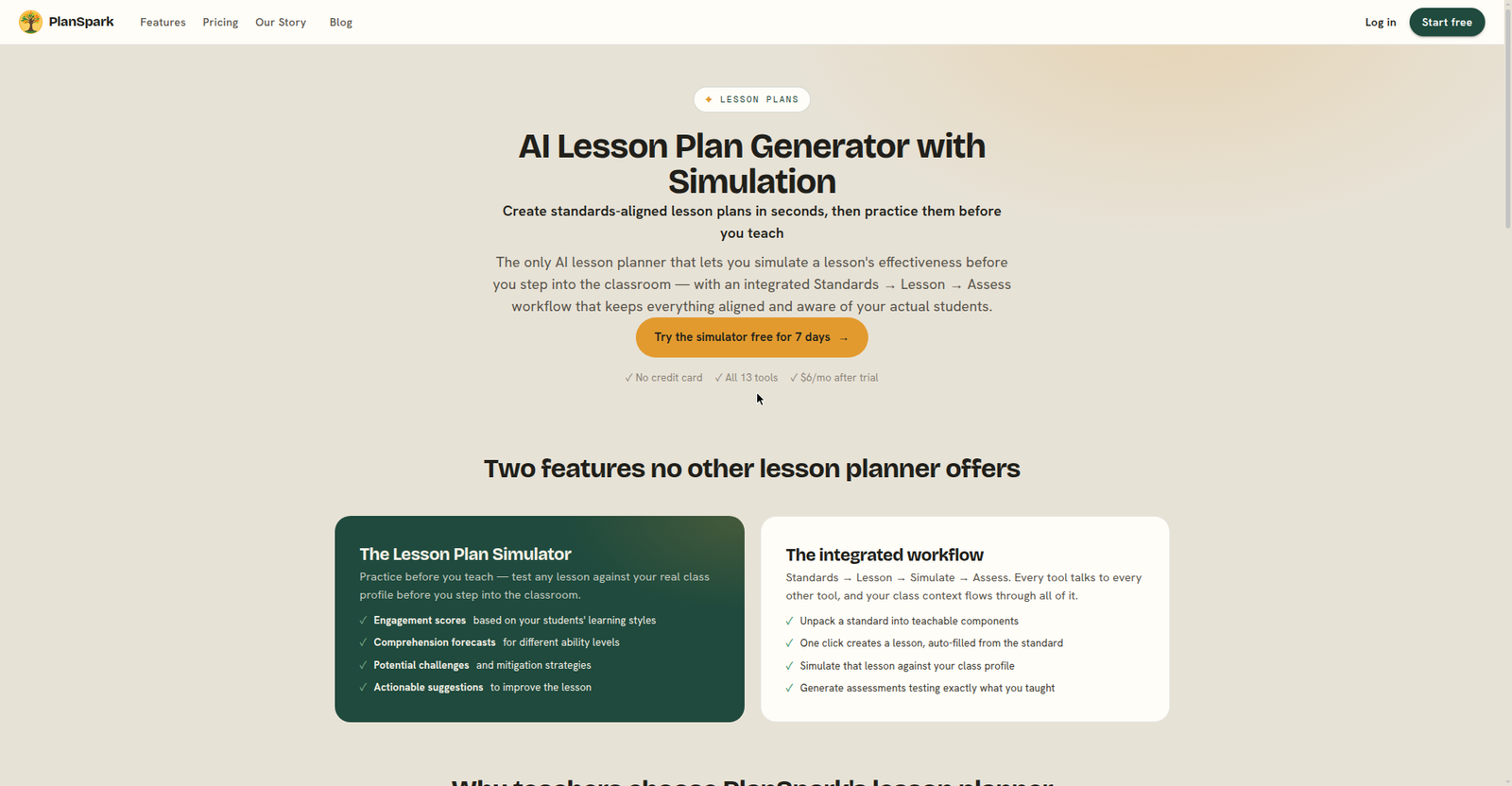
| PlanSpark | “Try it all free for 7 days. No credit card” | “Start free” → account registration (Email, Password, Confirm Password) for the trial. No plan. | Not an emergency option |
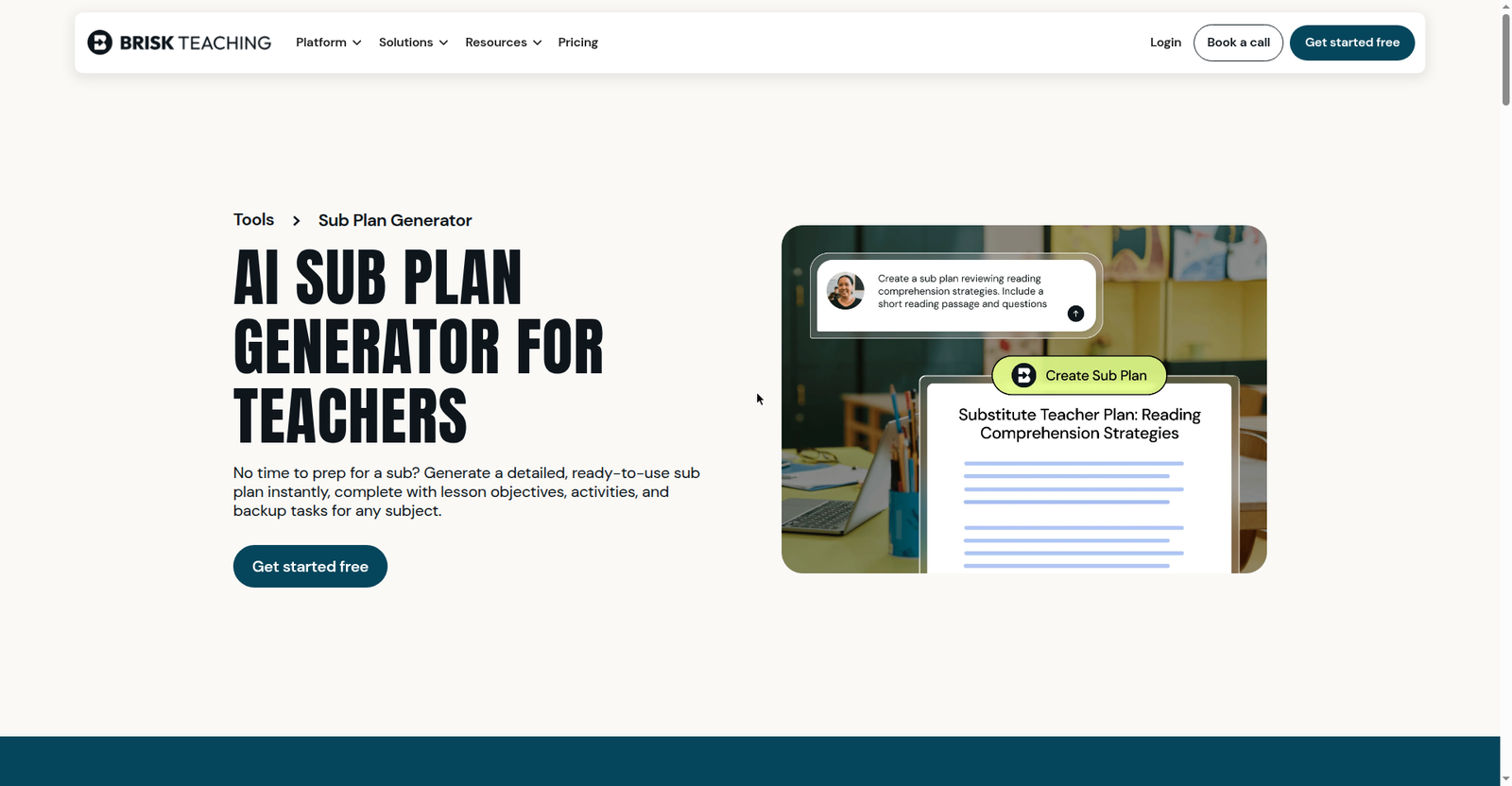
| Brisk Teaching | Dedicated sub-plan generator, free for teachers | “Get started free” → educator sign-in onboarding. No plan. | Not an emergency option |
| MagicSchool.ai | 80+ AI tools, free tier | App needs educator sign-in. No dedicated sub-plan generator on any public page — only the general lesson planner. | Not an emergency option |
| EasyClass.ai | Free forever, no credit card | “Get started” → sign up with Google or email. Free tier: 3 chat messages/month. No plan anonymously. | Not an emergency option |
Five out of six. The category sells “no more scrambling at 5 AM” — yet logged out at 6 AM, five of them hand you a signup form. The emergency tool and the setup-on-Sunday tool are different tools; you need both.
SubPlan.ai: genuinely free — but not anonymous
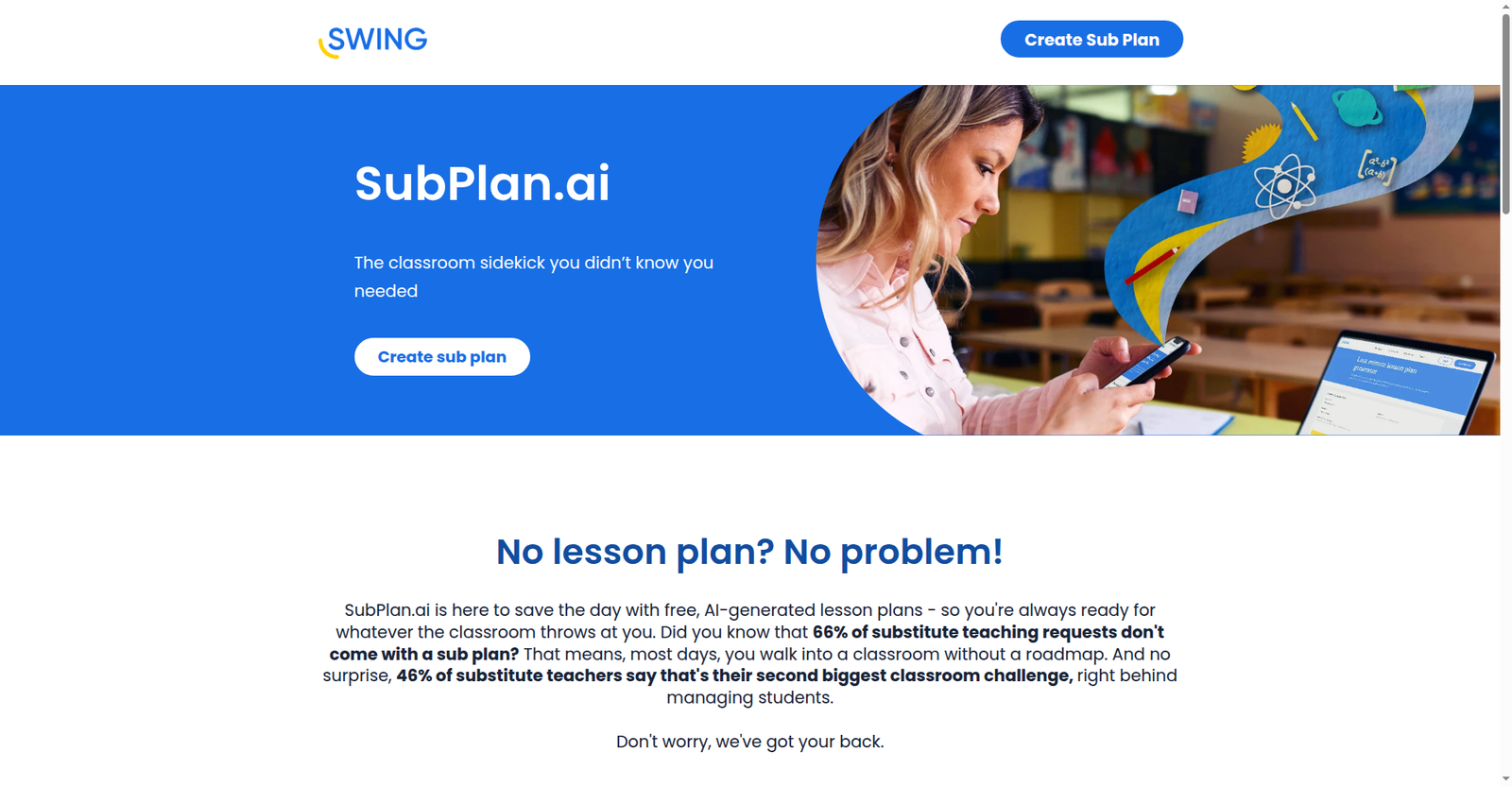
Built by Swing Education for substitutes: AI sub plans, worksheets plus answer keys, multi-day follow-up plans. “You won’t pay a dime,” their blog says — and I found no paid tier or published limits. But my anonymous test ended at an “Unlock Access!” modal demanding first name, last name, email, and zip code. I didn’t submit, so the generated plan, worksheets, and answer keys are unverified hands-on. My take: a free Sunday-afternoon setup — a dead end at 6 AM with no account.
EduSmartLive: the only one that worked with zero sign-up
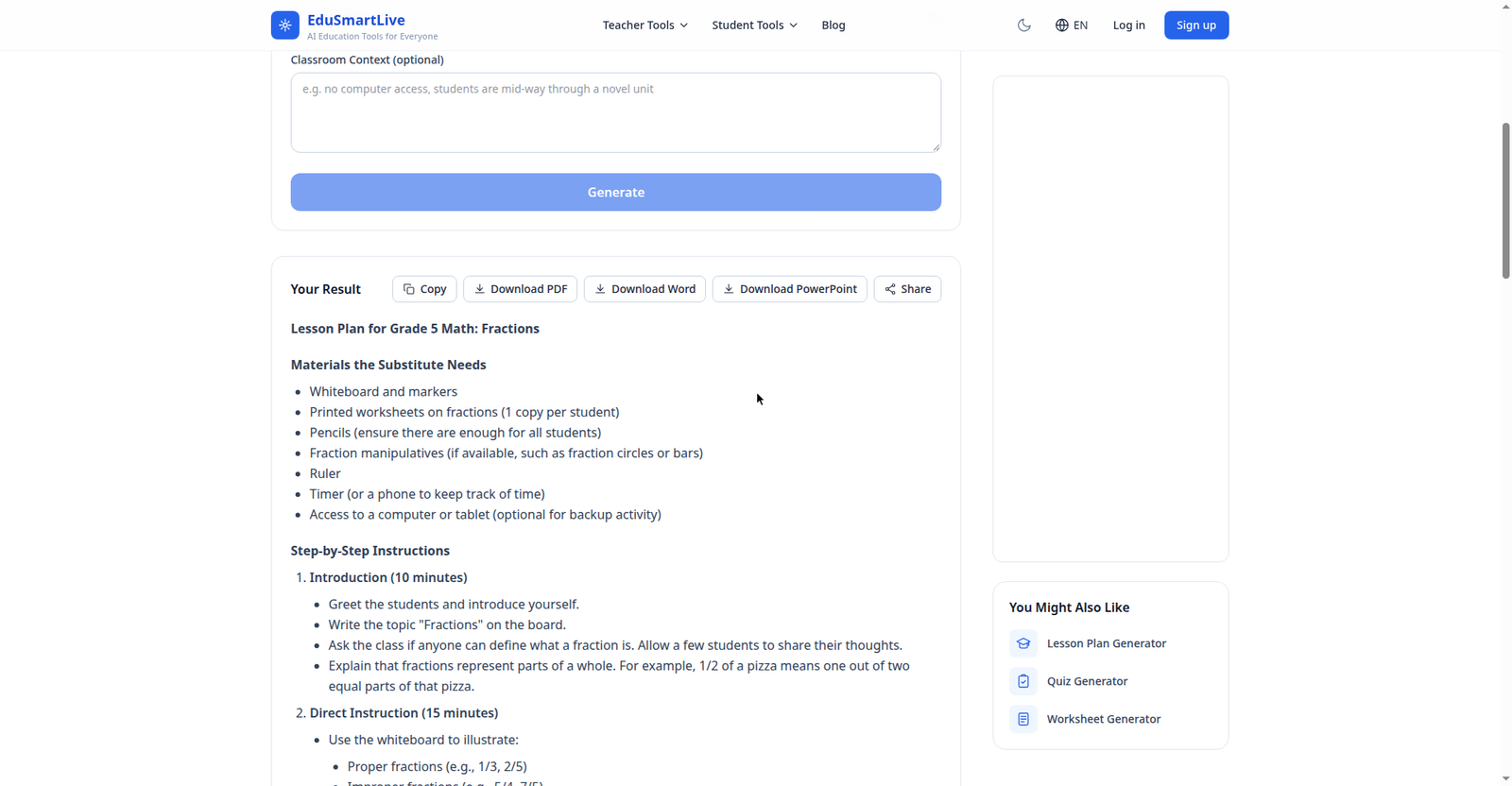
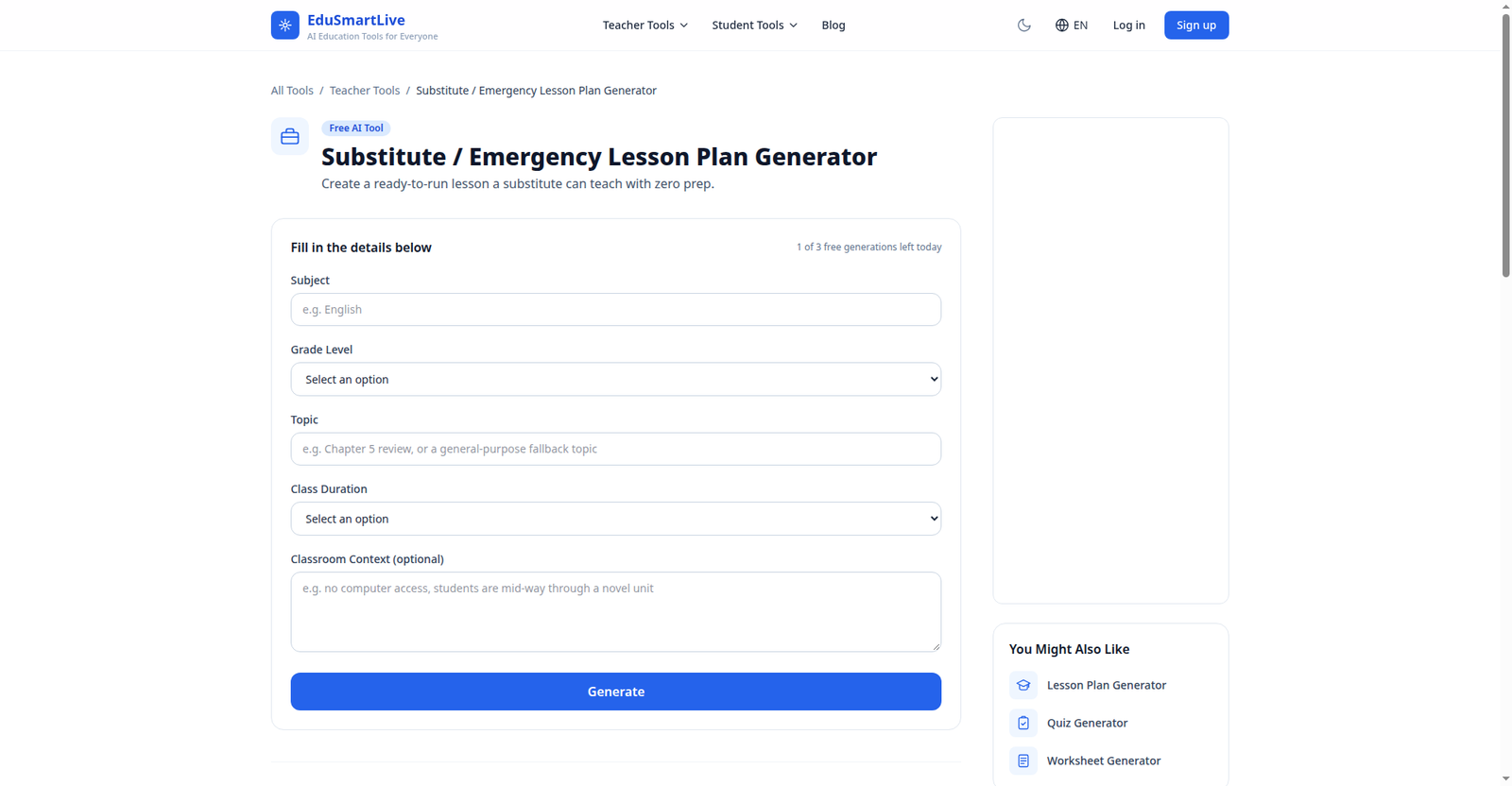
Built for this exact scenario: “Create a ready-to-run lesson a substitute can teach with zero prep.” I entered Math / Grade 5 / Fractions / 60 min, with context “For a substitute teacher with no prior context on this class.” Seconds later: “Grade 5 Math Lesson Plan: Fractions” — materials (whiteboard/markers, fraction manipulatives “if available,” printed worksheets “to be prepared in advance,” timer), timed steps (Introduction 10 min, Direct Instruction 20 min, Guided Practice 15 min), a backup “Fraction Art” activity, and substitute notes. Exports all worked with no account — I verified Copy, Download PDF, Download Word (.docx), Download PowerPoint (.pptx), and Share link. 3 generations/day per visitor (I watched the counter tick 3 to 2 to 1); ad-supported; no paid tiers found.
The honest gaps: it invented my classroom — a “supply cabinet at the back,” a “folder marked ‘Math Worksheets’ on the teacher’s desk.” Fix every location before you print. No objectives/standards section, and the worksheet isn’t generated.
PlanSpark: cheap and sub-capable, but a trial — not an emergency tool
A 13-tool planning suite (Lesson Plans, Worksheets, Rubrics, Lesson Simulator) with substitute plans as an explicit feature — “Generate clear, detailed sub plans in minutes when you’re sick.” But it’s a 7-day free trial (“No credit card to start. All 13 tools.”), “Start free” led to Email/Password/Confirm Password registration, and after the trial it’s $6/month (unlimited lessons, all 13 tools, Lesson Simulator, PDF/PowerPoint export — advertised, unverified hands-on). My take: the cheapest full-featured option here — just not a 6 AM one.
Brisk Teaching: the most generous free tier — behind an educator login
A dedicated AI Sub Plan Generator — objectives, activities, backup tasks, customizable duration/grade/standards, Google Docs/Word export (advertised, unverified — I hit educator sign-in). And the free tier is the most generous I tested: $0 “For Teachers” forever, unlimited usage on all tiers — 20+ tools, Chrome/Edge extension, standard AI models; paid tiers are schools/districts only (plans page). My take: the best free setup a teacher can do on a calm Sunday — just not at 6 AM.
MagicSchool.ai: 80+ tools, but no dedicated sub-plan generator on public pages
I checked the homepage, teacher tools pages, and footer tool list — no dedicated sub-plan generator is advertised on any public page, only the general Lesson Plan Generator among 80+ tools behind educator sign-in. Free is $0 “Forever Free” with standard usage limits (cap unpublished); Plus is $12.99/month or $8.33/user/month annually ($99.96/year). My take: a fine everyday AI assistant — my no-sign-up test covered similar ground — but not the sub-plan specialist some roundups imply.
EasyClass.ai: a real sub-plan layout, a tiny free tier
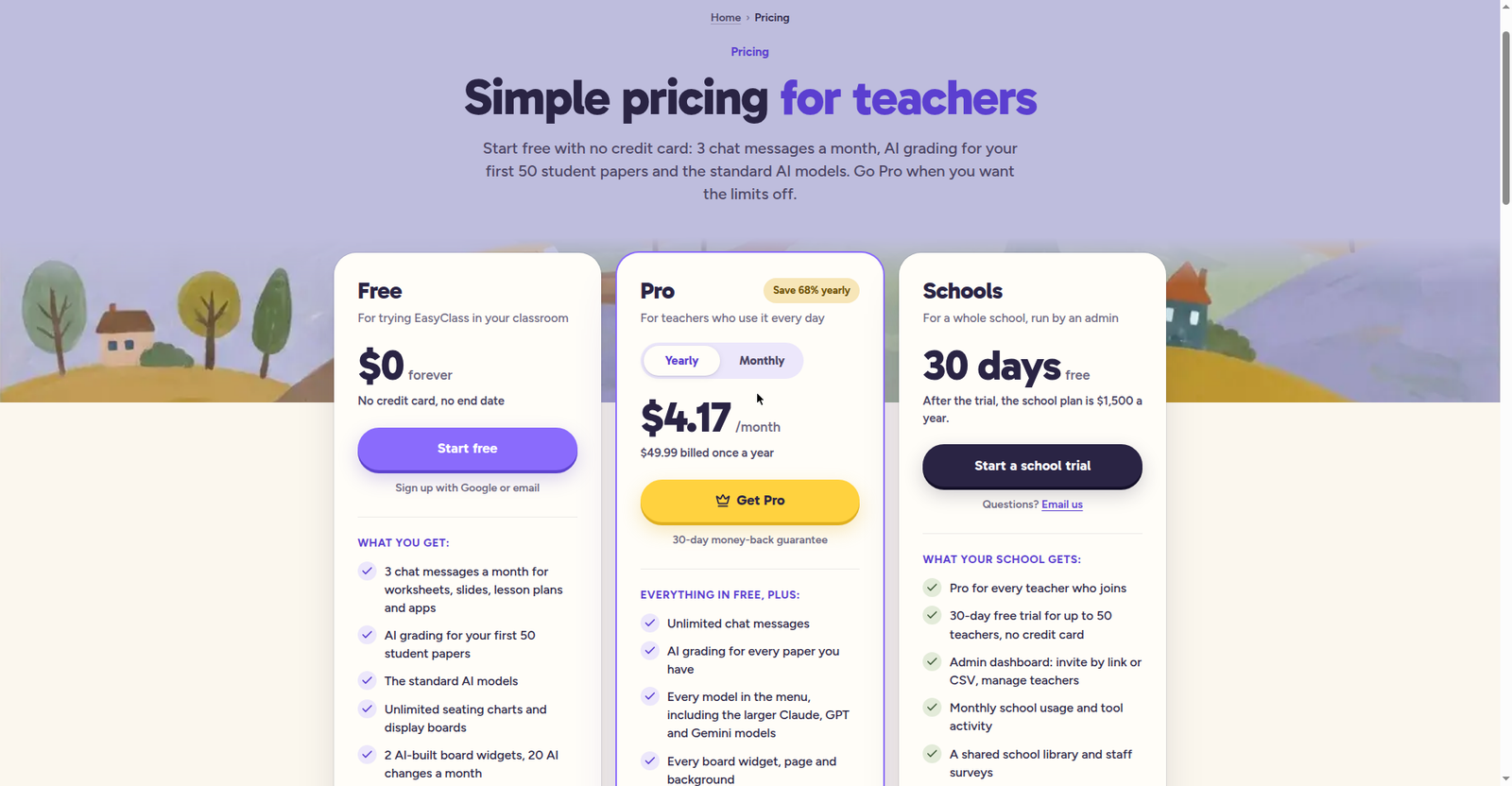
Credit for the format: an official “Sub plans” layout that’s exactly what a sub needs — “written to the substitute in plain words: the day schedule, where things are, who can help, the lesson step by step and a note-back form.” But there’s no standalone generator, “Get started” means signing up, and free is $0 forever with only 3 chat messages/month. Pro is $4.17/month billed yearly ($49.99/year) or $12.99/month monthly (unlimited chat, every model); Schools: 30-day trial for up to 50 teachers, then $1,500/year. Exports (PDF/Word/Print) advertised, unverified. My take: cheapest individual Pro tier here — but the signup wall plus 3-messages-a-month free tier rules it out as an emergency tool.
The free-tier limits, side by side
Verified October 14, 2026 — limits change fast, so re-check the official pages:
| Tool | Free tier | Paid | Sub-plan feature |
|---|---|---|---|
| EduSmartLive | 3 generations/day per visitor, no account; sign-in raises limit; ad-supported | No paid tiers found | Dedicated sub/emergency generator |
| SubPlan.ai | Completely free — no limits published, no paid tier | None found | Dedicated sub-plan generator (account required) |
| Brisk Teaching | $0 forever for teachers — unlimited usage; 20+ tools; Chrome/Edge extension | School/district tiers only, custom pricing | Dedicated sub-plan generator (educator account) |
| EasyClass.ai | $0 forever, no card — only 3 chat messages/month | Pro $4.17/mo yearly ($49.99/yr) or $12.99/mo monthly; Schools $1,500/yr | “Sub plans” layout incl. note-back form (account required) |
| PlanSpark | 7-day free trial only (no card to start), all 13 tools | $6/month after trial | Substitute plans as a feature (account + trial) |
| MagicSchool.ai | $0 Forever Free — 80+ tools, standard usage limits (cap unpublished) | Plus $12.99/mo monthly or $8.33/user/mo yearly ($99.96/yr) | No dedicated sub-plan tool on public pages |
Anatomy of a good sub plan (the part AI can’t write for you)
No generator will describe your actual classroom. AI knows fractions; it doesn’t know your whiteboard markers die by November. Every AI plan needs this human layer:
- Timed day schedule — periods, lunch, specials, dismissal.
- Real locations for everything — the AI will invent these (my test proved it). Write the actual ones.
- Helper students — two or three names the sub can ask anything. Worth more than the lesson plan, honestly.
- One early-finisher backup — so finished kids don’t become a management event.
- A note-back form — what got done, who helped, anything to follow up.
- Emergency info — drills, the nurse’s extension, your cell. One page, non-negotiable.
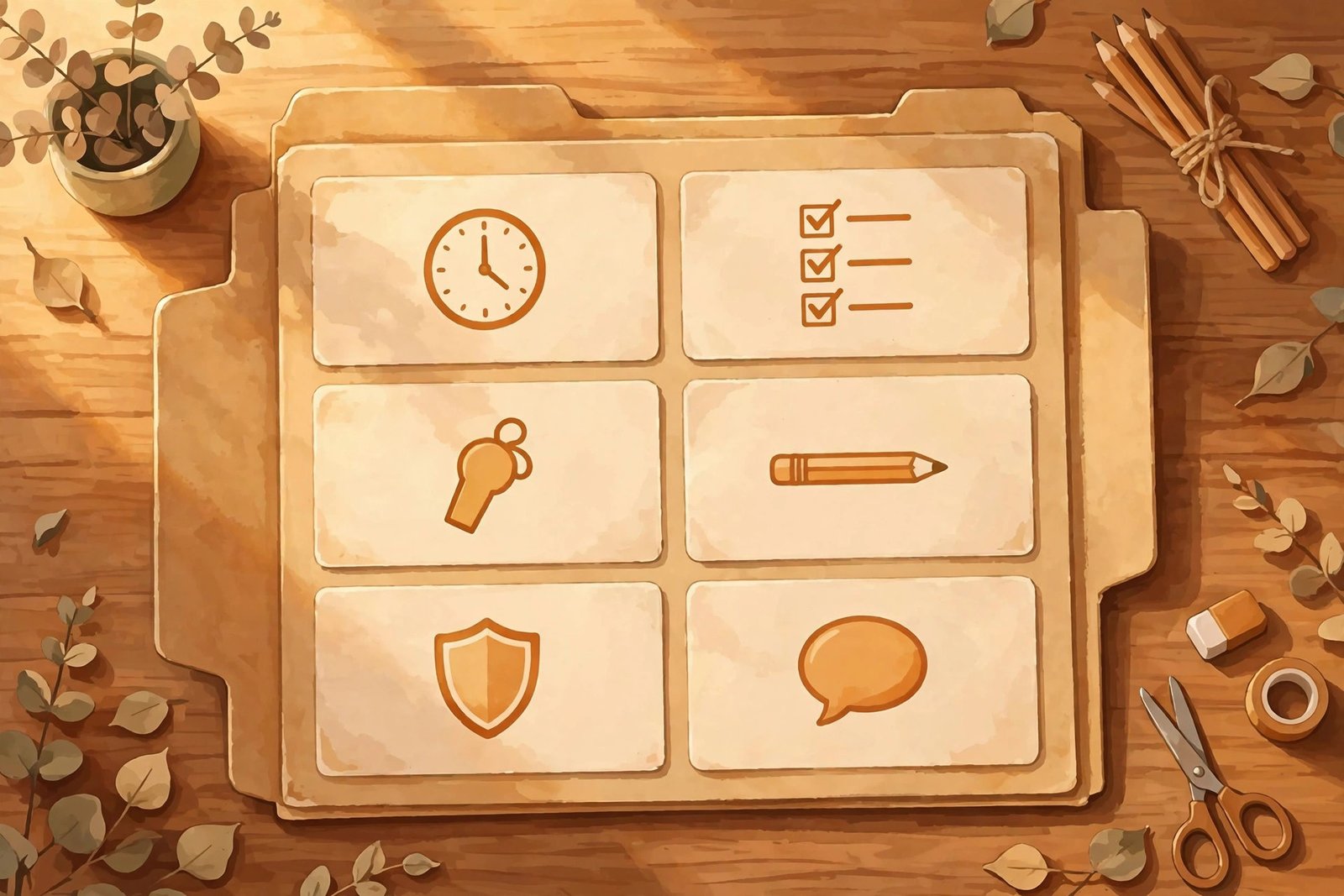
That’s the shape EasyClass’s sub-plan layout gets right — written to the substitute in plain words. The AI generates the lesson; you supply the room.
The smart play: set this up on a calm Sunday (not at 6 AM)
Twenty minutes on a Sunday stops the 6 AM crisis:
- Set up Brisk. Free forever, unlimited usage, dedicated sub-plan generator. Five minutes, worth it.
- Set up SubPlan.ai. Genuinely free (no paid tier), worksheets with answer keys. A one-time Sunday signup, not a 6 AM one.
- Bookmark EduSmartLive. No signup — just the bookmark. Your fire extinguisher.
- Fill in the anatomy sheet. Schedule, real locations, helpers, note-back form. Save as a PDF next to the bookmark.
A major 2026 trial found AI-assisted planning cut prep time by nearly a quarter with no quality drop — but teachers who benefited most edited rather than printing blindly. A Sunday setup you refine once beats a 6 AM scramble.
The 10-minute ChatGPT or Claude sub-plan prompt
No account, no bookmark? Fallback: a general chatbot (needs an account, but handy if you have one). Copy, fill brackets, paste:
Write a substitute lesson plan for a [GRADE] [SUBJECT] class, [DURATION] minutes, about [TOPIC]. The substitute has never met this class. Include: (1) minute-by-minute timed flow; (2) materials list of common classroom supplies only — mark sub-prep items [TEACHER PREP]; (3) direct instruction the sub can read verbatim; (4) one independent backup activity for early finishers; (5) “Notes for the substitute.” Do NOT invent supply locations — write [FILL IN] anywhere a location is needed. Low-prep activities only: nothing the sub must set up, nothing requiring knowing students by name.
That [FILL IN] instruction is the whole trick — it’s what stops the AI from inventing your supply cabinet.
What the AI tools can’t do — and the privacy rule
- No tool knows your classroom. Every location and routine is a guess until you correct it — this isn’t one tool’s quirk, it’s how the models work.
- No saved history without an account. Generate, download the PDF, save it sensibly. Close the tab and it’s gone.
- Terms change. My earlier no-sign-up test showed how fast — one tool’s generator page vanished between ranking and testing. If EduSmartLive’s terms change, tell me and I’ll re-test and update this guide.
The privacy rule is non-negotiable: never paste student names, grades, IEP details, or anything identifiable into an AI tool. Prompt about the lesson — “Grade 5 math, fractions” — never the kids. With districts tightening AI policies, a printed sub plan needs no logins or rostering — nothing for a policy to object to.
FAQ: AI substitute lesson plan generators
Can AI write substitute lesson plans?
Yes — EduSmartLive generated a complete Grade 5 fractions plan in seconds: materials, timed steps, backup activity, substitute notes. But no AI plan is classroom-ready out of the box — correct the invented locations first.
What is the best free AI sub plan generator?
For a true no-account emergency: EduSmartLive — the only one I tested that generates with zero sign-up (3/day per visitor). For ongoing use: Brisk’s free teacher tier (unlimited, dedicated sub tool) or SubPlan.ai (completely free) — both need accounts.
Does MagicSchool have a substitute plan generator?
Not that I could find — no dedicated sub-plan generator on its public pages, only the general Lesson Plan Generator among 80+ tools behind educator sign-in. Brisk and SubPlan.ai are the ones advertising a purpose-built sub tool.
Is SubPlan.ai really free?
Yes, as far as I could verify — no paid tier, no published limits, and Swing’s blog says “you won’t pay a dime.” But free isn’t anonymous: generating requires an “Unlock Access” signup (first name, last name, email, zip code). A Sunday task, not a 6 AM one.
What should a good sub plan include?
Beyond the lesson: a timed day schedule, real locations for everything, two or three helper students, one early-finisher backup activity, a note-back form, and emergency procedures. See the anatomy checklist above.
Can I use AI sub plans if my district banned AI?
Very likely, yes. Most district bans target student AI use and automated grading/IEP decisions, not a teacher generating a plan at home — and a printed plan needs no logins or rostering. Still, check your district’s specific rules; they vary.
So which one should you try first?
Take this away: bookmark EduSmartLive’s generator right now, while you’re calm. It’s the fire extinguisher — the one tool with zero login at 6 AM.
Then, on a Sunday: set up Brisk and SubPlan.ai, and fill in the human layer — schedule, locations, helpers, note-back form. Feverish-at-6-AM you will be so grateful.
Now go bookmark that page — your 3rd-period class will thank you.
Last updated: October 14, 2026. Features and prices were verified hands-on on October 14, 2026 and change fast — if you spot something outdated, let us know and we’ll re-test and correct it.
Add TeachersTool as a Preferred Source in Google Search — open any of our articles in Google, tap the star/source icon, and choose TeachersTool. You’ll see our newest teacher-tested AI guides first.
Get One Useful AI Tool Tip Every Week
One practical AI tool tip in your inbox every week. No spam, unsubscribe anytime.

We’re the team behind TeachersTool. We hands-on test AI tools for teachers — signing up for free plans, taking real screenshots, and fact-checking every claim before publishing. Our guides cover lesson planning, quiz creation, grading, and classroom AI workflows.
Enjoying TeachersTool guides?
Add us as a Preferred Source on Google — you'll see our latest tools and guides first in Search, Top Stories, and AI Overviews.