Does AI Lesson Planning Actually Work? What the New EEF Trial Found — and Which Tools Come Closest (2026)

Does AI lesson planning work? Yes — it genuinely saved time in the biggest independent test yet. A randomised trial of 464 primary teachers found Oak National Academy’s free Aila tool cut lesson-planning time by 24% (about 49 minutes a week) with no drop in material quality. The catch: teachers used Aila for only about 7% of their lessons, and fewer than one in five said it meaningfully changed how they teach. The trial’s real lesson wasn’t “AI works” — it was that AI works best for early-career teachers, and only when it fits how teachers actually plan.
- The trial: 464 teachers, 108 schools, Key Stage 2 (ages 7–11), autumn 2025, run by NFER for the Education Endowment Foundation. Rated “high security” — the EEF’s top confidence grade.
- The win: 2.5 hours a week planning vs 3 hours 19 minutes for the comparison group. Independent assessors judged the AI-assisted materials no worse in quality.
- The catch: 81% of teachers tried Aila, but in a typical week it supported only ~7% of lessons. Teachers usually adapt existing material; Aila is built to plan from scratch.
- Below: six tools scored against what actually made Aila work — what’s genuinely free, which ones teachers outside the UK can use, and the design lesson every vendor is ignoring.
In this guide you’ll find: what the EEF trial really tested and found (the numbers, not the press-release version); the three caveats the headlines skipped; a hands-on look at six AI lesson planners — Aila, MagicSchool, Eduaide, Brisk, Twee and ChatGPT — scored against the trial’s winning traits; an honest free-plan comparison table; and what I’d actually recommend for your situation. If you’re asking “does AI lesson planning work” and whether these tools are worth your Sunday evening, start here.
First, the honest headline: 24% less planning time — with an asterisk
I’ve read a lot of edtech studies, and most share a pattern: small sample, vendor-funded, glowing conclusions. This one is different, and that’s why it matters.
The Education Endowment Foundation — the UK’s independent education research charity — commissioned the National Foundation for Educational Research to run a randomised controlled trial of Oak National Academy’s AI lesson assistant, Aila. A proper RCT: 464 primary teachers across 108 schools, randomly split. One group planned with Aila; the other was told not to (but could use any other AI tool). Ten weeks in autumn 2025, weekly planning diaries, plus independent blind assessment of the actual lesson resources produced.
The result? The Aila group spent 76% of the time on lesson and resource preparation compared with the comparison group — 2.5 hours a week versus 3 hours 19 minutes. Roughly 49 minutes saved every week, with no measurable drop in quality. The EEF gave the finding its “high security” rating, its top grade for methodological rigour. For a field drowning in hype, this is about as solid as education evidence gets.
So: does AI lesson planning work? On the numbers — yes. But the numbers are only half the story, and the other half is the interesting part.
The three things the headlines didn’t tell you
1. Teachers barely used it — and use kept falling
Here’s the stat that stopped me: 81% of teachers in the Aila group opened the tool at least once, but in a typical week it supported only about 7% of their lessons. And usage declined across the ten weeks. Think about what that means. The 24% time saving happened despite light use — teachers who used Aila more saved more. But most teachers, most of the time, planned the way they always had.
Why? The researchers point to a design mismatch. Aila is built to generate a lesson from scratch: pick a year group, subject and topic, and it drafts an objective, activities, slides, quizzes and a worksheet. But that’s not how most teachers plan. Most teachers adapt — they take last year’s lesson, a colleague’s slides, a textbook spread, and reshape it. A from-scratch generator doesn’t fit that workflow, so it quietly got abandoned. The trial’s most important lesson, I’d argue: teachers want AI inside the work they’re already doing, not a separate “AI destination” they have to visit.
2. The benefits went almost entirely to newer teachers
This is the finding the news coverage buried, and honestly it should have been the headline. The teachers who benefited most were early in their careers or less confident in their subject knowledge — exactly the people who plan from scratch most often, and who have the least accumulated material to adapt. For experienced teachers with folders full of tried-and-tested lessons, Aila added little.
That makes complete sense once you think about it. A from-scratch generator is a gift to the teacher staring at a blank page on a Sunday night. It’s a shrug to the teacher with fifteen years of fraction lessons in a drawer.
3. Fewer than one in five felt it changed anything
In the post-trial survey, fewer than one in five teachers said using Aila meaningfully influenced their teaching and planning. Some found it accessible and well-aligned with the curriculum; others simply preferred their existing processes or other tools. Aila’s output also frequently needed editing before it was classroom-ready — it’s a draft engine, not a finished-lesson machine. That reframes the question: not “does AI lesson planning work?” but “for whom, and in what workflow, does it work?”
The 5.9-hour figure you’ve seen everywhere, explained
You’ve probably seen a much bigger number floating around: teachers saving “six weeks a year” with AI. That figure comes from a 2025 Walton Family Foundation–Gallup survey of 2,232 US public-school teachers, in which the 30% who used AI weekly estimated it saved them 5.9 hours a week. It’s a striking number — and the key word is “estimated.” This is self-report: teachers guessing how much time they saved, not a stopwatch on their planning.
Set that next to the EEF trial above and the gap is startling: measured with weekly diaries and blind quality checks, the saving was 49 minutes a week — roughly a tenth of the Gallup figure. Neither study is lying. They measured different things. The survey captured teachers’ felt experience of relief — the sense that the Sunday-night dread got lighter, which is real and matters. The trial measured clock time on a specific task. When a headline says AI saves teachers six weeks a year, it’s the self-reported estimate doing the work, not the measured result.
Then comes the awkward follow-up: even when AI genuinely frees up time, does your workday actually shrink? Probably not by much. ActivTrak’s 2026 State of the Workplace report — built from 443 million tracked work hours — found the average workday got only about 2% shorter (8 hours 53 minutes down to 8 hours 44), while productive hours rose 5% and collaboration surged by a third. AI compressed the work instead of removing it: saved time got refilled with more output, more messages, more meetings. Economists call this the Jevons paradox — efficiency gains get swallowed by rising demand. The honest translation for teachers: AI can genuinely lighten your planning, but don’t expect the hours to simply vanish. They’ll fill with something else unless you decide what that something else should be.
| Study | Method | Population | What it found | Caveat |
| EEF/NFER Aila trial (2025) | Randomised controlled trial | 464 primary teachers, 108 English schools | 24% less planning time (~49 min/week), no drop in quality | Only ~7% of lessons used Aila; use fell over time |
| Walton/Gallup survey (2025) | Teacher survey (self-reported estimates) | 2,232 US public-school teachers | Weekly AI users estimated 5.9 hrs/week saved (“six weeks a year”) | Self-reports, not measured; only 30% were weekly users |
| EEF/NFER ChatGPT trial (2024) | Randomised controlled trial | 259 teachers, 68 secondary schools (KS3 science) | 31% cut in planning time, no quality drop | Usage declined over the trial |
| D2L/Pollfish survey (2025) | Higher-education survey (self-reported) | 500 US higher-ed professionals | 52% saved some time; 40% none; 8% said more work | Self-reported; 30% didn’t use AI |
How I checked the tools (the honest methodology bit)
For this guide I opened each tool’s live website and pricing page in October 2026 and checked every free-tier claim against what the vendor actually publishes — no logins, no accounts created. Where a vendor doesn’t publicly state a limit (and several don’t), I say so instead of guessing. Every claim below links to its source; anything unverifiable is labelled as such. (More about who’s behind this site.)
The six tools, scored against what actually won the trial
Aila won the trial on four traits: it was grounded in a real curriculum (England’s national curriculum), it produced a complete package (lesson plan + slides + quizzes + worksheet) in one flow, it built from scratch, and it was free. But does AI lesson planning work with the tools you can actually reach? Here’s how they stack up against that template.
1. Aila (Oak National Academy) — the trial winner itself
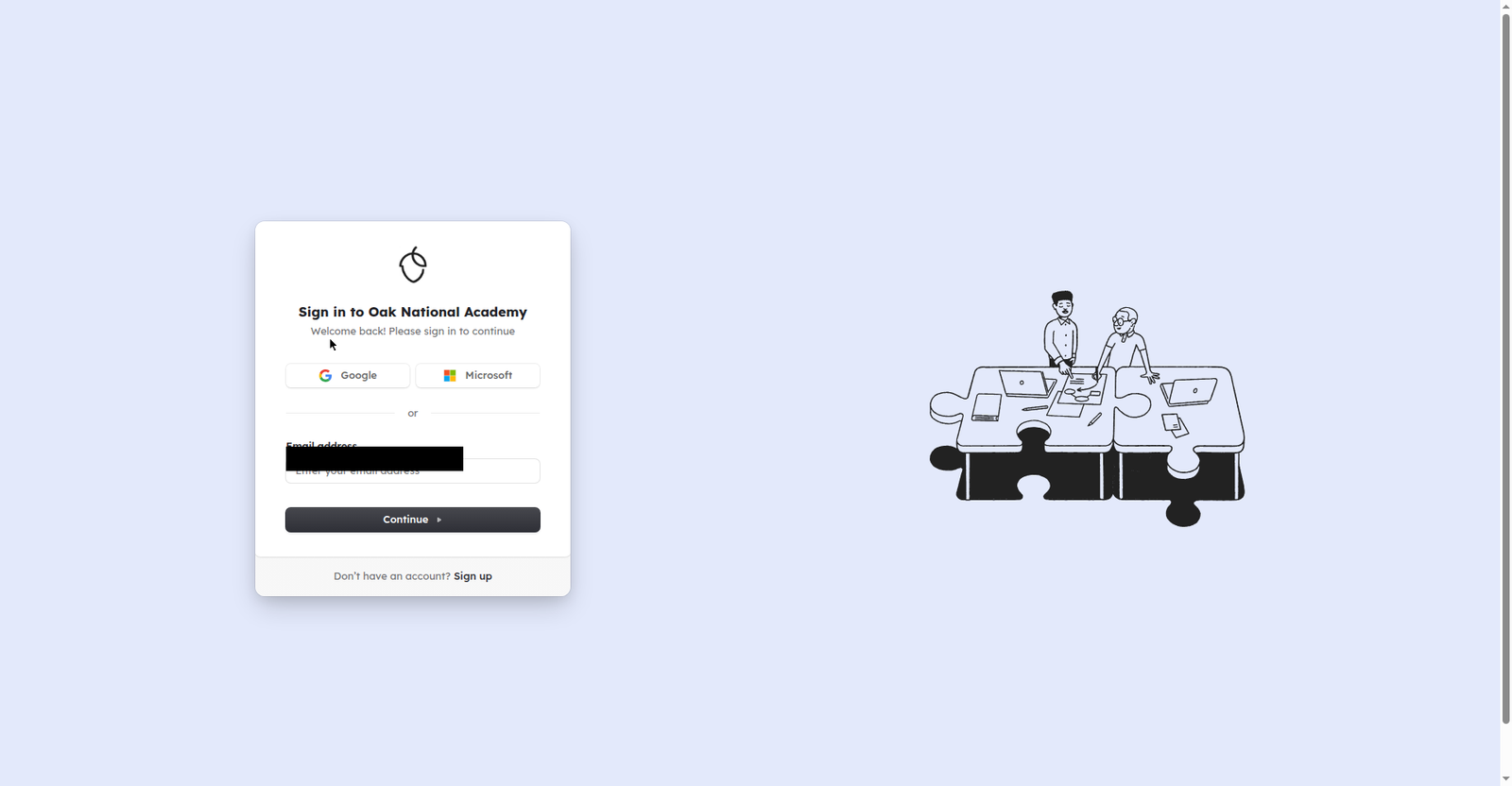
What it is: the actual tool from the trial. Built by Oak National Academy, the UK’s national online classroom organisation. Choose the year group, subject and topic you’re teaching; Aila drafts a National Curriculum-grounded learning objective plus activity ideas, then assembles one lesson plan, one slide deck, two quizzes and one worksheet per lesson — which you refine and download.
What I saw on the site: the tool lives at labs.thenational.academy (Oak’s “AI experiments” area), but the interface itself sits behind a sign-in wall — you’ll need an account (Google, Microsoft or email) before you see anything, as the screenshot above shows. It’s free — Oak’s own blog says it “is, and always will be, free.” One stated limitation: Aila doesn’t currently include images in its AI lessons.
The catch: it’s built for England’s curriculum. If you teach in the US, Canada or Australia, the curriculum alignment — its biggest strength — mostly doesn’t transfer, and Oak doesn’t clearly state whether non-UK teachers can sign up. For UK primary teachers, especially newer ones, this is the obvious first try. For everyone else, read on.
2. MagicSchool — the broadest free toolkit
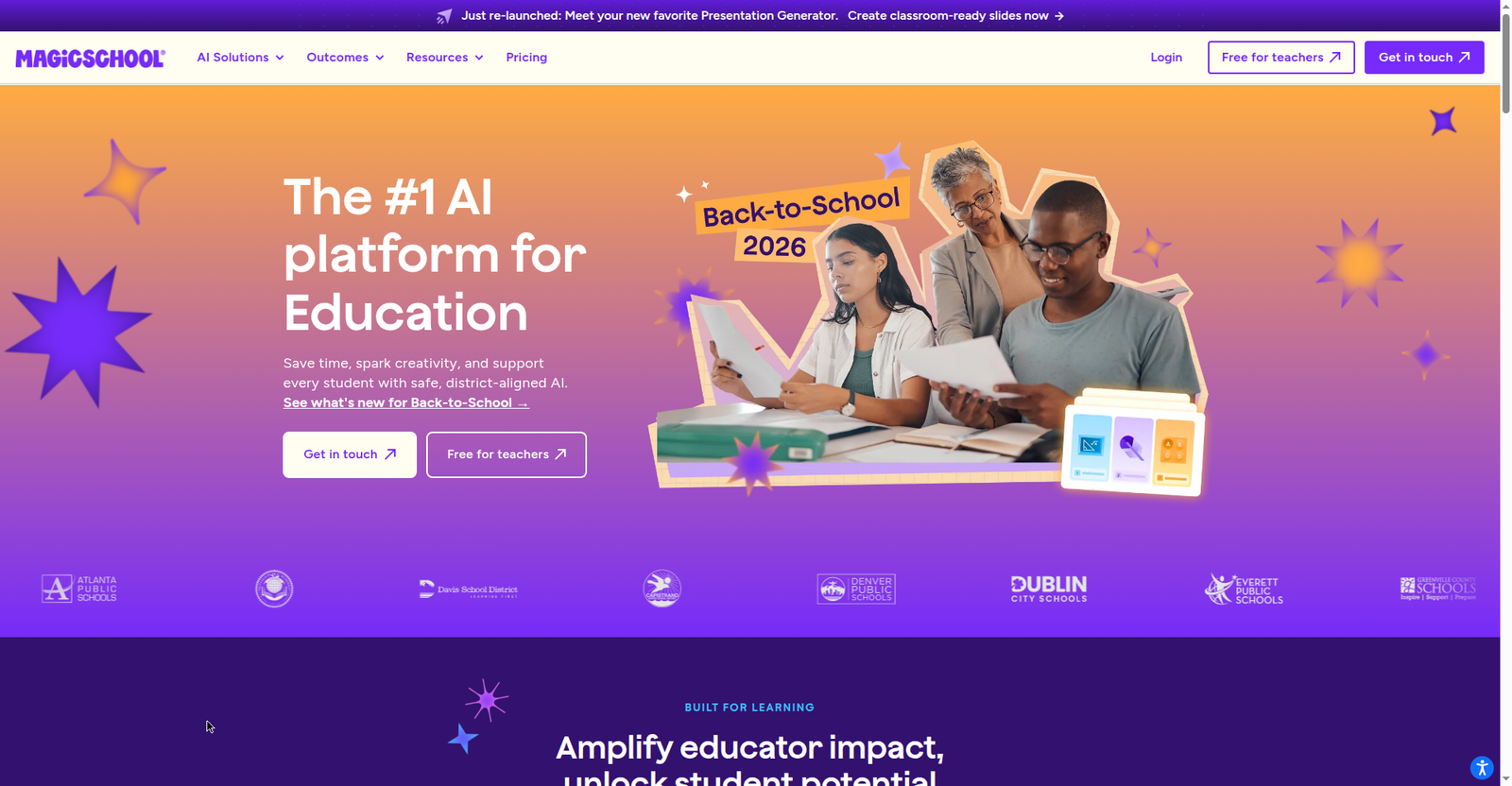
What it is: the biggest name in teacher AI tools right now — 80+ purpose-built tools (lesson planners, rubric generators, IEP helpers, a chatbot called Raina), plus student-facing tools.
What I saw on the site: MagicSchool’s pricing page is refreshingly blunt. The “Forever Free” plan costs $0 and includes all 80+ teacher tools. The catch: free generations are capped per day — but MagicSchool doesn’t publish the number. “Unlimited generations” is reserved for Plus at $8.33/month billed annually or $12.99/month billed monthly.
Best for: teachers who want one free account covering lesson planning and everything else. If you’re outside the UK and want the closest thing to Aila’s “plan from scratch” flow, start here — just know you’ll discover the daily caps by hitting them.
3. Eduaide — the closest workflow match
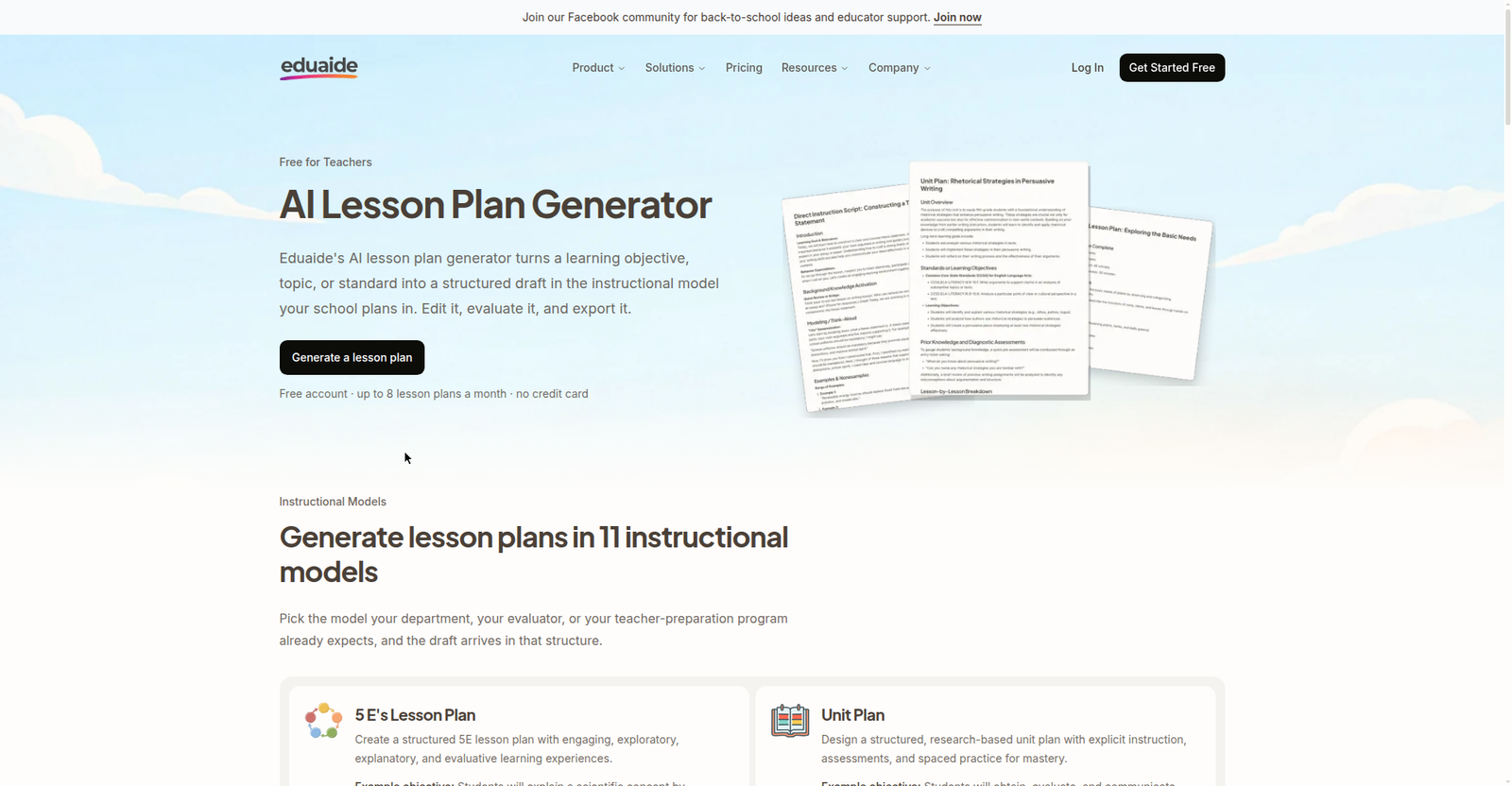
What it is: a dedicated lesson-planning workspace — arguably the closest in spirit to what Aila does. Generate a lesson, then keep refining it in the same workspace rather than bouncing between tools.
What I saw on the site: Eduaide’s pricing page offers “Eduaide Free” — always free, no credit card, with 24 generation credits a month and up to 8 lesson plans a month (both stated on the site itself). Pro is $49.99/year with unlimited generations — genuinely cheap as paid plans go.
Best for: teachers who liked the idea of Aila but need US/international curriculum flexibility, or anyone who plans from scratch regularly and wants a dedicated workspace rather than a chatbot. Note: no built-in curriculum grounding, so check its objectives against your standards yourself.
4. Brisk — the one that learned the trial’s lesson
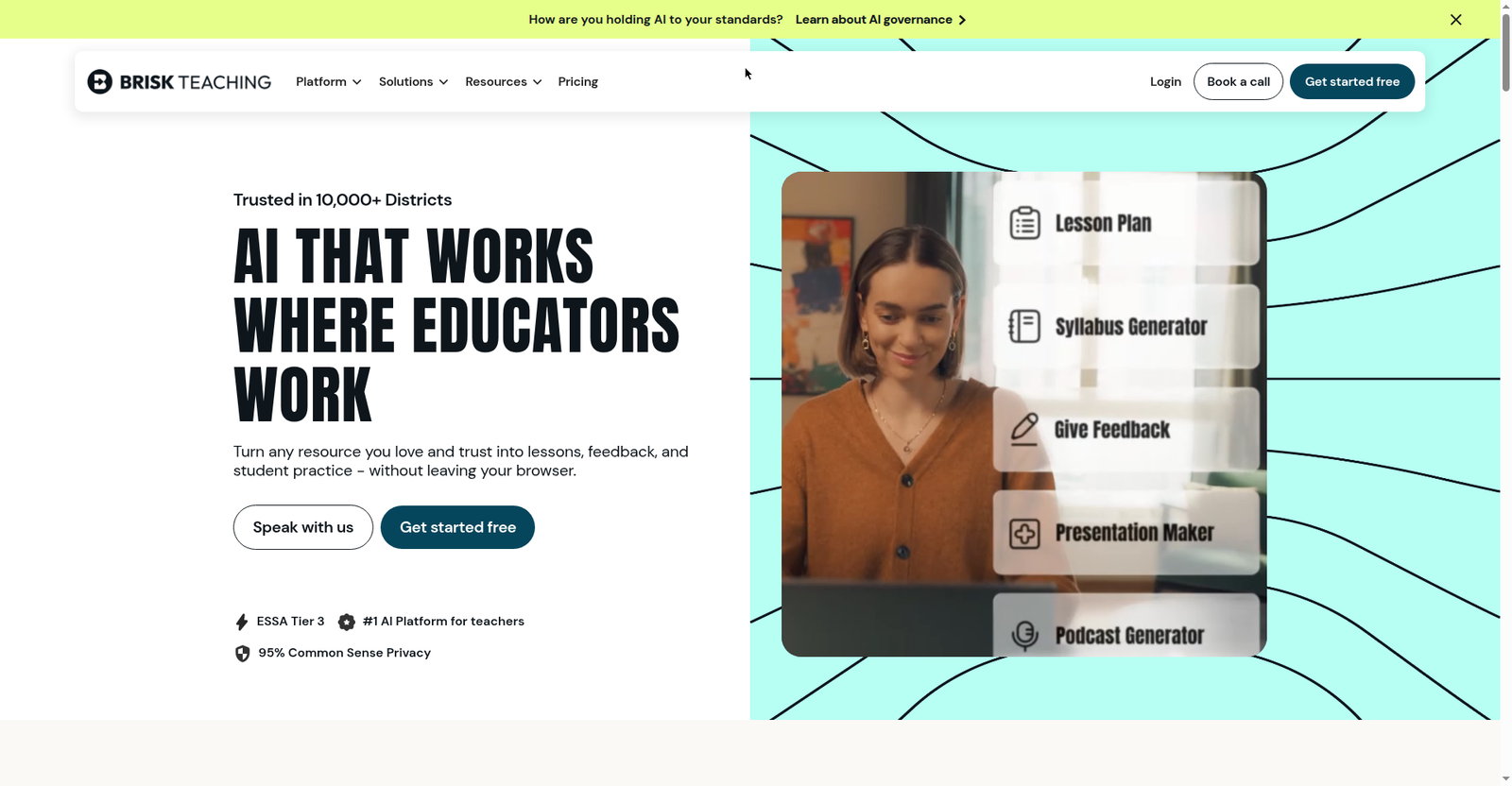
What it is: a Chrome/Edge extension that lives inside Google Docs, Slides and YouTube — the opposite philosophy to Aila. No separate destination: it brings AI to the documents you’re already working in — generate a lesson plan from a doc, adjust reading levels, create quizzes from a YouTube video, give feedback on student writing.
What I saw on the site: Brisk’s homepage leads with “Free AI Tools for Teachers” and serious trust signals — 95% Common Sense Privacy rating, ESSA Tier 3 evidence, a claim that 1 in 3 US teachers use it. Its pricing page lists “FREE — $0 — For teachers” with 20+ tools and “Unlimited usage” checked — the most generous free tier I found. Its lesson-plan page FAQ states outright that the lesson plan generator is “totally free to use on our Educator Free plan.”
Best for: experienced teachers with existing materials — the group Aila helped least. The trial’s clearest design lesson was that AI should live inside your existing workflow, and Brisk is built for exactly that. If your planning starts from last year’s docs rather than a blank page, start here.
5. Twee — the language-teacher specialist
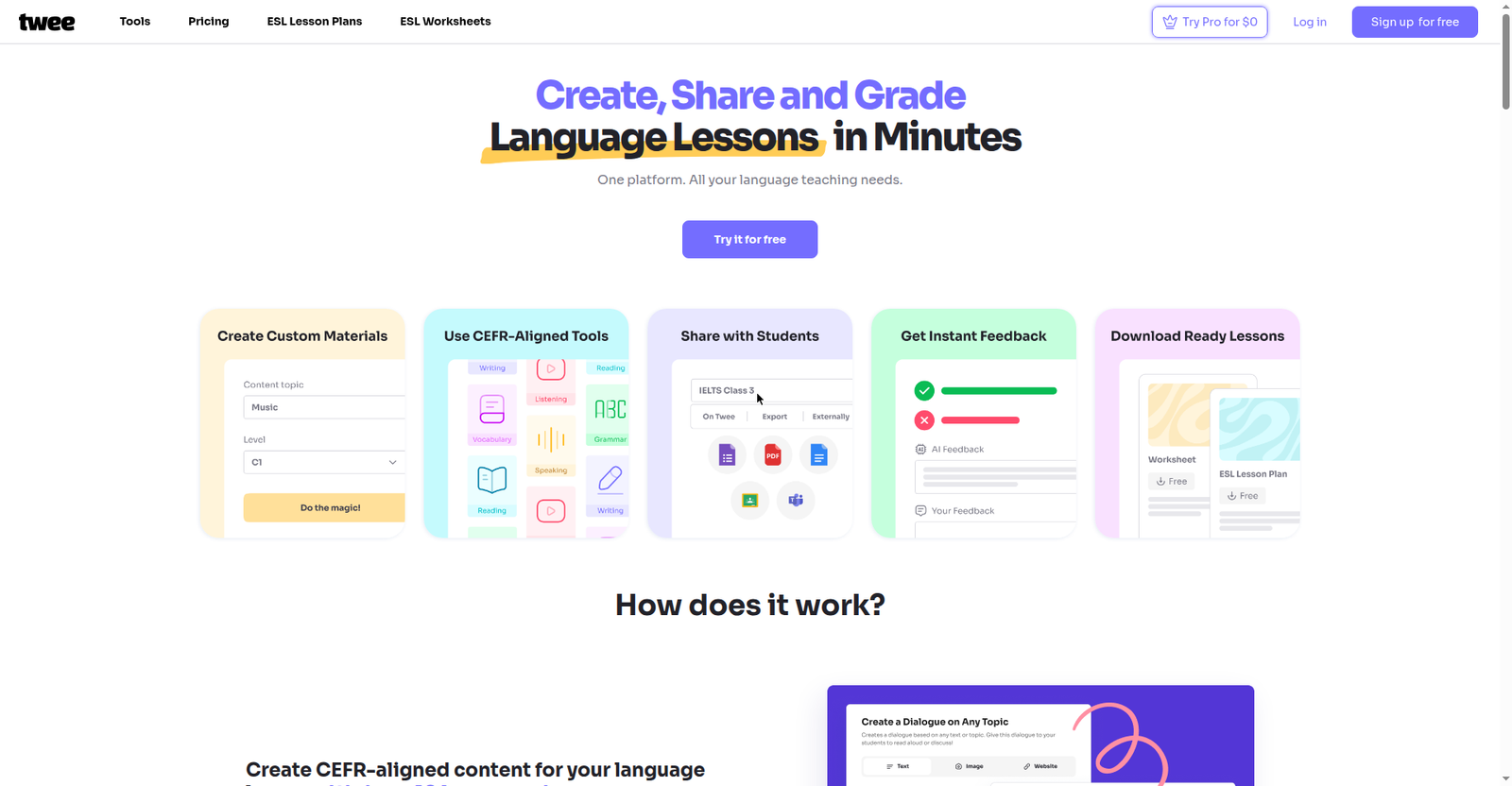
What it is: AI tools built specifically for English and language teachers — everything aligned to CEFR levels (A1–C2), from lesson plans to vocabulary exercises to speaking activities.
What I saw on the site: Twee’s homepage is clearly aimed at ESL/EFL classrooms (claims of 500,000+ teachers, 6 million exercises generated last year — self-reported). Twee’s pricing page settles the free-tier question: the free “Twee Trial” gives 5 trial runs of any tool (plus 500 text-to-audio credits). Beyond that, Basic is $6.50/month billed annually (100 runs/month) and Pro is $10.50/month.
Best for: English/ESL teachers who need level-appropriate materials fast — the CEFR levelling is exactly the kind of curriculum grounding the trial showed matters. It won’t plan your Year 5 fractions lesson, and it doesn’t try to.
6. ChatGPT — the free DIY option (with its own trial data)

What it is: you know what it is. The interesting part: ChatGPT is the only other lesson-planning AI with RCT evidence. An earlier EEF/NFER trial (December 2024) found teachers using ChatGPT spent 69% of the comparison group’s planning time — though the trials measured different things, so don’t compare the percentages directly. Usage declined over that trial too, which is becoming a pattern.
What I saw on the site: ChatGPT’s pricing page (checked October 2026) confirms the free plan is $0 with unlimited text chats — genuinely unlimited for plain lesson-plan drafting, with limits only on uploads, images, voice and the fancier features. No curriculum grounding, no built-in lesson structure: it’s a blank chat box, so plan quality depends entirely on your prompting.
Best for: teachers comfortable writing good prompts, or anyone who wants to try AI planning tonight with zero friction. Prompt it with your curriculum standard and a specific class profile (“Year 4, mixed ability, 45 minutes”) — vague prompts get vague plans.
The free-plan comparison, honestly
This is the table I wish existed when I started researching — what each tool costs you at $0. Where a vendor won’t state the limits, I’ve said so rather than invent a number.
| Tool | Free tier | Free limits (as published) | Signup | Curriculum grounding |
|---|---|---|---|---|
| Aila | Free, “always will be” | None stated — full access | Account required | England national curriculum |
| MagicSchool | Forever Free ($0) | Daily generation caps — number not published | Free account | US standards-leaning |
| Eduaide | Free tier ($0), no credit card | 24 generation credits/month; up to 8 lesson plans/month | Free account | None built in |
| Brisk | Free Educator tier ($0) | “Unlimited usage” per its pricing page; lesson plan generator totally free | Free account (Chrome/Edge extension) | Works with your own materials |
| Twee | Free trial tier ($0) | 5 trial runs (then Basic $6.50/mo, Pro $10.50/mo) | Free account | CEFR levels (A1–C2) |
| ChatGPT | Free ($0) | Unlimited text chats; uploads/images/voice limited | Free account | None — you supply it |
Notice the pattern? Most vendors advertise “free” and hope you don’t ask about the limits. The honest ones — Eduaide, Brisk, Twee — publish theirs; MagicSchool doesn’t, so assume you’ll discover the cap by hitting it. And favour the tools whose free tier has no asterisk at all: Aila (free, full access) and ChatGPT (free, unlimited text chats).
The counterpoint I have to include
Intellectual honesty requires the other side of the ledger, because the evidence isn’t all one direction.
First, a Turkish randomised trial of a teacher-facing generative AI tool found it linked to lower student motivation — with no attainment gain to offset it. The EEF’s £2.5 million AI research fund is now studying exactly this, including “cognitive off-loading”: the worry that leaning on AI for the thinking parts of teaching might quietly erode the thinking itself.
Second, usage decline keeps showing up. The ChatGPT trial’s teachers also used the tool less over time. Two independent trials, same pattern: initial enthusiasm, then drift. The tools have to earn their place in a teacher’s routine, not just in a trial’s measurement window.
And third — the caveat I keep coming back to — no robust evidence yet links any of this to better learning outcomes. So does AI lesson planning work? For workload, the trial evidence says yes. For attainment, the jury is still out. If a vendor tells you their planner raises test scores, ask for the RCT.
What I’d actually recommend
So does AI lesson planning work for you? Here’s the practical version, based on everything above:
- UK primary teacher, early in your career? Try Aila first. It’s free, it’s curriculum-grounded, and the trial says you’re exactly who benefits most. Give it your trickiest from-scratch topic — the one you’d otherwise spend an hour on.
- Experienced teacher with a drive full of existing lessons? Try Brisk. The trial’s clearest design lesson was that AI should live inside your existing workflow, and Brisk is built for exactly that. Adapt, don’t start over.
- Outside the UK and want the full guided flow? MagicSchool’s free tier is the closest Aila-like experience, and Eduaide is the closest dedicated from-scratch workspace. Try both free tiers for a week and keep the one whose output needs less editing.
- ESL / English teacher? Twee — the CEFR levelling is worth more than any general planner’s features.
- Just curious, zero commitment? ChatGPT’s free plan drafts unlimited lesson plans tonight. Prompt it with your curriculum standard and a specific class profile (“Year 4, mixed ability, 45 minutes”) — vague prompts get vague plans.
And whatever you try: judge it after three real lessons, not one. The trial’s usage data suggests most teachers quit before they found the workflow the tool actually fits. The teachers who kept going saved more. That’s probably the most useful sentence in this whole guide.
So, does AI lesson planning work? The EEF trial’s answer: yes for workload — about 49 minutes a week — especially for early-career teachers planning from scratch. Does AI lesson planning work for experienced teachers adapting existing lessons? Less so, unless the AI lives inside their workflow. And does AI lesson planning work for learning outcomes? We don’t know yet — no robust evidence links it to attainment.
Where your planning time actually goes
Before asking whether AI can help, it helps to see what ‘planning’ actually contains. A typical lesson plan isn’t one job — it’s a chain: tracking down the right curriculum standard, turning it into a clear objective, designing the main activity, differentiating for the students who’ll race ahead and the ones who’ll need scaffolding, then building the exit ticket or check for understanding. Teachers consistently report that the writing-it-all-up part is only a fraction of the work; finding the standard and shaping the activity usually takes longer. That’s why a from-scratch generator helps most at the blank-page moment and less at the fiddly adaptation stage — which, as the trial showed, is where teachers actually spend their time. So does AI lesson planning work for your workflow? It depends on which link in your chain is slowest.
Frequently asked questions
Does AI lesson planning really save teachers time?
Does AI lesson planning work to save time? Yes — in the best independent test so far, a 2026 randomised trial of 464 primary teachers found Oak National Academy’s free Aila tool cut planning time by 24% (about 49 minutes a week) with no drop in material quality. The caveat: teachers used it sparingly (about 7% of lessons), so real-world savings depend on whether the tool fits your workflow.
Is Aila, the AI lesson planner from the EEF trial, free?
Yes. Oak National Academy says Aila “is, and always will be, free.” You need an account at labs.thenational.academy to use it. It’s grounded in England’s national curriculum, so UK teachers get the most from it; international eligibility isn’t clearly stated.
What did the EEF trial actually test?
The Education Endowment Foundation commissioned the National Foundation for Educational Research to run a ten-week randomised controlled trial in autumn 2025: 464 Key Stage 2 teachers (ages 7–11) across 108 English schools. One group planned with Aila; the other didn’t (but could use other AI tools). Planning time was measured through weekly teacher diaries, and lesson resources were independently assessed for quality. In other words, the trial asked: does AI lesson planning work in real classrooms, not just in demos?
Which AI lesson planner is best for teachers?
It depends on your context. Aila has the strongest independent evidence and is free, but it’s England-curriculum-focused. MagicSchool offers the broadest free toolkit internationally; Eduaide is the closest from-scratch workspace; Brisk works inside your existing Google Docs (best for experienced teachers adapting material); Twee suits English/ESL teachers; ChatGPT’s free plan is the zero-cost DIY option.
Do experienced teachers benefit from AI lesson planners?
Less than newer teachers, according to the trial. The biggest time savings went to early-career teachers and those less confident in their subject knowledge. Experienced teachers usually adapt existing material rather than planning from scratch — which is why tools that work inside your current documents (like Brisk) may suit them better than from-scratch generators. For experienced teachers, the answer to “does AI lesson planning work” depends entirely on the workflow.
Does using AI for lesson planning lower the quality of lessons?
Not according to the trial evidence. Independent assessors judged the Aila group’s resources no worse in quality than the comparison group’s, and an earlier ChatGPT planning trial found the same: less time, no quality compromise. That said, AI plans usually need teacher editing before they’re classroom-ready — treat them as strong first drafts, not finished products.
Is the ‘six weeks a year saved’ claim real?
It’s a real survey finding, but it’s not a measured result. The figure comes from a 2025 Walton Family Foundation–Gallup survey of 2,232 US teachers, where the weekly AI users estimated saving 5.9 hours a week — extrapolated by the authors to ‘six weeks a year.’ Compare that with the EEF’s randomised trial, which measured about 49 minutes a week with weekly diaries. If you’re asking ‘does AI lesson planning work’ and you mean the six-weeks figure, treat it as teachers’ felt experience, not a promise
Does any of this apply to university teaching?
Partly. A 2025 D2L/Pollfish survey of 500 US higher-education professionals found 52% said AI saved them some time — but 40% reported no time saved at all, and 8% said it added to their workload. So does AI lesson planning work at university? For about half of lecturers, yes; for a large chunk, it does nothing. The same caveat applies — these are self-reports, not measured trials.
Is using AI for lesson planning cheating — or even allowed?
Drafting a lesson plan with AI isn’t cheating — it’s prep, not assessment, and nobody grades your planning process. Whether it’s allowed is a separate question: some schools and districts restrict AI use, and policies vary a lot. Check your district’s policy before building AI into your routine
.
Last updated: 11 October 2026. We re-check tool pricing and free-tier claims before publishing and correct errors when we find them — if you spot one, tell us via the contact page.
elated: https://teacherstool.online/school-ai-b
Get One Useful AI Tool Tip Every Week
One practical AI tool tip in your inbox every week. No spam, unsubscribe anytime.

We’re the team behind TeachersTool. We hands-on test AI tools for teachers — signing up for free plans, taking real screenshots, and fact-checking every claim before publishing. Our guides cover lesson planning, quiz creation, grading, and classroom AI workflows.
Enjoying TeachersTool guides?
Add us as a Preferred Source on Google — you'll see our latest tools and guides first in Search, Top Stories, and AI Overviews.